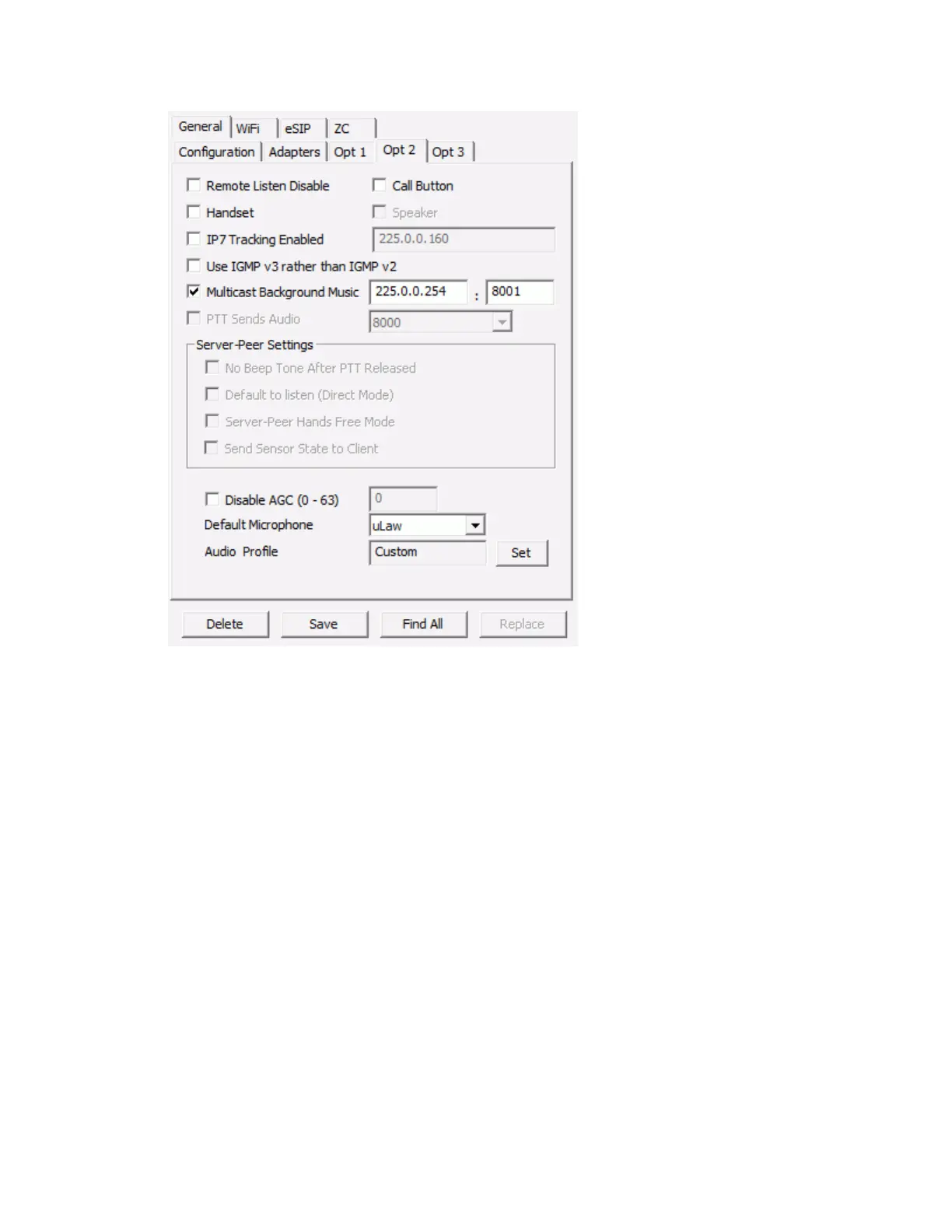
IP Endpoints Tab
39
Remote Listen Disable - Disables the ability to remotely activate the Intercom's microphone. Used for
Paging Speakers or environments where remote listening is not allowed.
Call Button - Changes the Intercom's PTT button to a Call button. Prevents the audio from being
transmitted when the button is pressed. See PTT vs Call button topic.
Handset - Check this box when using the HS-x1 Handset hardware. When a user picks up the HS-x1
Handset from its cradle, an incoming call is placed to the Operator Console. The Operator Console can
place an outgoing call to a Handset by selecting it and clicking the Call button (the Talk button changes to
a Call button when the device is selected and no call is in progress).
Speaker - Check this box if the HS-x1 Handset has an optional speaker that can be used to
play an audio page while the Handset is still in the cradle.
IP7 Tracking Enabled - Allows IP7 status information to be sent to a unicast or multicast IP Address. Use
only under the supervision of Digital Acoustics Technical Support. Data will be captured by the
TalkMaster FOCUS Support Service and can be displayed using the TalkMaster FOCUS Support
Central application.
Use IGMPV3 Instead of IGMPV2 - changes the Intercom to use IGMPV3 instead of the default IGMPV2.
IGMPV2 devices will work correctly in an IGMPV3 network.
Play Multicast Background Music - Check this option and specify a multicast IP Address:port to include
this endpoint in low priority background music operations. Use this with a IP7 configured as a Music
Injector to play background music/audio. Background music is considered low priority and will
automatically be interrupted by any Intercom or Paging activity. Once the Endpoint has been idle for 5 -
10 seconds, it will start the background music up again.



 To Next Page