TalkMasterFOCUSAdminConsoleReferenceManual
46
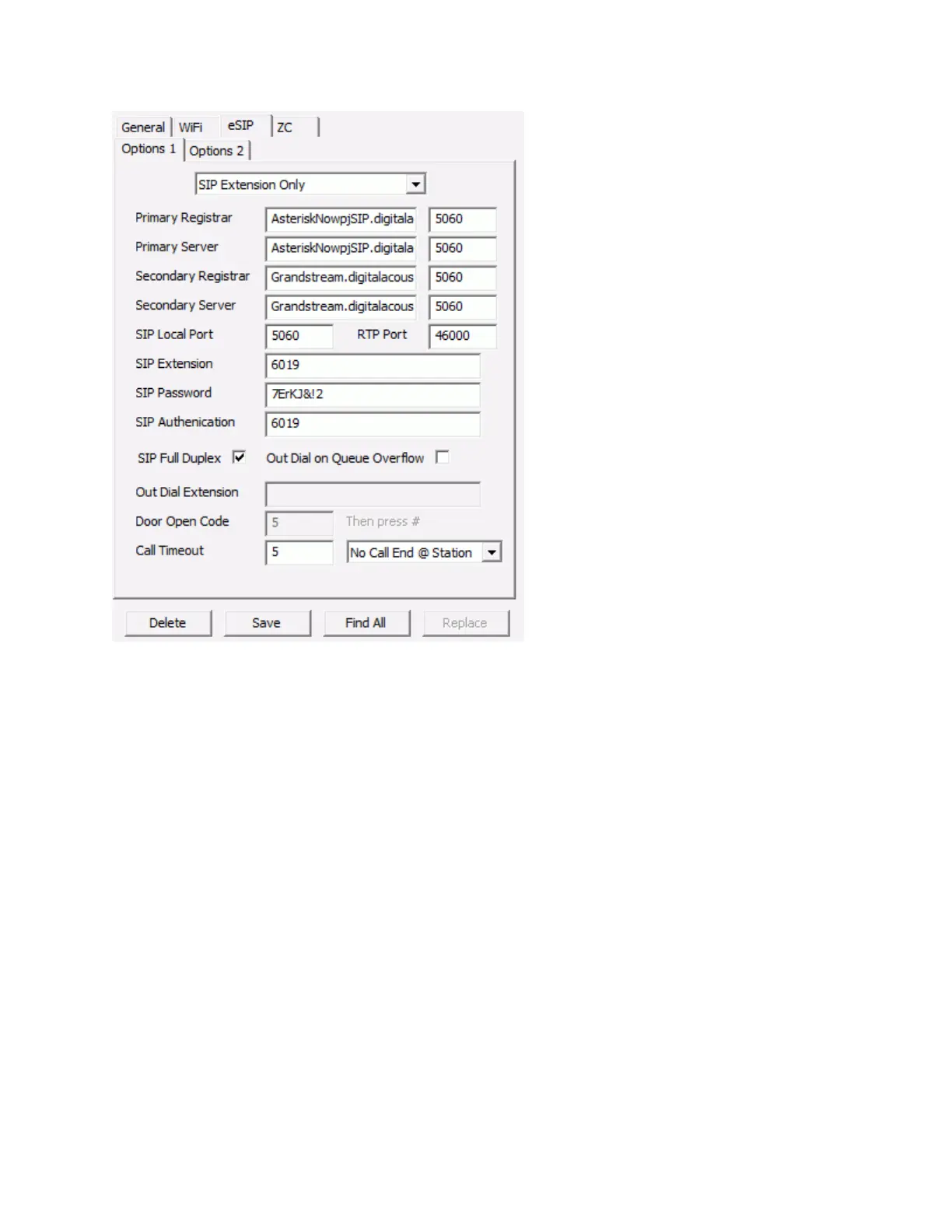
The following options are available for eSIP:
Not a SIP Device - The SIP Protocol will not be used. All other options on this tab will be
unavailable.
SIP Extension Only - The SIP Protocol will be used. This device can be called from another SIP
Extension. If the Client Type from the Configuration tab is set to Client, pressing the IP
Endpoint's Talk button will also send the call to a TalkMaster FOCUS Operator Console. If the
Out Dial on Queue Overflow option is checked and if the Queue that the Endpoint is assigned to
goes into Overflow status, the incoming call will be deleted from the Operator Console and the
number from the Out Dial Extension will be "dialed" and sent to the SIP Server.
Dial a SIP Extension on PTT - The SIP Protocol will be used. This device can be called from
another SIP Extension and will automatically dial the predetermined number if the IP Endpoint'
TALK button is pressed. The number to be dialed can be a SIP Extension, a "call queue"
extension on a SIP Server or an outside line if the SIP Server has that capability. If the Client
Type from the Configuration tab is set to Client, the endpoint can also be accessed by the
Consoles connected to the TalkMaster FOCUS server but it will not register a call in to TMOC.
SIP Server and Registrar Information
Primary Registrar - Specifies the IP Address or DNS name of the primary SIP Registrar.
Typically, the SIP Registrar and the SIP Server are the same
Primary SIP Server - Specifies the IP Address or DNS name of the primary SIP Server



 To Next Page