1 EVOLUTION 1 SYSTEM MANUAL Issue 1.1 20 Dec 2006
EV2 STOPPED
HD 1 - ->SPEED= 100
EVOLUTION CODERS
EVOLU
PART 2: OPERATION PROCEDURES
OVERVIEW CONTROLLER AND LCD
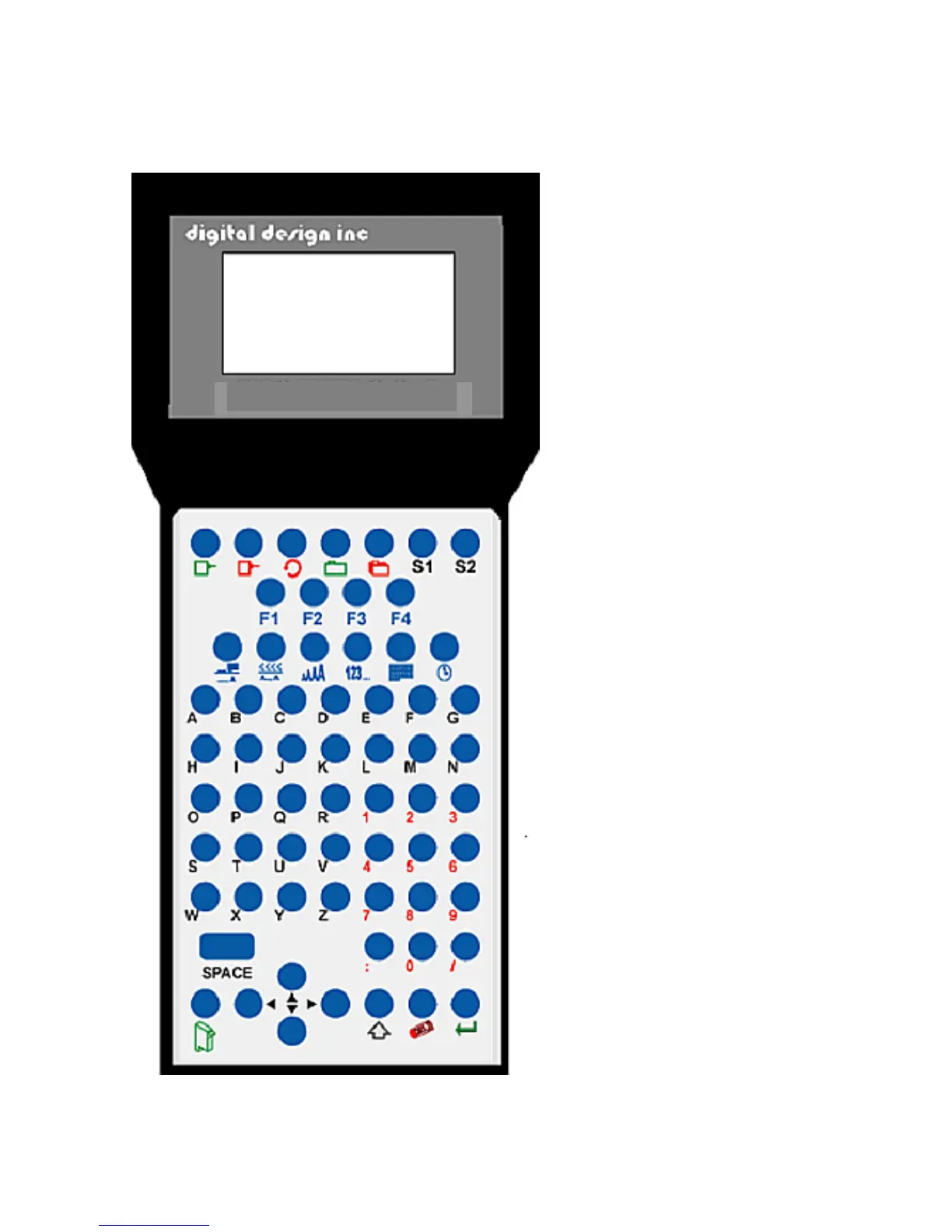
The keypad on the print
station, pictured here, contains
64 keys. The LCD will display
various messages to assist in
programming on the upper half
of the display. The lower half
of the display will show up to
two lines of the entered print
message.
The system operates is 3 basic
modes. They are: Print Mode,
Command Mode, and
Message Entry Mode. In Print
Mode the majority of the keys
on the keypad are disabled to
avoid inadvertent changes.
When in Print Mode the Top
line of the LCD will display
PRINTING.
The Command Mode is used
to change the functions of the
printer. When in the
Command Mode the display
will show STOPPED on the top
line. The Message Entry Mode
is used to create or modify
printable codes, when in this
mode the top line of the display
will show MESSAGE ENTRY.
The 4 keys on the top row are
the function keys F1 through
F4. They each consist of
submenus for modifying
various printer functions. Their
specific menus are detailed
later in this section.
The next two rows of keys with
icon legends directly control
specific parameters of the
printer as follows.



 To Next Page