1 EVOLUTION 1 SYSTEM MANUAL Issue 1.1 20 Dec 2006
PART 4: TROUBLESHOOTING AND REPAIRS
FAULTS
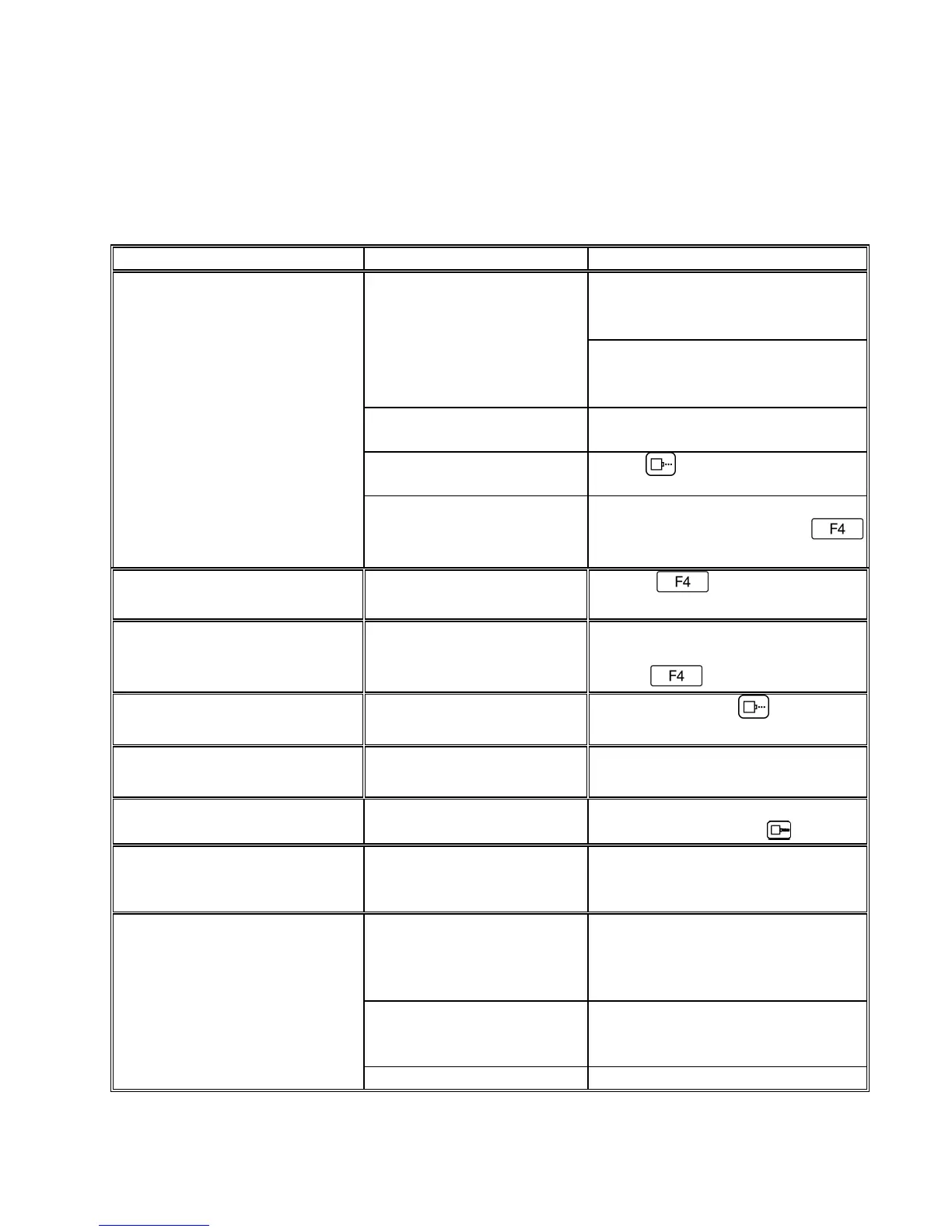
This chart was created to assist the user in troubleshooting the unit. Find the
problem in the first column; apply the remedy(s) suggested in the third column.
Condition Probable Cause Remedy
Ensure the controller is securely
connected to the correct port on
the print carriage assembly
LCD remains blank. No power.
Unit does not print, although
LCD shows information.
No message in unit Input your message (see pages
2-18).
Unit in “COMMAND”
mode.
Press .
No ink. Replace ink cartridge; reset ink
volume parameter (press
and follow the sequence.
Low ink indicator on with full
ink cartridge.
Did not reset ink volume
parameter.
Press . Continue key
entry following menu prompts.
Unit does not purge. Out of ink. Replace with full ink cartridge.
Reset ink volume parameter
(press ).
Unit in “PRINTING” mode
Press Stop Print.
Ink cartridge clogged Clean Ink Cartridge Nozzle area
with lint free wipe
Missing one or more dots
from code.
No ink. Clean or Replace cartridge and
purge system (press
).
Long down-time. Follow daily start-up procedure if
your line experienced a long
down time.
Unit loses data while printing Static electricity Eliminate source of static.
ttach ground strap between
print head and low impedance
earth ground.
High levels of radio
frequency.
Move unit to an alternate
location or attach ground strap
as above.
Spikes in electrical line. Use AC line filter



 To Next Page