8 EVOLUTION 1 SYSTEM MANUAL Issue 1.1 20 Dec 2006
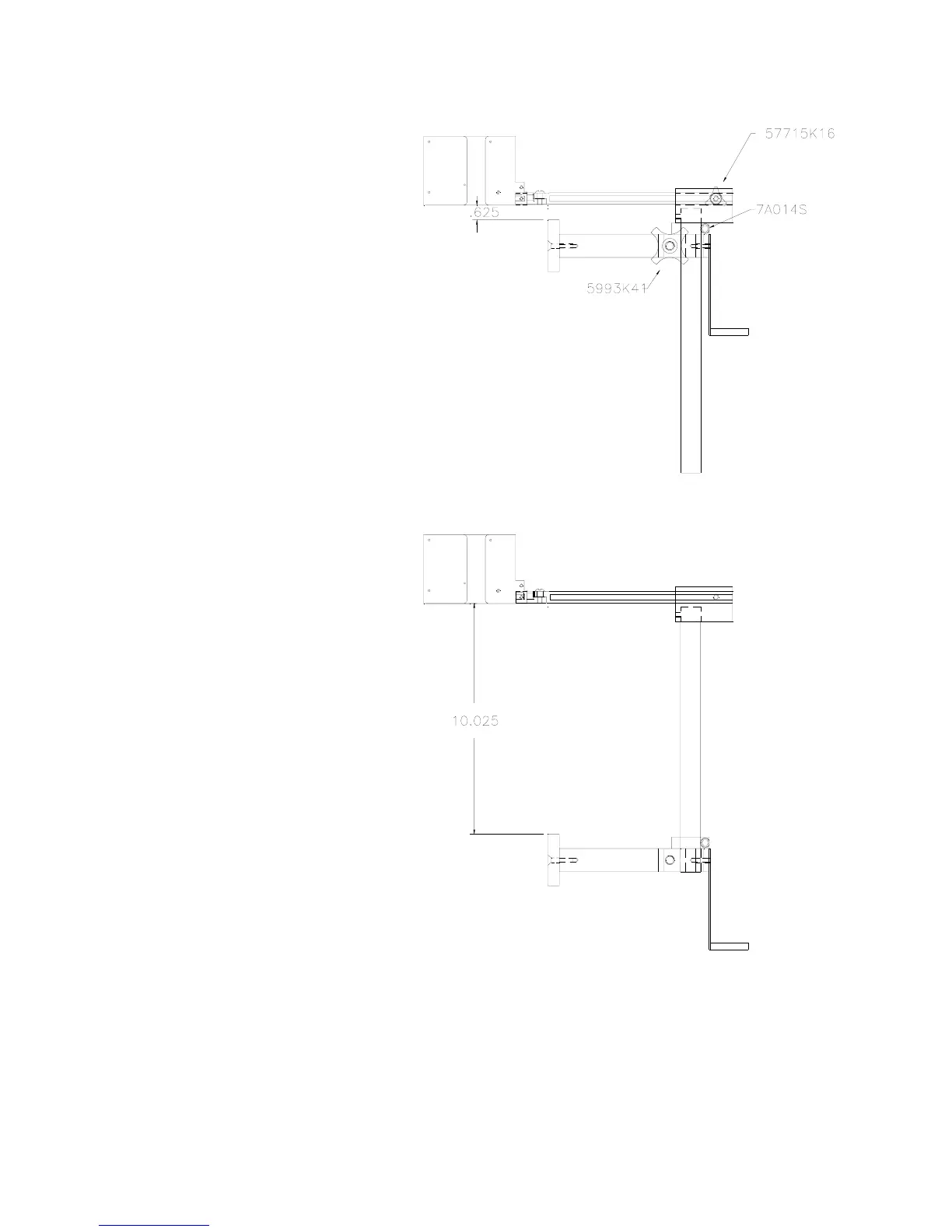
Vertical height adjustment
for the EVOLUTION II print
head is accomplished by
loosening the included
hand knob 5993K41.
Note that the hand knob
may be mounted on either
side of the horizontal
mounting bracket
depending on the
orientation of the bracket.
It should also be noted
when rotating the cross
slide assembly it is
necessary to move the
smaller hand knob
57715K16 to the other
side of the bracket so it
aligns with the flat on the
horizontal extension rod.
After the mounting bracket
is configured loosen the
locking collar 7A014S and
re-locate it against the
horizontal extension
bracket and tighten. This
allows the user to loosen
the horizontal mounting
bracket-locking knob and
rotate the assembly
without losing the height
adjustment.



 To Next Page