Voice mail instructions:
Here the GATEWAY work with Elastix as the example, introduces how voicemail work in the
GATEWAY.
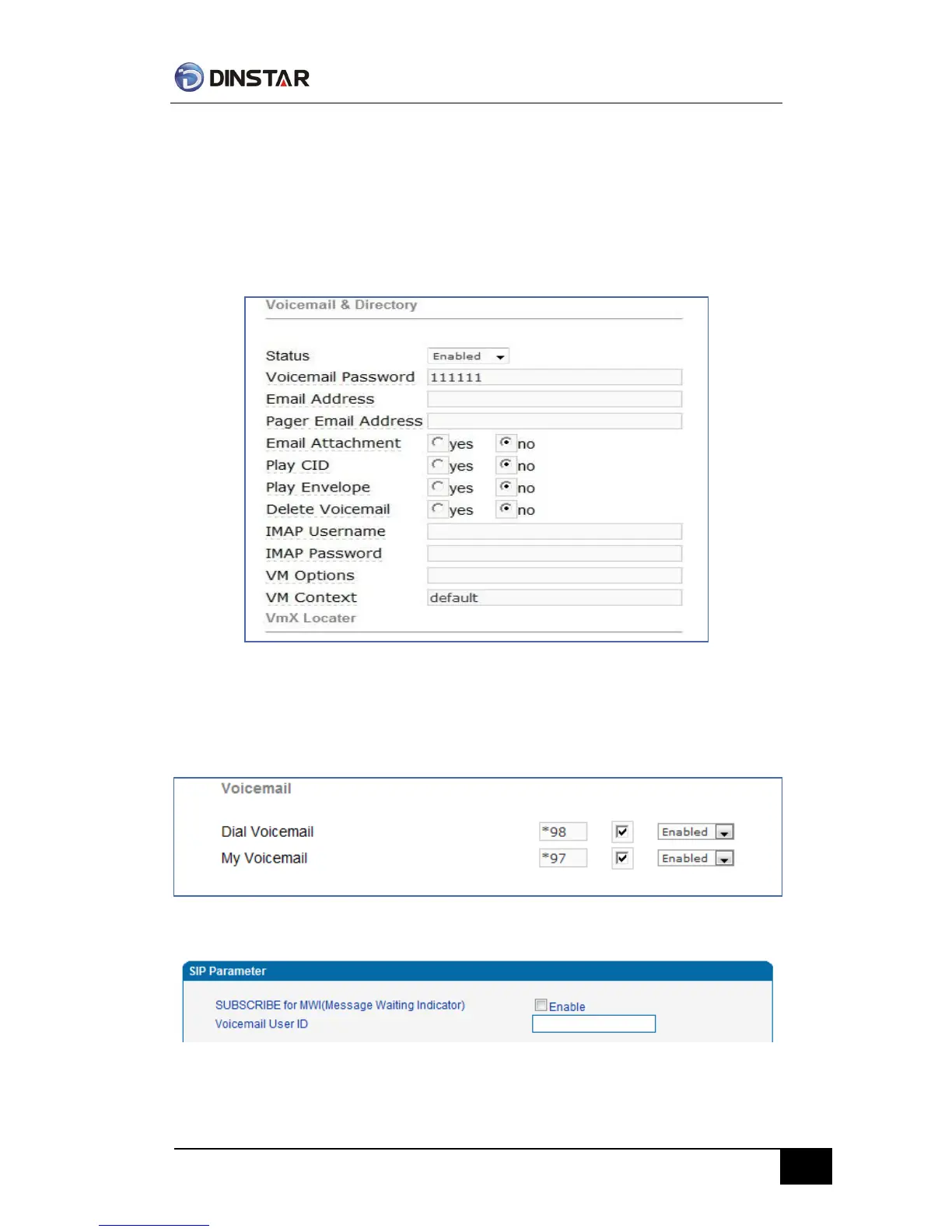
1)the GATEWAY register to Elastix server. Corresponding extension number enable voice
mail function in Elastix and set password. As below:
Elastix Voicemail Configuration Interface
2)check feature code in Elastix and change it as necessary. Its default feature codes setting as
below:
Elastix Voicemail Setting
VoiceMail Setting In SIP Parameter



 To Next Page