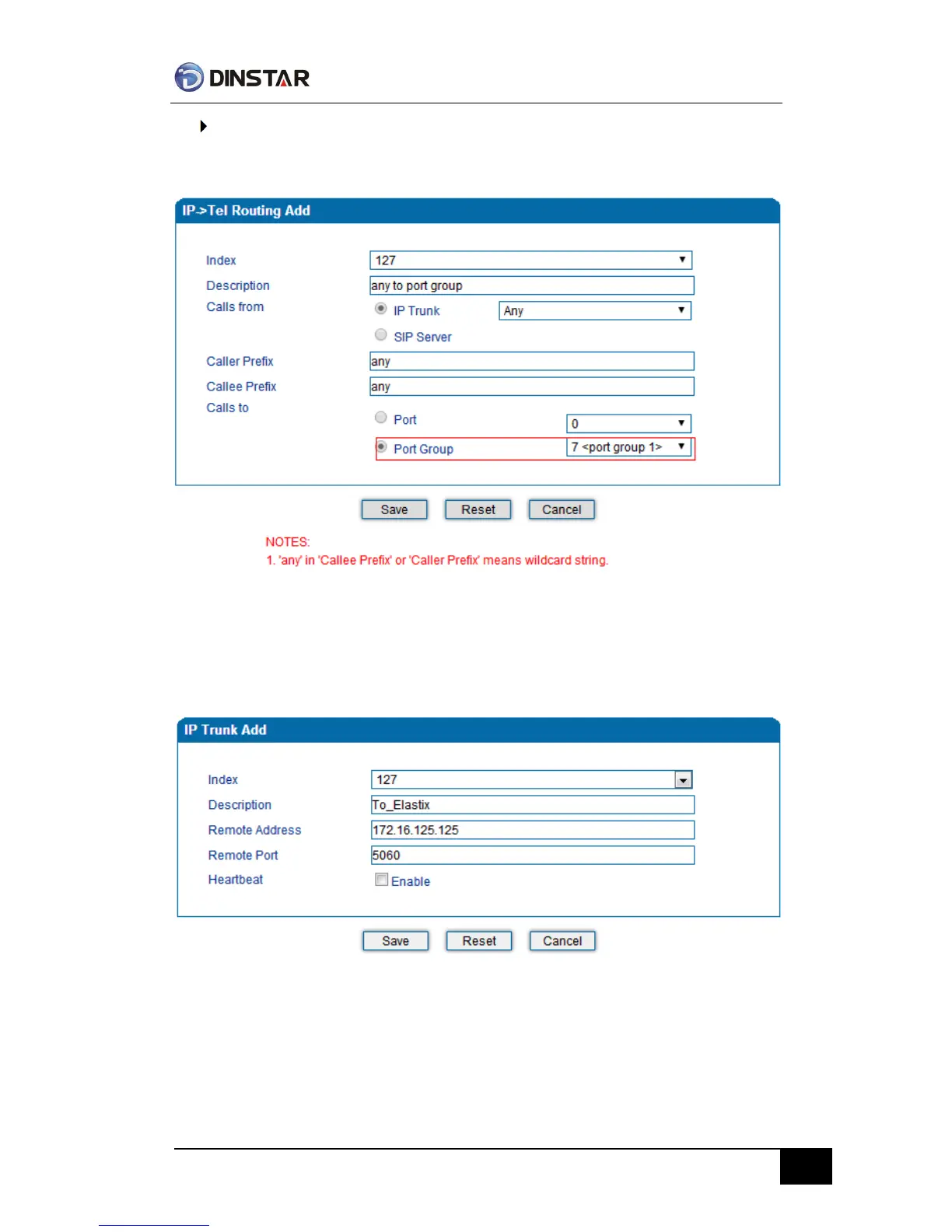
Route any calls to port group
From Call & Routing -> IP-Tel Routing, click “Add” to create a new routing rule.
As above show, when this routing rule is matched, the call will be routed to port group 7.
Route any calls from any port to specific SIP IP trunk
Create SIP IP Trunk from Call & Routing -> IP Trunk, see as bellow:
After SIP IP Trunk created, check the configuration:



 To Next Page