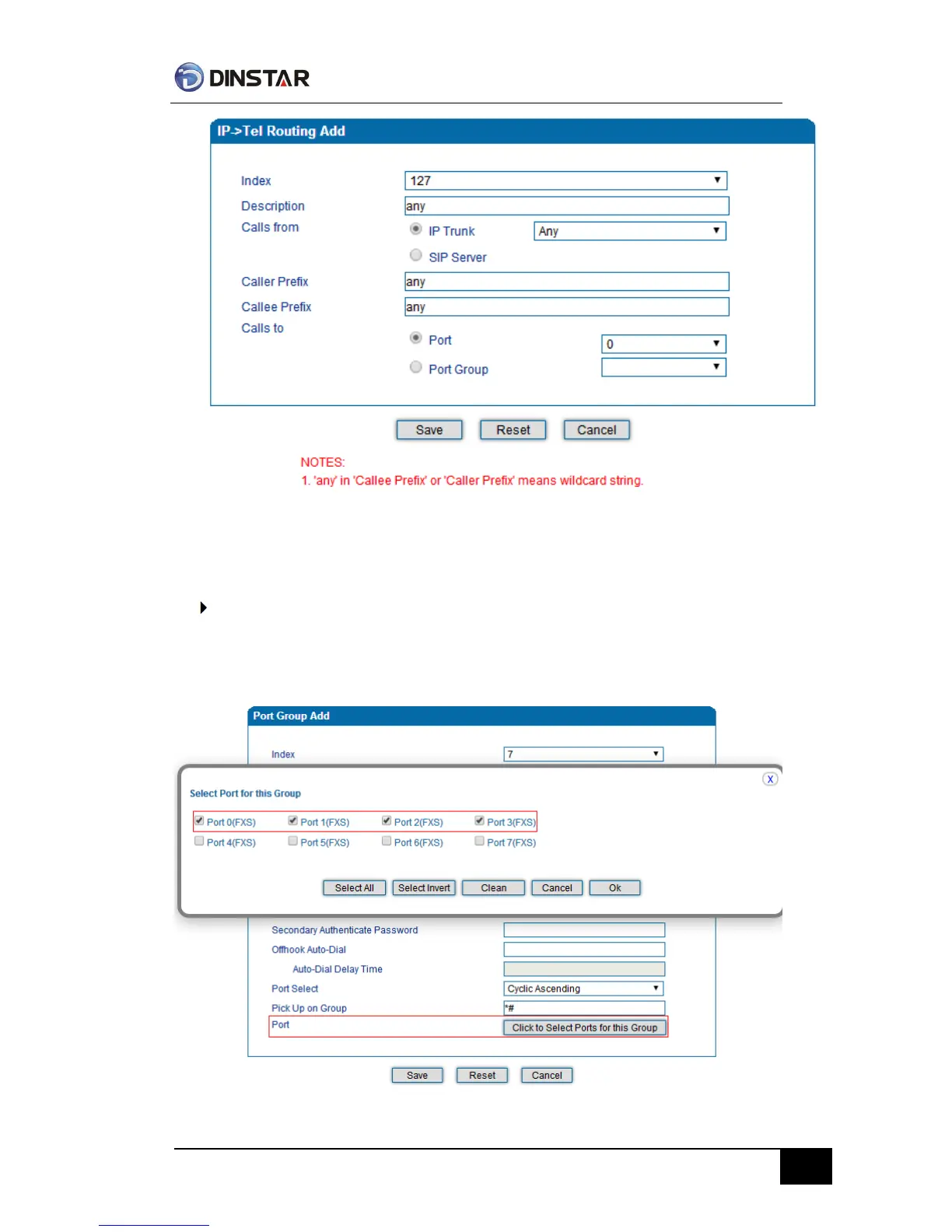
In the example above, all calls will be routed to port 0 when the routing rule is matched.
Route any calls from any IP to specified port group
Create port group
Before we can route calls to a port group, create the port group first as below. From Call &
Routing -> Port Group, click “Add” to create a new port group.
Port 0 to port 4 are assigned to port group 7.



 To Next Page