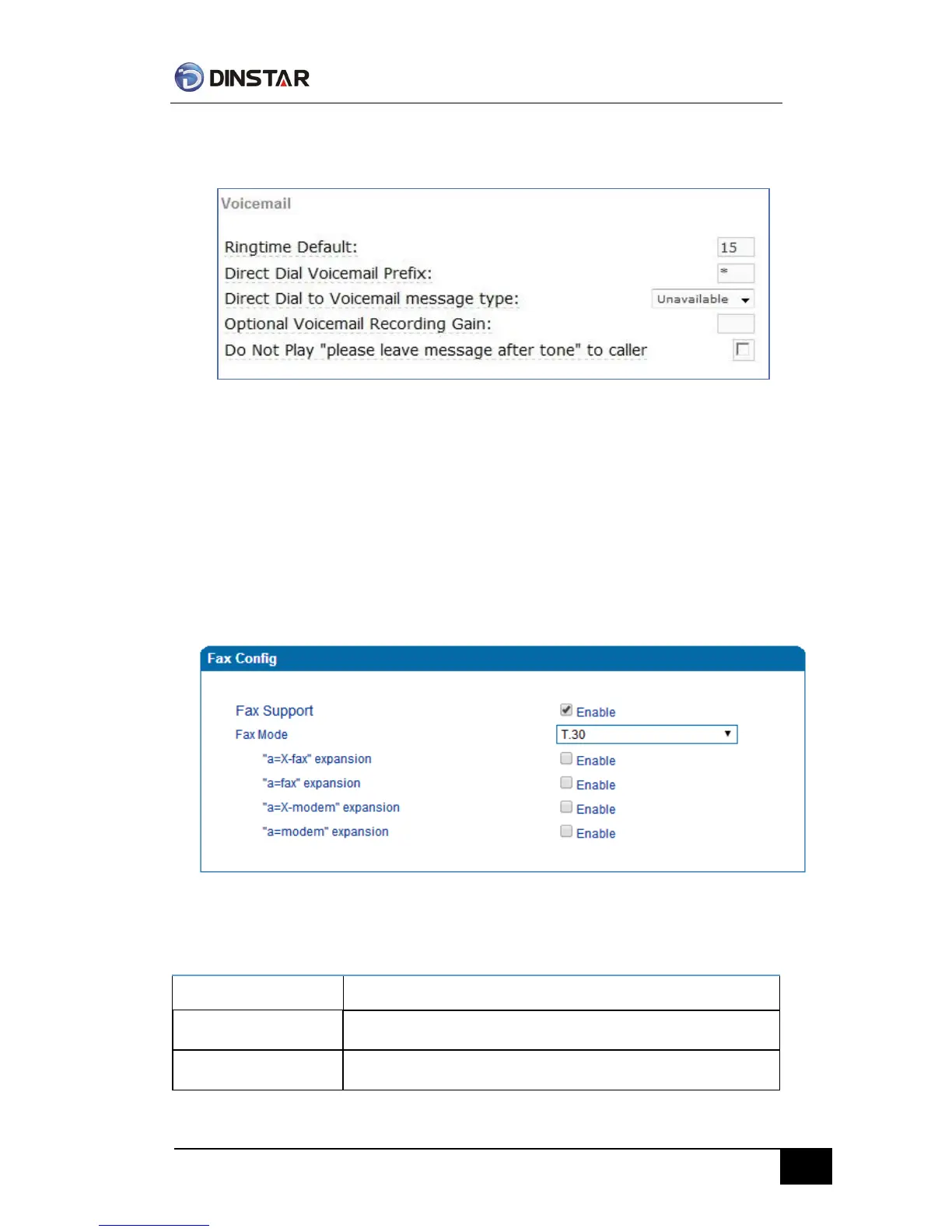
3)Enable voice mail in the GATEWAY and Elastix will ask you to leave a message after
ringing 15 seconds, then Elastix will record and display your message.
Voicemail Setting
4)the GATEWAY dial *200#, then dial voicemail account and then ask password for
Validation. After that the user will hear voice message.
Fax Parameter
Fax introduction:
The fax parameter includes: fax mode, Fax sound detection party, ECM, Rate.
Fax Parameter Configure Interface
Fax parameter description:
Fax mode support T.38, T.30(Pass-through),Modem, Adaptive.



 To Next Page