Dinstar FXS Voice Gateway User Manual
Descending: when system selects ports’ priority, it always
begin to select from the maximum priority number
Cyclic descending: when system selects ports’ Priority, it
always begin from the number before to the number selected
last time, if the minimum priority number is selected last time,
then the next number is the maximum priority number, and
move in cycles like this
Group ring: all ports ringing at the same time
When one of group port is ringing, other port can dial *# to pick
up the call
Add some ports to the same group
IP Trunk
A peer-to-peer VoIP call occurs when two VoIP phones communicate directly over IP without
IP PBXs between them. A peer-to-peer call can be initiated directly by dialing destination
phone number in the GATEWAYs and also receiving incoming calls from other peer to peer
gateway. IP trunk is help to the GATEWAYs establish peer-to-peer call between the
GATEWAYs and other VoIP phones. IP trunk will be used in routing configuration.
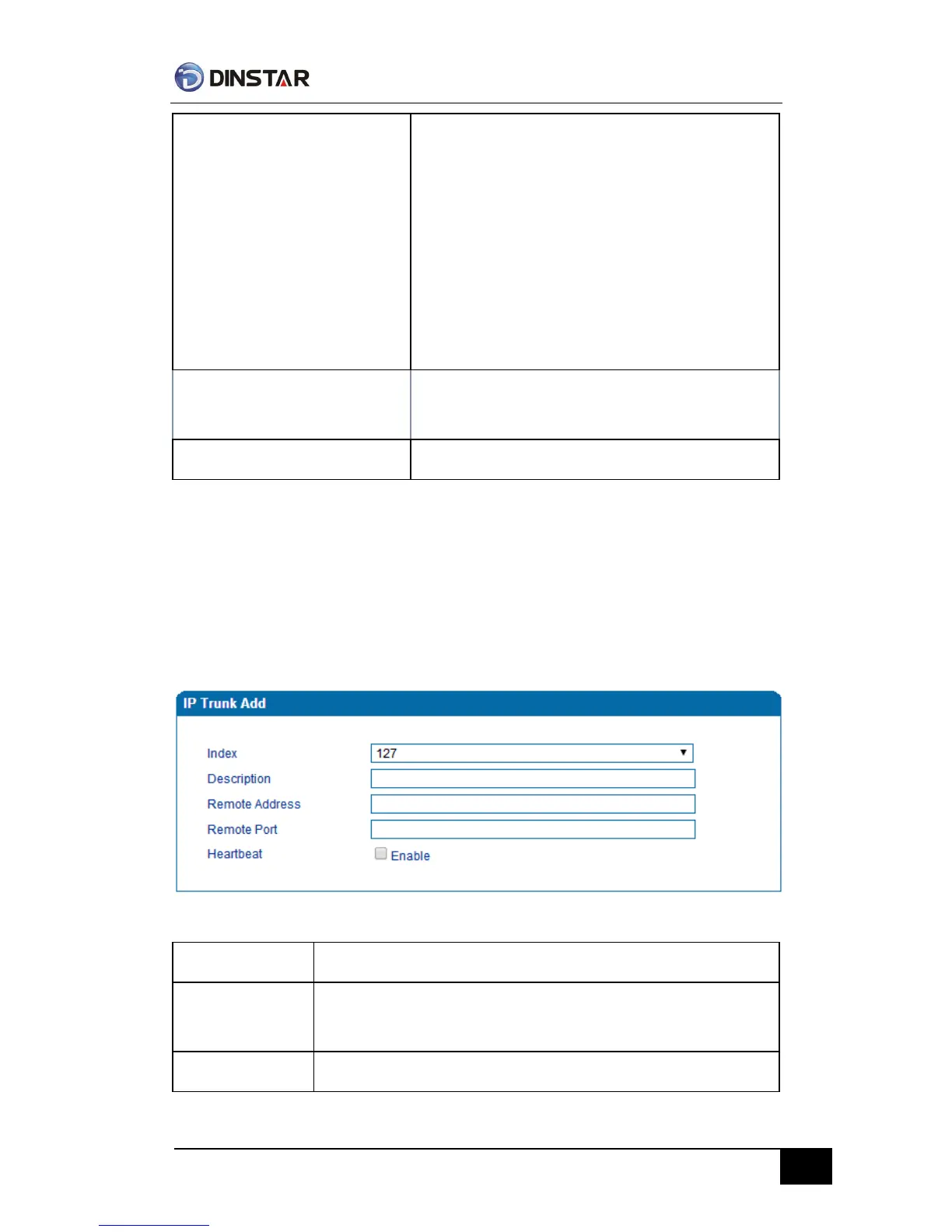
IP Trunk Configuration Interface
IP trunk number, it is range from 0 to 127
The description of IP trunk, its purpose is so you can identify the IP trunk
with a meaningful name
Peer IP address or domain name



 To Next Page