ICS-90 Ion Chromatography System
B-34 Doc. 031851-05 12/04
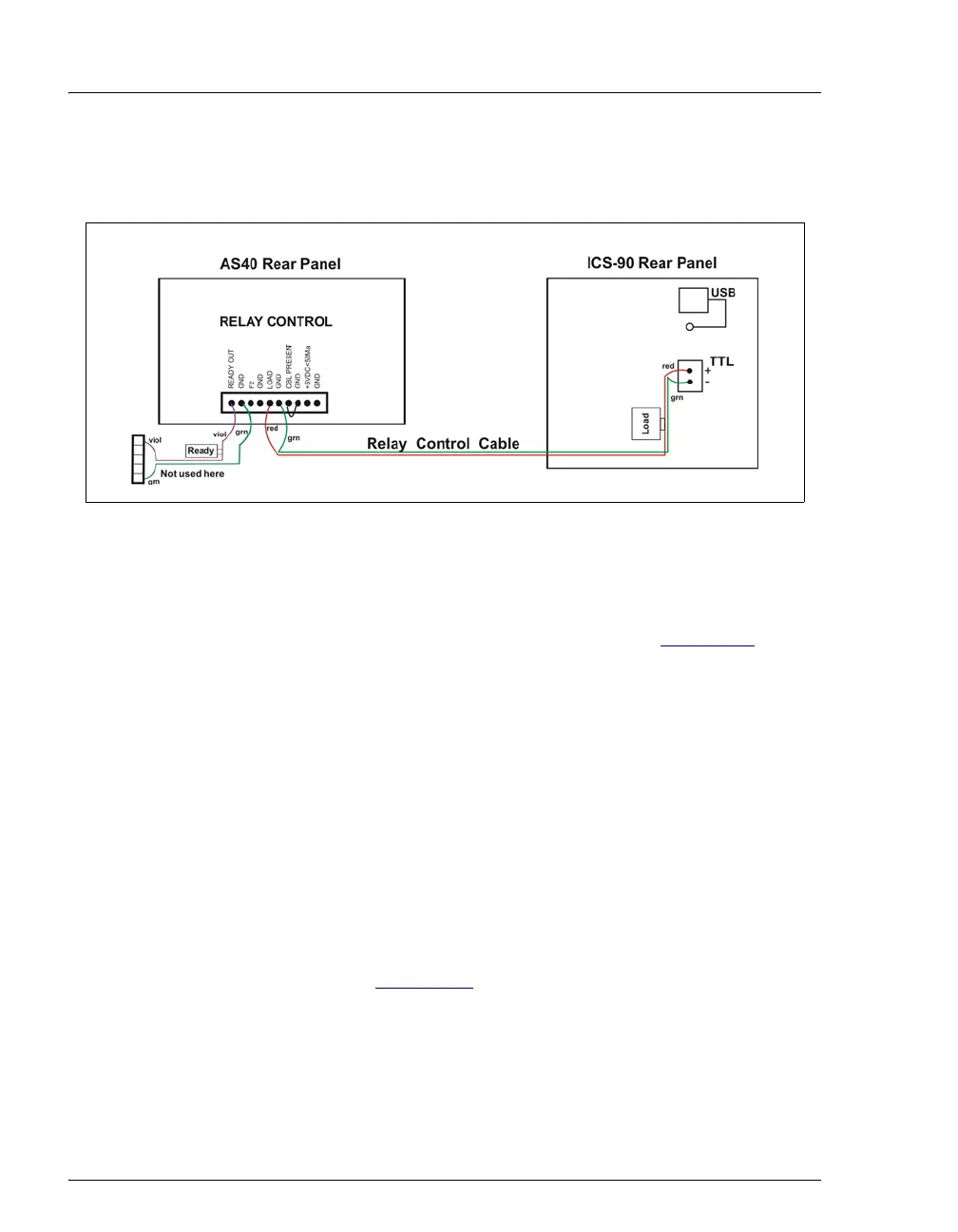
c. Plug the 2-pin connector from the pair of wires labeled LOAD on the
Relay Control cable into the
TTL Output connector on the ICS-90.
B.18 Operating the ICS-90
ICS-90 installation is complete. For routine operation, refer to Section 3.5.
B.19 Installation Troubleshooting
Problem: When the ICS-90 power is turned on for the first time, a Windows
message box appears asking for a USB configuration file (cmwdmusb.inf).
Possible Cause: The USB cable was connected and the power turned on before
Chromeleon was installed.
Solution:
1. Click the Cancel button in the Windows message box.
2. Turn off the ICS-90 power and unplug the USB cable from the computer.
3. Install Chromeleon (see Section B.3
).
4. Reconnect the USB cable to the computer and turn on the ICS-90 power.
Windows will now automatically recognize the new ICS-90.
Figure B-25. AS40 Autosampler Connection



 To Next Page