B • Installation
Doc. 031851-05 12/04 B-3
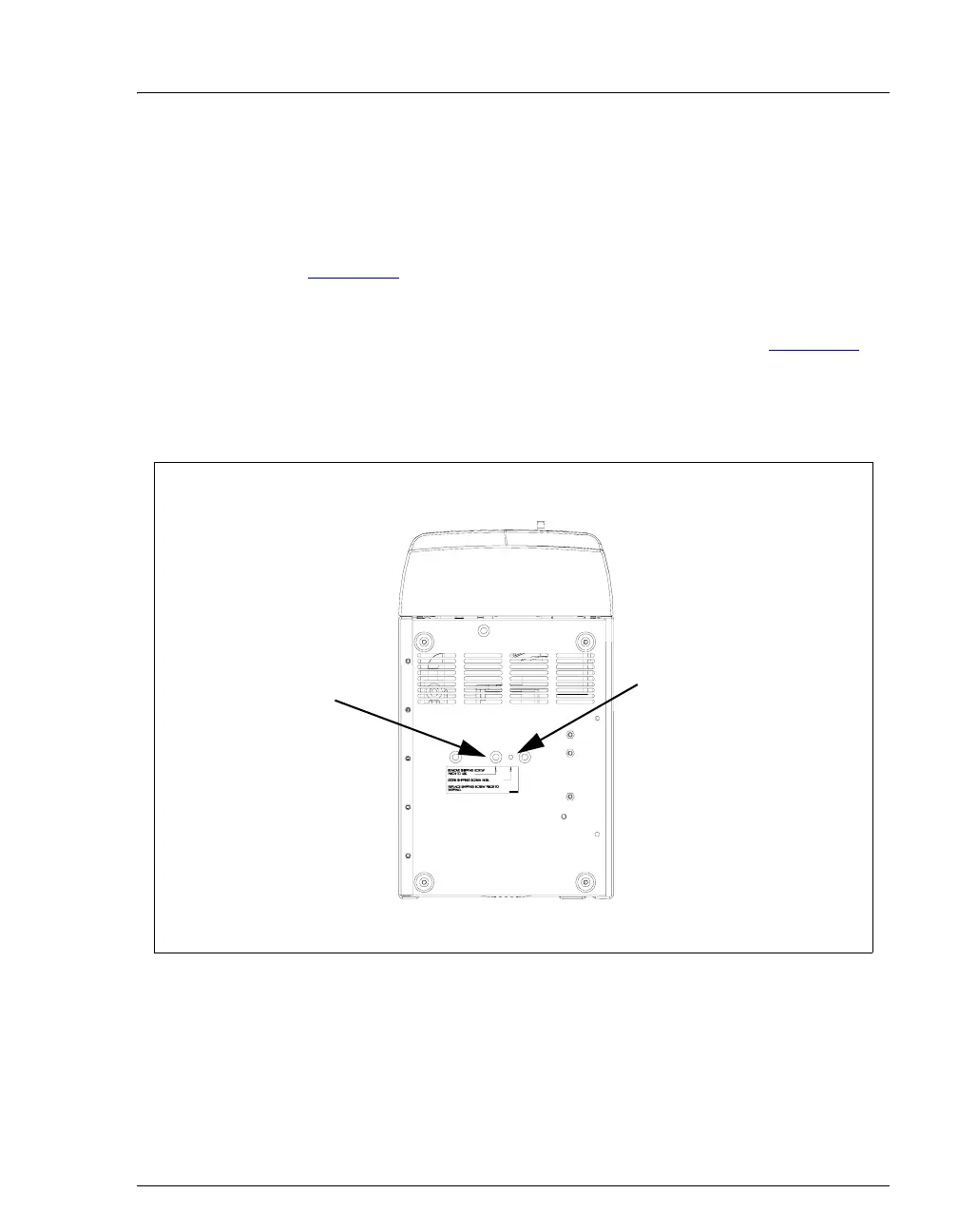
B.2.2 Removing the Pump Shipping Screw
1. Carefully lay the ICS-90 on its back or side.
2. Locate the middle screw on the bottom of the ICS-90 (see
Figure B-1
). This screw secures the pump in place during shipment.
3. Use a Phillips screwdriver to remove the shipping screw.
4. A screw holder is located to the right of the screw (see Figure B-1
).
Place the screw in the holder for safekeeping. You will need to
reinstall the screw if the ICS-90 is shipped to another location.
5. Return the ICS-90 to an upright position.
Figure B-1. Pump Shipping Screw Removal
Shipping Screw
Screw Holder
Bottom View of ICS-90
Front
Rear



 To Next Page