3 • Operation and Maintenance
Doc. 031851-05 12/04 3-7
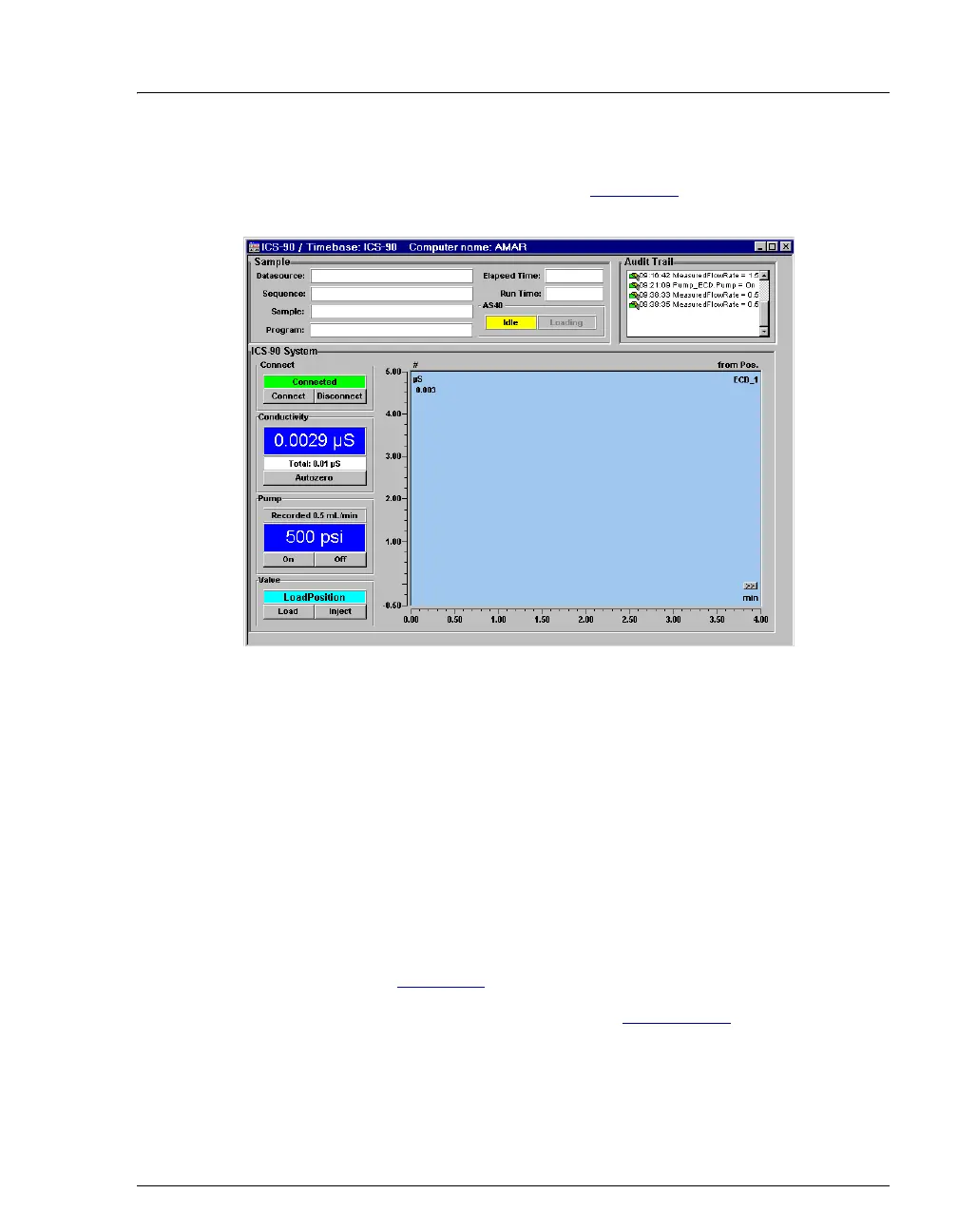
5. Connect the ICS-90 to the Control panel by selecting
Control>Connect to Timebase. Figure 3-3
is an example of the
Dionex_ICS-90_System_AS40 Control panel.
Figure 3-3. Chromeleon System Control Panel (ICS-90 with an AS40)
6. Check the Control panel for the following:
• A steady operating pressure.
• The operating total conductivity background depends on the type
of analysis to be performed. In general, it should be <30
µS for a
system set up for anion analyses, and <2
µS for a system set up
for cation analyses.
3.5.3 Preparing the ICS-90 for Operation
1. Turn on the pump by clicking the On button on the ICS-90 Control
panel (see Figure 3-3
).
2. Prime the pump (for instructions, see Section B.13
).
3. Allow the system to equilibrate for 30 minutes. During equilibration,
the ICS-90 Control panel displays the background conductivity (the
conductivity of the eluent before sample injection). Offset the



 To Next Page