5•Service
Doc. 065215-02 9/09 69
5.1.3 Calibrating the Pressure Transducer
1. Toggle the injection valve position a few times by clicking the Load
and Inject buttons on the ICS-900 Control panel. This removes any
air or contaminant buildup in the injection valve loop.
2. Wait about 10 minutes and then continue to Step 3
.
3. Open the ICS-900 Wellness panel (see Section 5.1
).
4. Under Pressure Transducer, click the Calibrate Offset button (see
Figure 5-2
). A panel with instructions and command buttons will
open.
5. Follow the instructions on the panel to complete the transducer offset
calibration procedure. The new offset is determined and stored as the
current value.
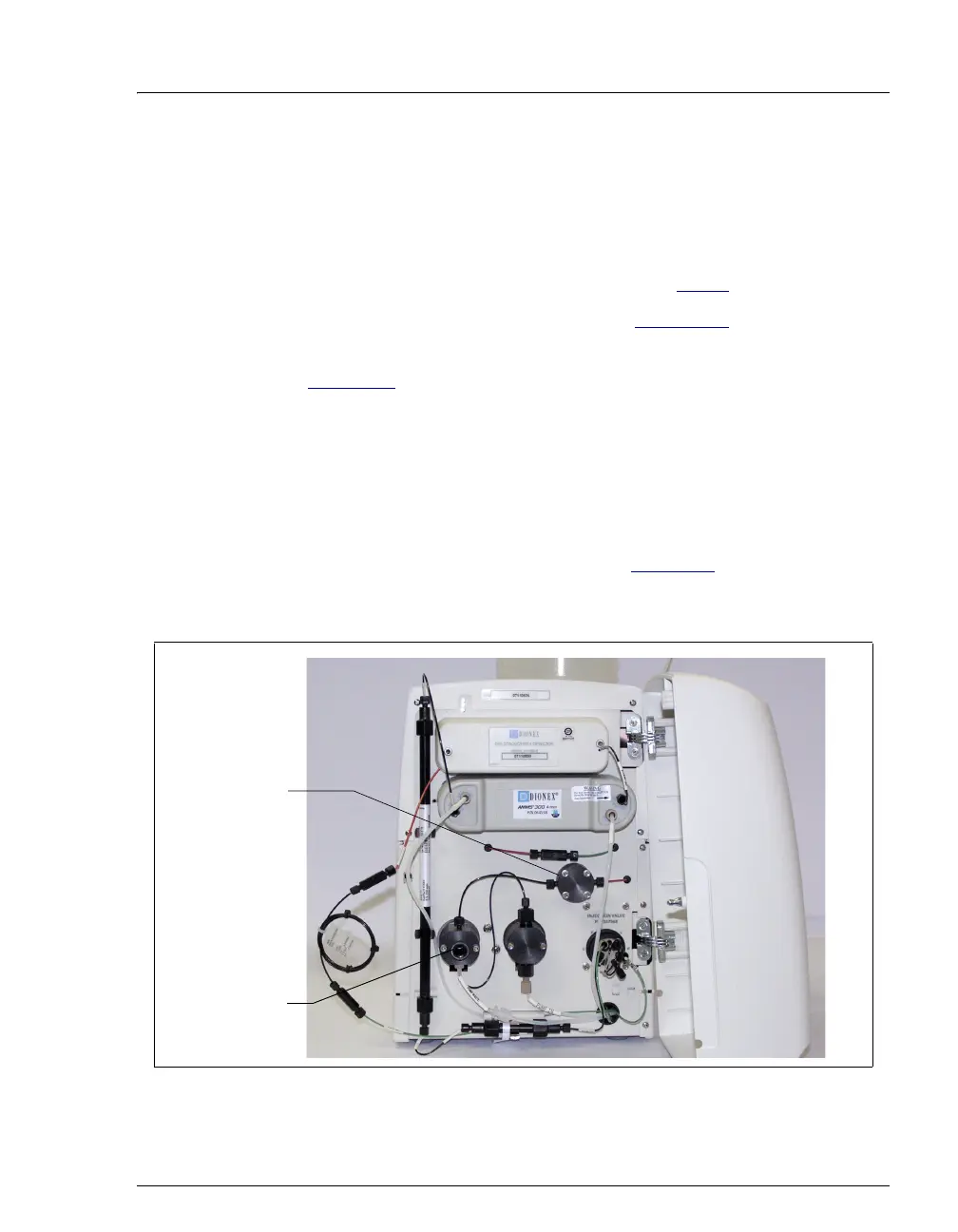
NOTE To open the waste valve on the front of the
secondary pump head (see Figure 5-3
), turn the
knob one-half turn counterclockwise.
Figure 5-3. ICS-900 Interior Components
Pressure
Transducer
Waste Valve



 To Next Page