ICS-900 Operator’s Manual
106 Doc. 065215-02 9/09
C.3 Configuring Relay Output 1 or 2 to Respond to the
Pump Flow
Relay Output 1 or 2 can be configured to open and close with the pump flow. This
allows a connected accessory device to be turned on when the pump flow starts
and turned off when the flow stops.
1. Start the Chromeleon Server Configuration program (click Start on the
Windows taskbar and select All Programs (or Programs) > Chromeleon >
Server Configuration).
2. Right-click the ICS-900 device in the timebase and select Properties.
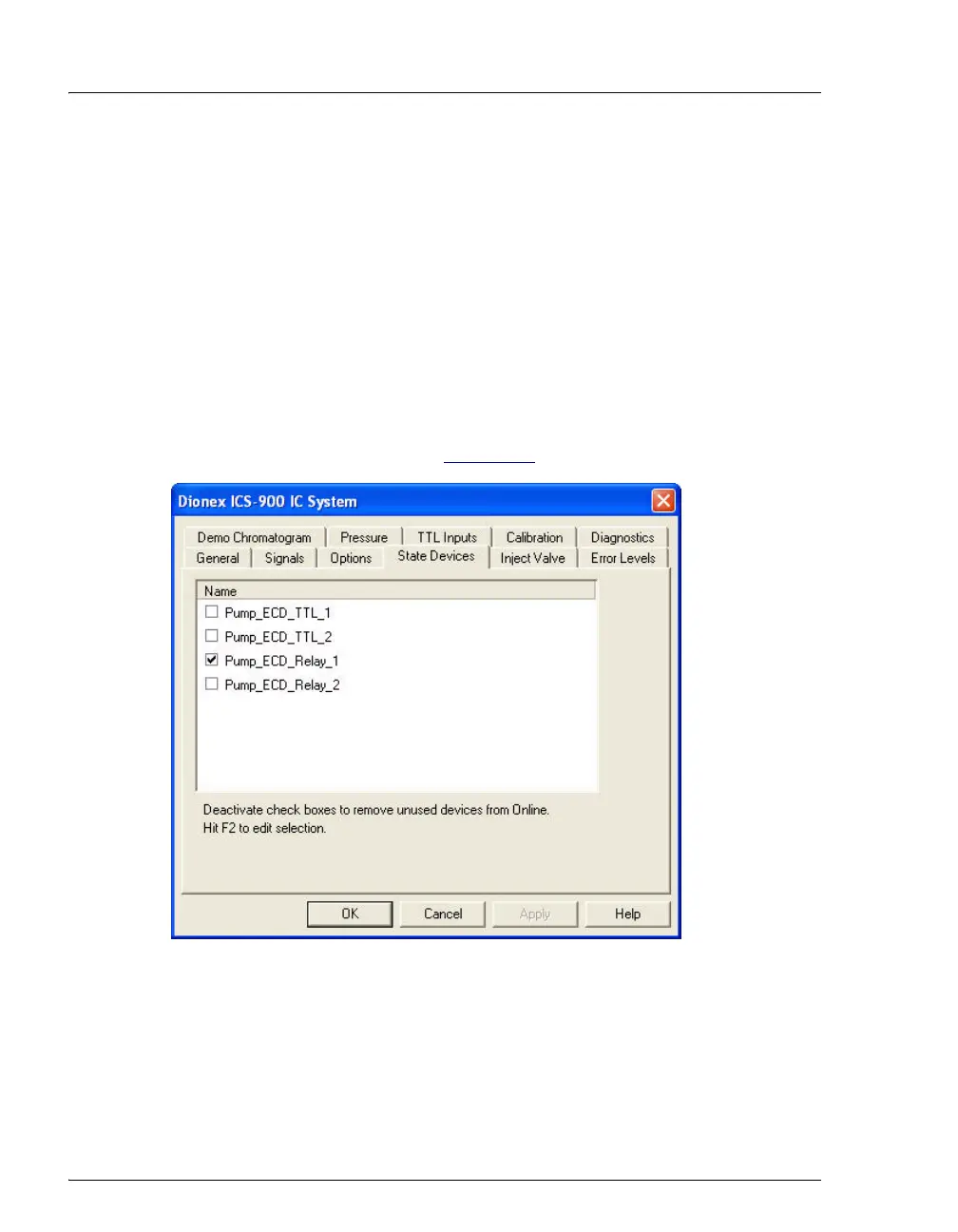
3. Click the State Devices tab (see Figure C-5
).
Figure C-5. ICS-900 Server Configuration Properties: State Devices Tab Page


 To Next Page