ICS-900 Operator’s Manual
90 Doc. 065215-02 9/09
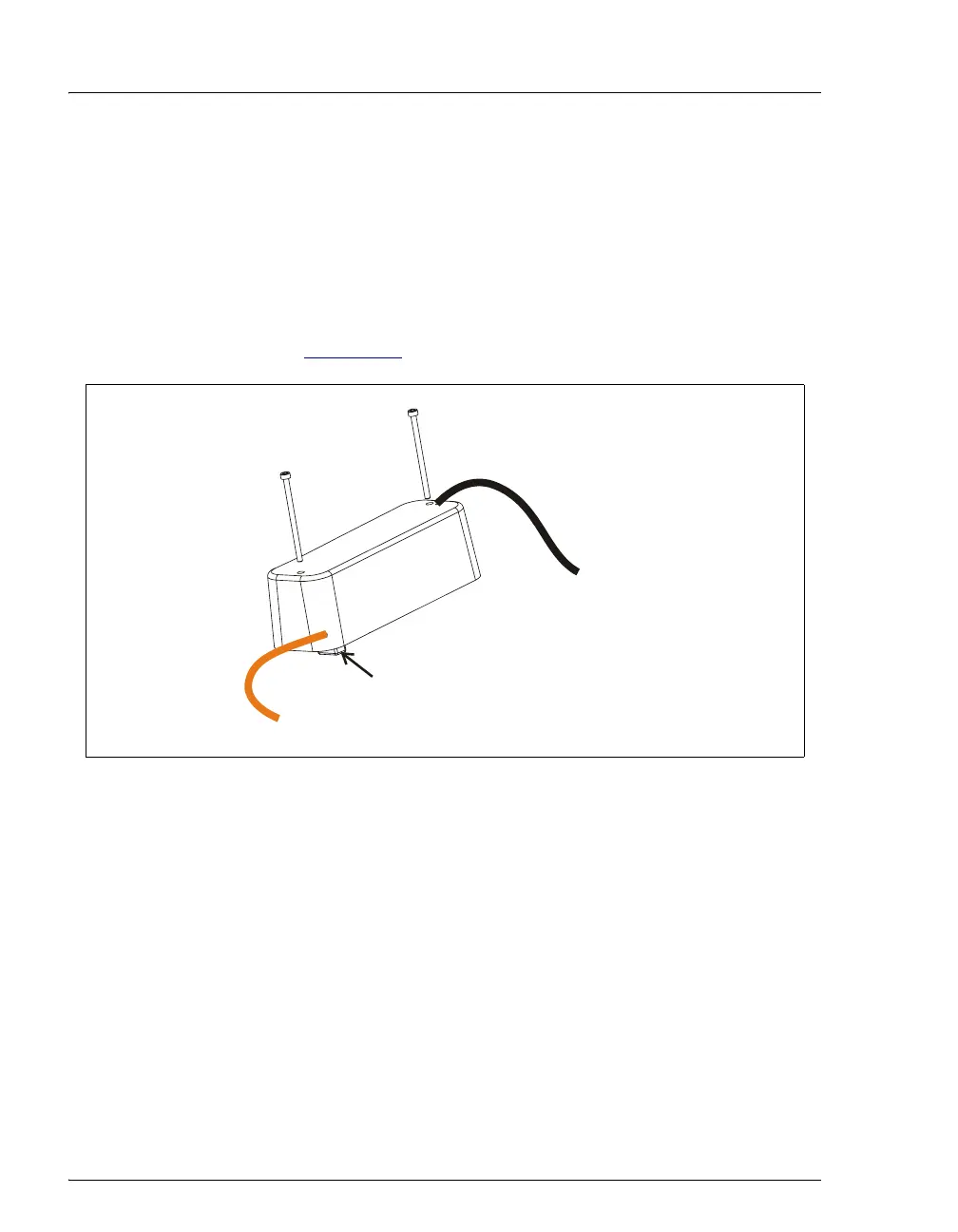
5.11 Replacing the Conductivity Cell
1. Turn off the ICS-900 power switch.
1. Disconnect the power cord.
2. Open the ICS-900 front door.
3. Disconnect the black
ELUENT OUT line from the ELUENT OUT port on the
suppressor (see Figure 5-15
).
4. Disconnect the orange
CELL OUT line from the union that connects it to the
black
CELL OUT line.
5. Use an Allen wrench to remove the two screws on the top of the cell housing.
6. Remove the cell by unplugging it from the component mounting panel.
7. Plug the new conductivity cell (P/N 067761) into its mounting location.
8. Replace the screws on the top of the cell housing and tighten.
9. Attach the orange
CELL OUT line from the cell to the union attached to the
black
CELL OUT line. Attach the ELUENT OUT line to the ELUENT OUT port on
the suppressor.
10. Close the front door.
Figure 5-15. Conductivity Cell Assembly
to suppresso
Connector to component
D
S
5
D
e
t
e
c
t
i
o
n
S
t
a
b
i
l
i
z
e
r
ELUENT OUT
mounting panel
CELL OUT (orange)
to CELL OUT
black



 To Next Page