ICS-900 Operator’s Manual
76 Doc. 065215-02 9/09
5.4 Cleaning Eluent Bottles
Before preparing new eluent, all eluent bottles should be rinsed thoroughly (inside
and out) with ASTM Type I (18 megohm-cm) filtered and deionized water. If a
bottle still appears dirty, or has a slimy film on the inside, clean it as instructed
below.
1. Dispose of any remaining chemicals according to municipal regulations.
2. Rinse the bottle (inside and out) with ASTM Type I (18 megohm-cm) filtered
and deionized water.
3. Rinse the inside of the bottle with isopropyl alcohol or methanol.
4. If algae or bacteria have left a slimy film on the bottle, use an algicide or
disinfectant (dilute hydrogen peroxide, etc.).
5. Rinse cleaning chemicals out of the bottle with ASTM Type I (18 megohm-
cm) filtered and deionized water.
6. Dry the bottle with clean, particulate-free air.
5.5 Changing the Sample Loop
A 10 μL PEEK sample loop (P/N 042949) is installed on the injection valve at the
factory. Unless you are using a 2 mm column, replace the sample loop with
another 10 μL PEEK sample loop. If you are using a 2 mm column, refer to the
column manual for the size of loop required. Column manuals are included on the
Dionex Reference Library CD-ROM (P/N 053891)
1. Turn off the pump from
the ICS-900 Control
panel.
2. Open the ICS-900 front
door.
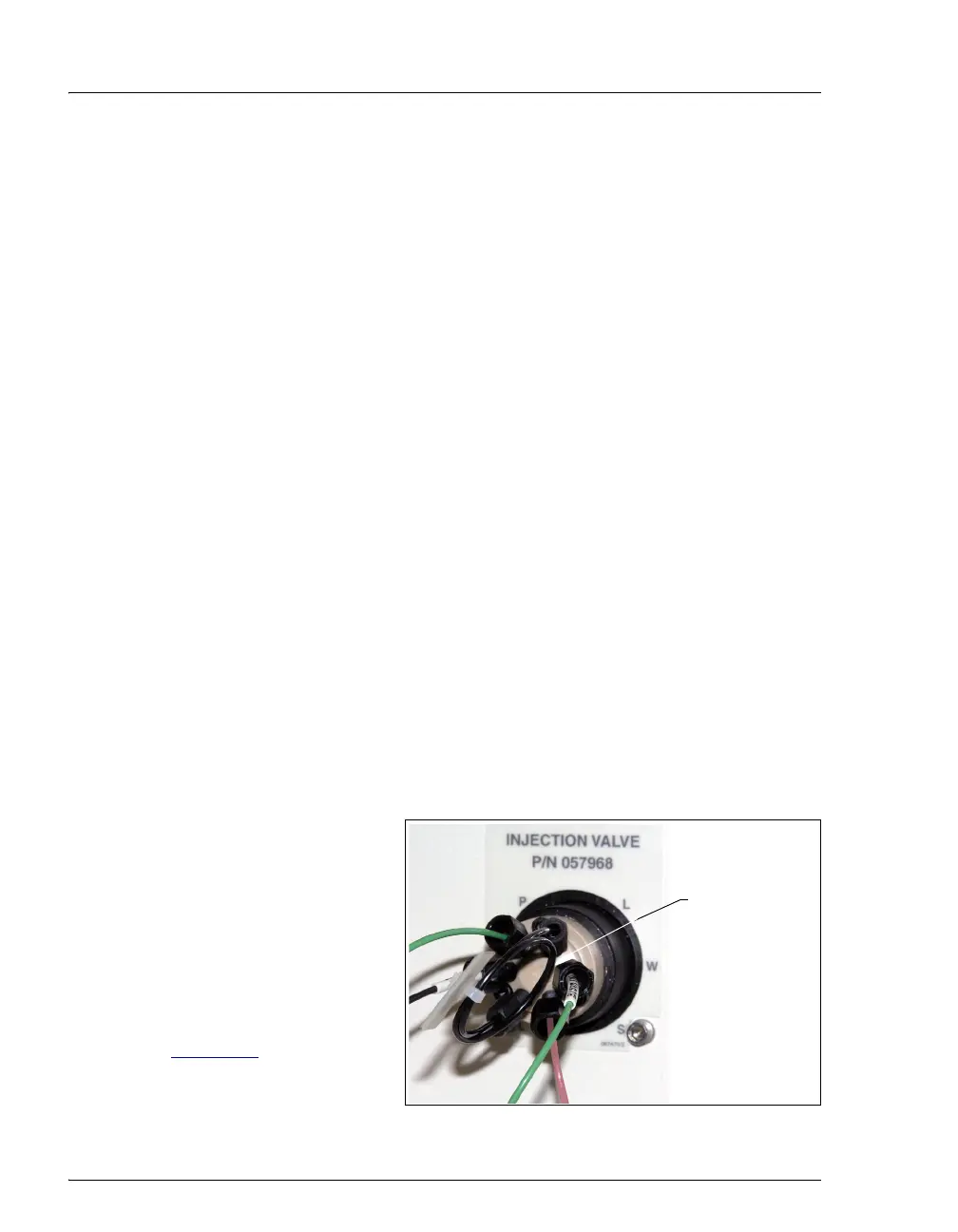
3. Disconnect the sample
loop from ports
L and L on
the injection valve (see
Figure 5-6
).
Figure 5-6. ICS-900 Injection Valve
Sample Loop



 To Next Page