5•Service
Doc. 065215-02 9/09 87
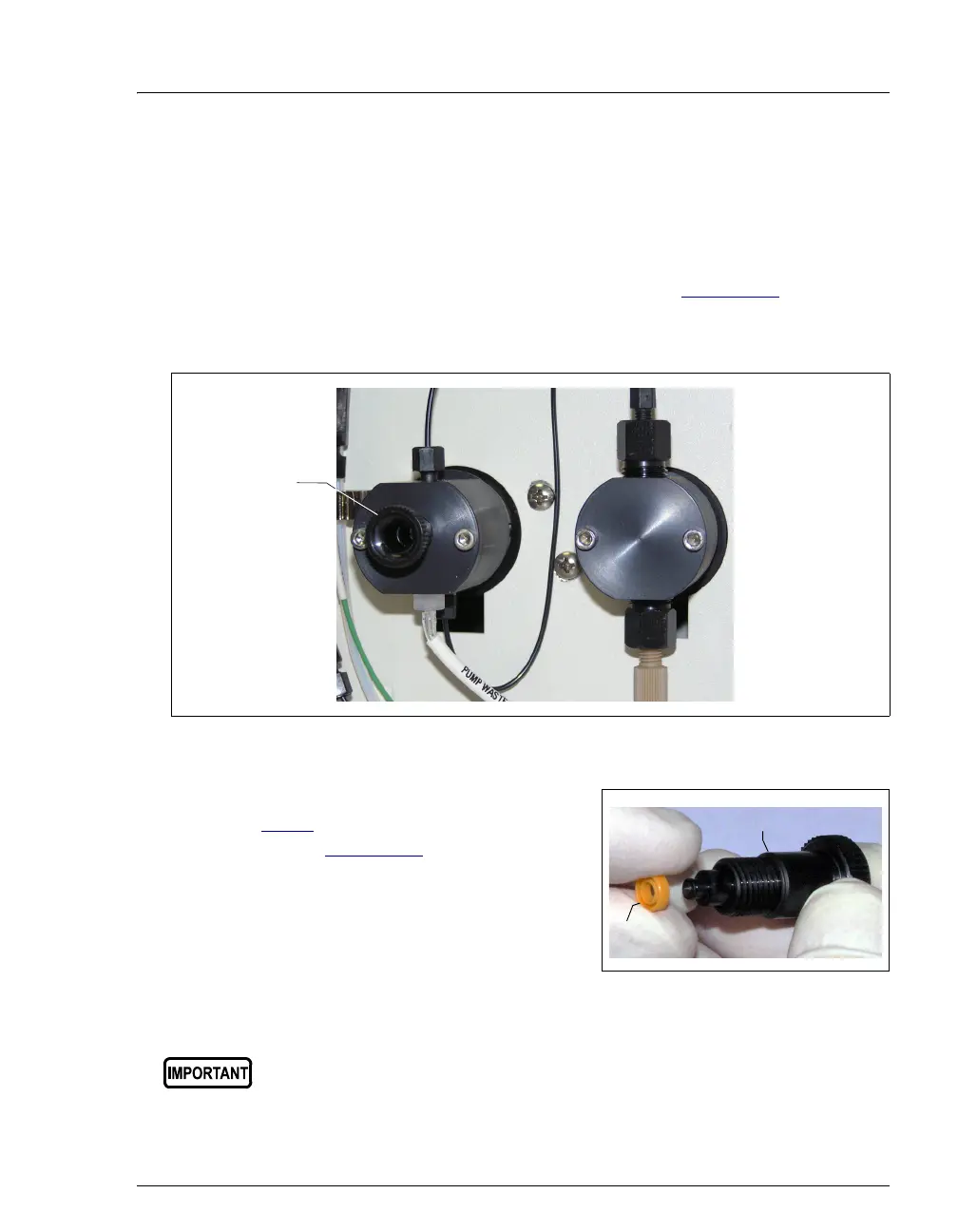
5.9 Replacing the Waste Valve Seal
A damaged seal causes leakage around the base of the waste valve knob.
1. Turn off the ICS-900 power switch.
2. To remove the waste valve from the pump head (see Figure 5-12
), turn the
knob counterclockwise until it is loose, and then pull the knob straight out of
the cavity in the pump head.
3. If the seal is removed with the valve knob
in Step 2
, pull the seal off the end of the
knob (see Figure 5-13
). If the seal is not
removed with the valve knob, insert a thin
object (for example, the straightened end
of a paper clip) into the cavity in the
pump head and carefully pull out the seal.
Do not scratch the cavity.
Figure 5-13. Waste Valve Seal Replacement
Figure 5-12. Waste and Priming Valves
Scratches in the cavity will cause leaks around the base of the knob
while the pump is being primed.
Waste Valve
Seal
Valve Knob



 To Next Page