Chapter 3: Operation
Operation Manual: Evolution Series
Setting Description
Printer
(Evolution 6100
Only):
The printer settings are L or XX. 'L' should be used when a
printer is connected directly to the unit (local printing). 'XX'
represents the unit address for remote printing (printer
sharing). See Printer Sharing Configuration on page 3-11 for
more information.
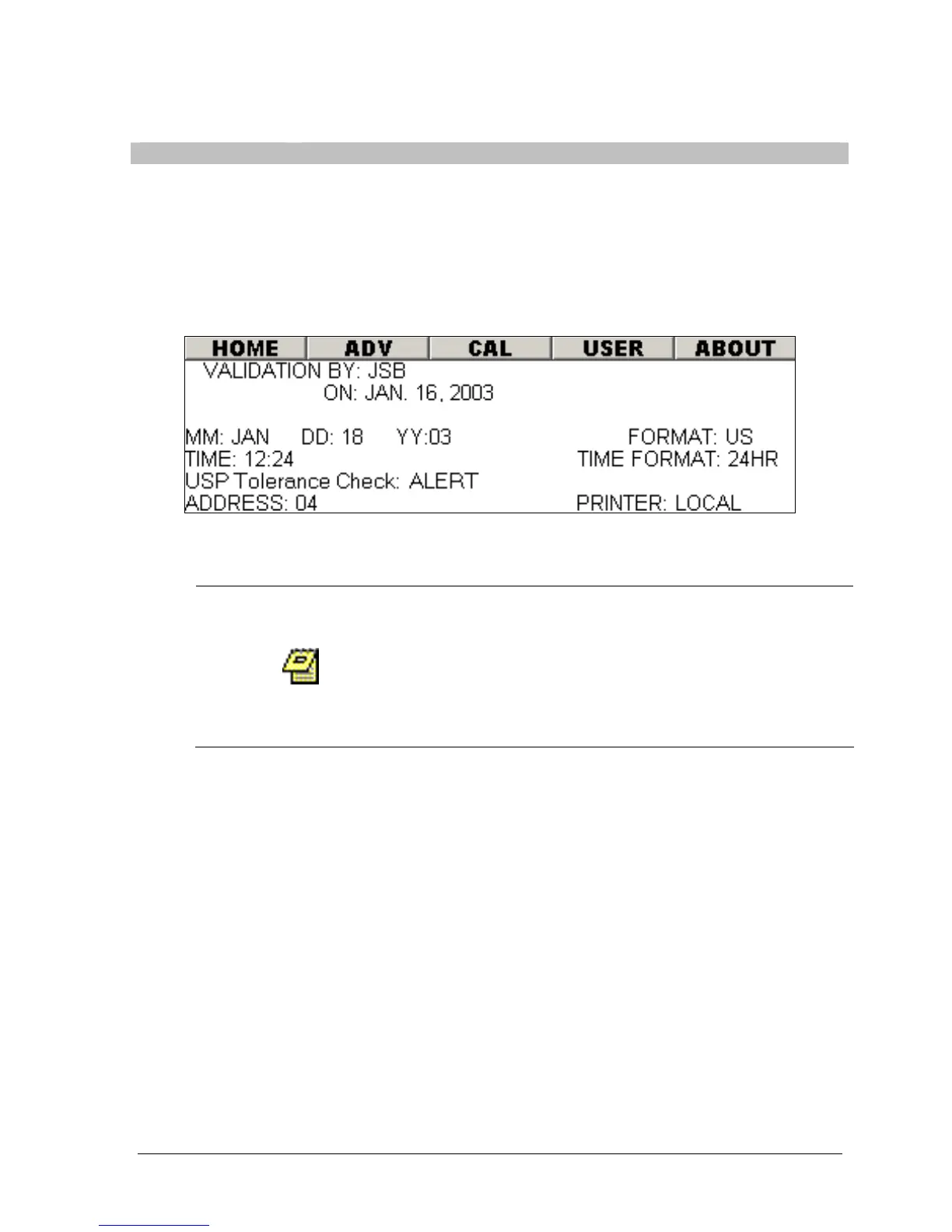
Figure 3-6: System Setup Screen
Advanced Options
When selecting the ADV button the unit will prompt the
use for a password. The password is 'EVOADV' and only
will be accepted if the user logged in to the system has
Manager priveleges. Because these option are not
frequently used and can cause system errors, this added
level of security was implemented.
The system setup screen contains a menu entitled “ADV”. The settings for
Validation By, Validation Date, Unit Address and TCS address (Evolution 6300
only), Beep and Height Switch can only be modified in the ADV screen. When a
user selects this option the system will prompt the user to enter a password. This
ensures that these critical parameters are not easily modified.
Unit Address
The following procedure describes the steps necessary to change the unit address:
1. From the 'SYS CONFIG' screen select the 'ADV' menu.
2. Enter the password for this screen.
3. Highlight the ADDRESS field.
4. Using the + and – button set to the desired address.



 To Next Page