Chapter 3: Operation
Operation Manual: Evolution Series
8. Highlight the RPM field. Using the + and – keys change to the desired test
RPM.
9. Highlight the ON/OFF field. Using the + and – keys change to the desired
value (on or off).
10. To change setting for other vessels follow one of the two following
methods:
a. Highlight the VESSEL # position and using the + and – keys change to
the desired vessel number. Follow steps 5-9 to modify the test
settings.
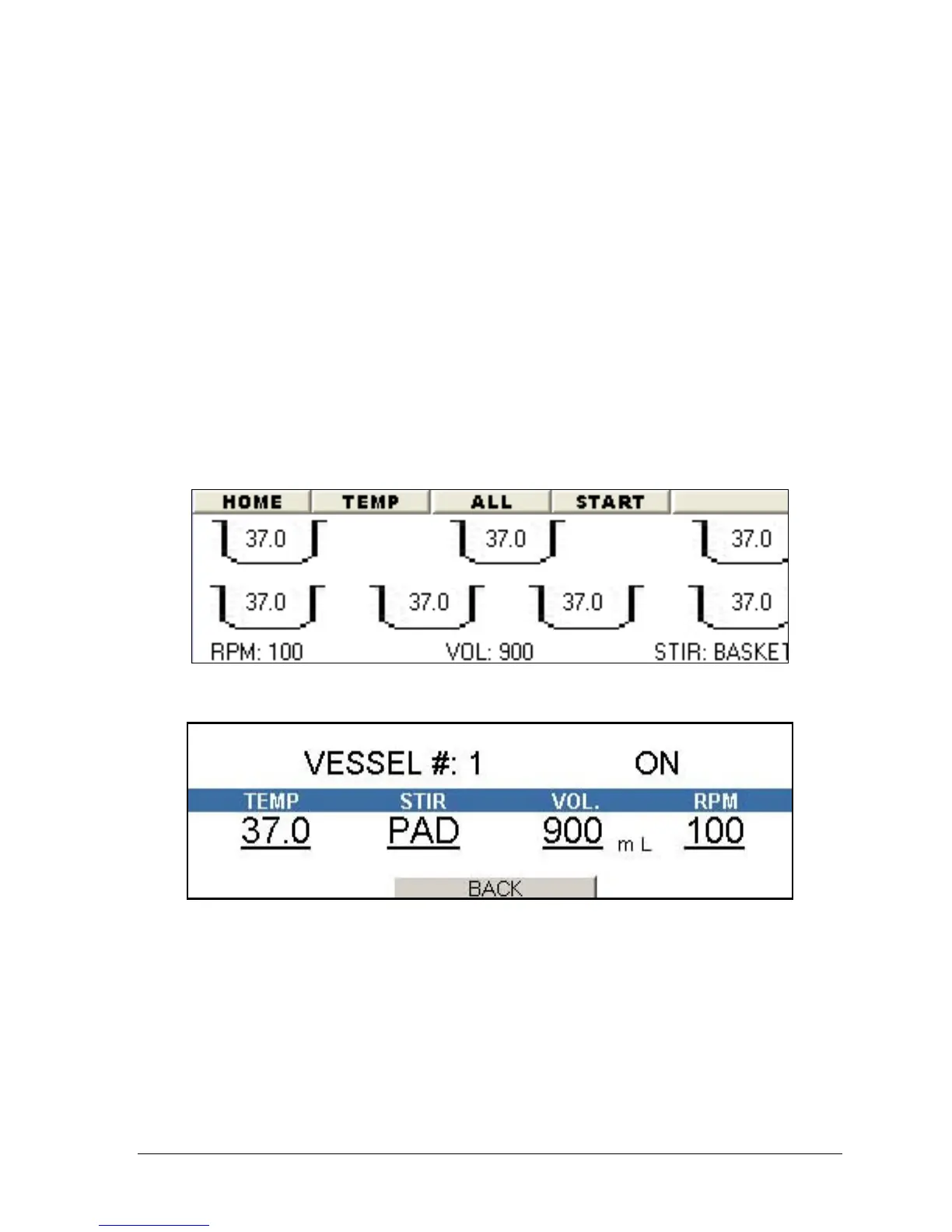
b. Highlight the BACK button and press ENTER. Select the vessel to
modify from the screen displayed in Figure 3-29. Follow steps 5-9 to
modify the test settings.
11. Highlight the BACK button and press ENTER.
12. Highlight the START button on the menu bar and press ENTER.
Figure 3-29: Manual Mode, Individual Vessel Control
Figure 3-30: Manual Mode, Individual Vessel Control Settings
Controlling All Vessels
1. From the main screen (see Figure 3-4) select either the menu bar option
MANUAL (go to step 3) or the MANUAL MODE wizard button.
2. If using the wizard, select ALL VESSELS. Figure 3-31 will be displayed.
3. Highlight the higher vessel number listed on the first line.
4. Using the + and – keys change to the desired vessel number. For example if
the screen displays "VESSELS # 1 – 6" and you only need to run vessels 1



 To Next Page