Chapter 4: Maintenance
Operation Manual: Evolution Series
Emptying the Water Bath & TCS (Evolution 6300 Only)
1. Turn the unit off.
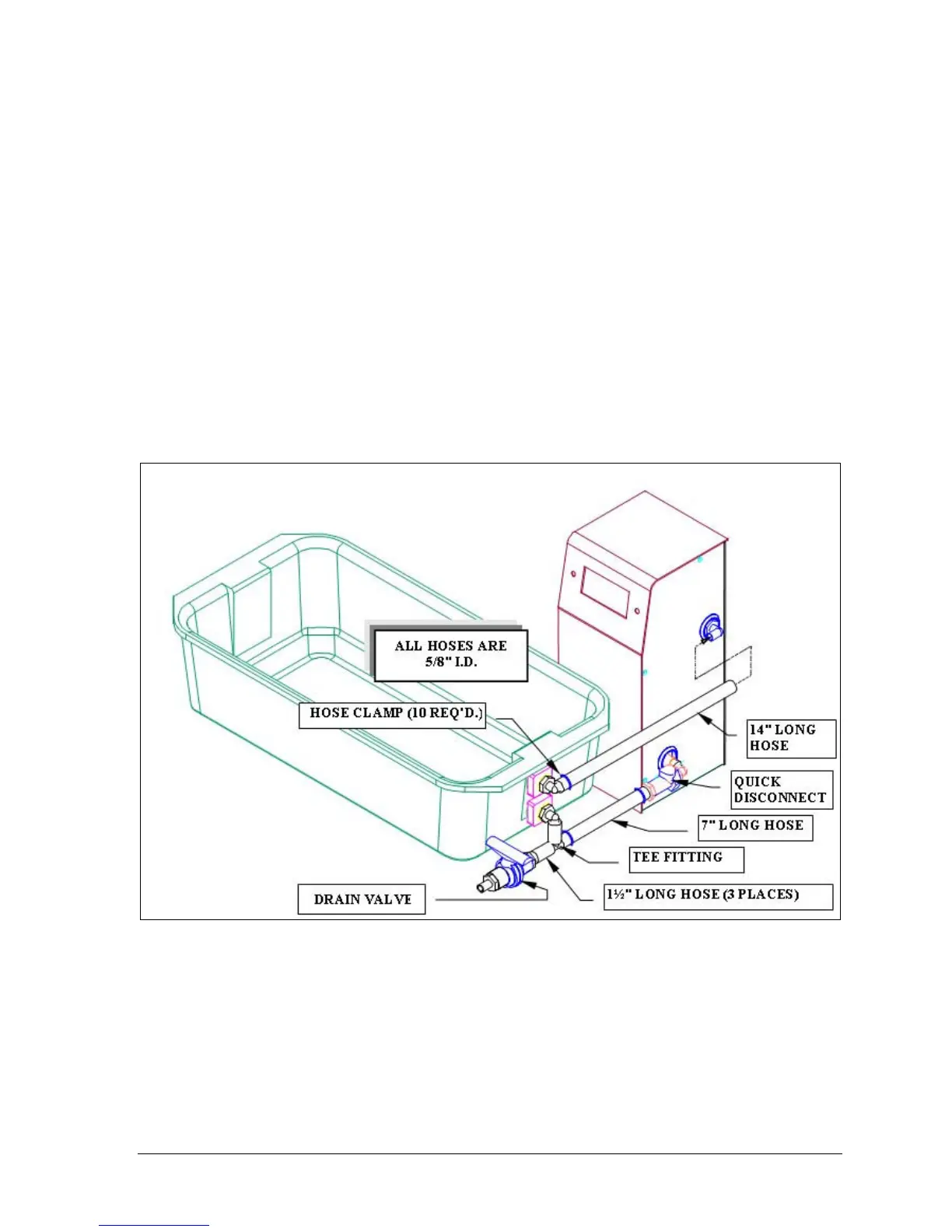
2. Attach the drain tube to the end of the drain valve (black & orange fitting,
see Figure 4-1).
3. Place drain tube into a large bucket.
4. Open valve to drain media from the bath.
5. Once all the media has been drained disconnect the CPC quick connect
fitting on the entry port of the TCS.
6. Disconnect the top tube on the exit port of the TCS.
7. Empty the remaining media from the TCS by turning the unit upside down.
8. Remove the CPC fitting and tube from the exit port and empty the
remaining media.
9. Wipe the bath clean of remaining media.
Figure 4-1: TCS Connections



 To Next Page