Chapter 3: Operation
Operation Manual: Evolution Series
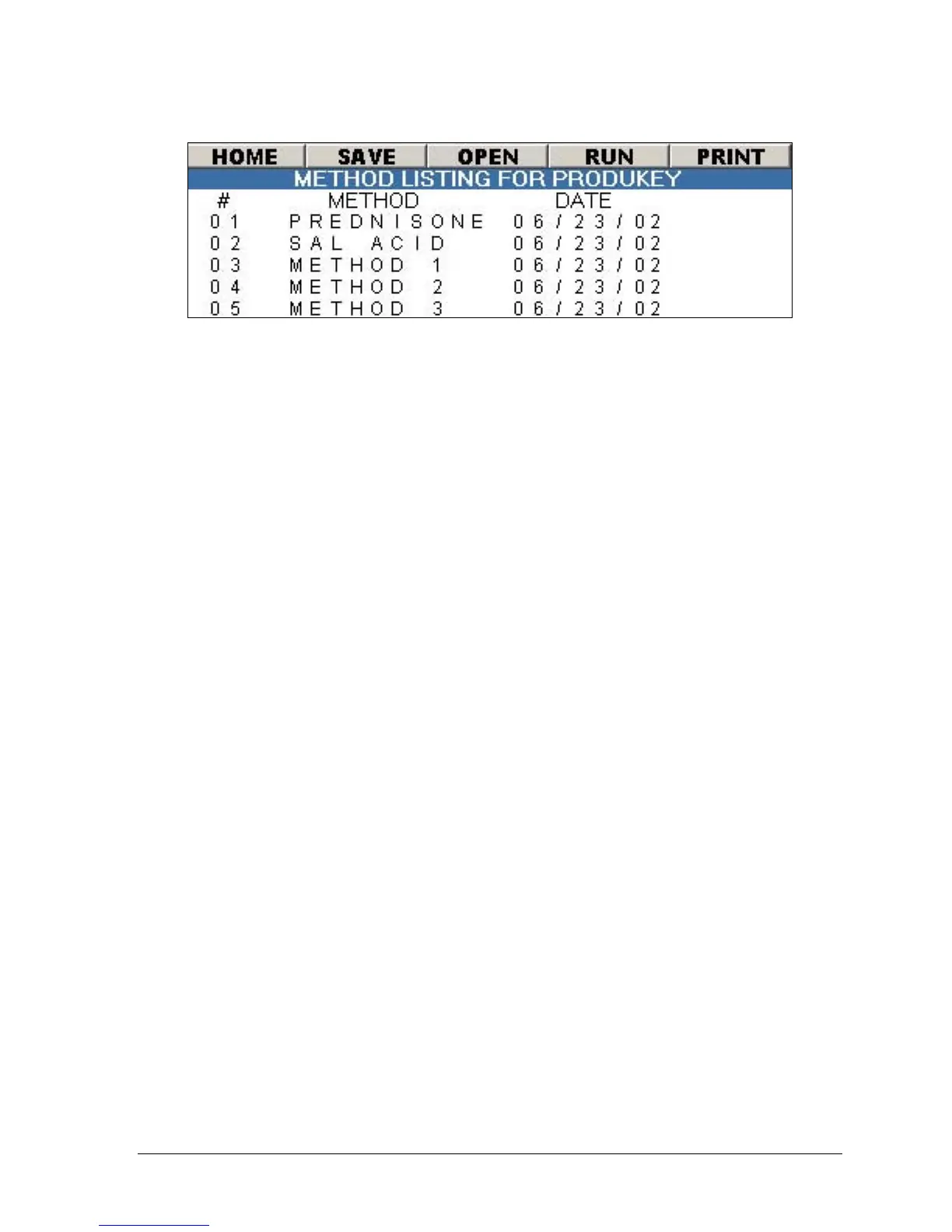
Figure 3-32: produKEY Method Listing Screen
Viewing Methods on the produKEY
1. Insert the produKEY into the slot to the right of the control keypad. Turn
the key clockwise 1/4 turn. The unit will produce an audible beep.
2. The screen shown in Figure 3-32 will be displayed.
3. Highlight the method from the list and select ENTER from the keypad.
4. Highlight the OPEN menu bar item and select ENTER.
Saving a Method from the produKEY to the Instrument
1. Insert the produKEY into the slot to the right of the control keypad. Turn
the key clockwise 1/4 turn. The unit will produce an audible beep.
2. The screen shown in Figure 3-32 will be displayed.
3. Highlight the method from the list and select ENTER from the keypad.
4. Highlight the SAVE menu bar item and select ENTER.
Running a Method from the produKEY
The procedure below describes how to run a method directly from the produKEY
without saving the method to the instrument.
1. Insert the produKEY into the slot to the right of the control keypad. Turn
the key clockwise 1/4 turn. The unit will produce an audible beep.
2. The screen shown in Figure 3-32 will be displayed.
3. Highlight the method from the list and select ENTER from the keypad.
4. Highlight the RUN menu bar item and select ENTER.



 To Next Page