Chapter 3: Operation
Operation Manual: Evolution Series
Calibrate calPROBE Using NIST-Traceable Reference Thermometer
1. Place reference thermometer and the calibration probe in the same vessel.
2. Using the + or – button set vessel number on the screen to 8.
3. Wait for both reference and vessel temperatures to stabilize.
4. Read temperature directly from reference thermometer.
5. Highlight the Ref. Temp. field and adjust the temperature value using the +
or – buttons.
6. When Ref. Temp. on the screen matches actual reference reading, press
START to calibrate.
Display Screens
All Display screens are accessible while in Manual Mode or Auto Test Mode. Use
menu bar along the top of the screen or the wizards from the Main screen to scroll
through the various Display screens as shown in the following sections.
Temperature Screen
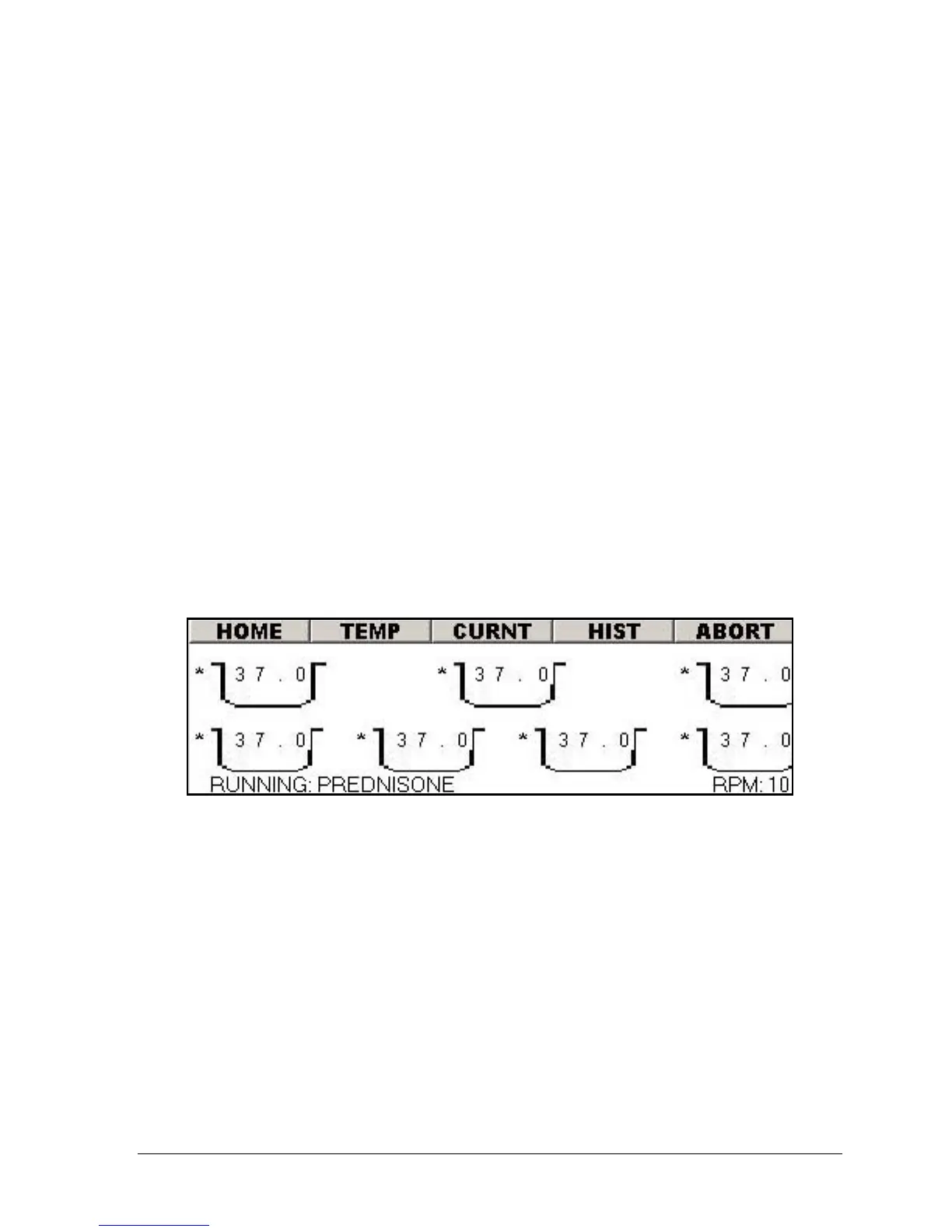
Figure 3-17: Vessel Temperature Display Screen
• Figure 3-17 shows the temperatures (in Celsius) in vessels 1 through 7.
• The indication at the lower left of the screen shows the name and status of the
automatic test currently running. This will indicate "Manual Mode" while
running in manual mode. The valid status options are: Idle, Pre-Heat and
Running.
• The RPM will be displayed in the lower right of the screen.
• In Figure 3-18 and Figure 3-19, the asterisk to the left of the vessel number
indicates the vessel heater is enabled. The two figures show vessels 1 through
7 are enabled. Temperature probe 8 is the built-in calibration probe.
• The TEMP button on the menu bar will toggle between Figure 3-17 and Figure
3-18.



 To Next Page