31
EN
IP2163EN
• using keys ↑ and ↓ select the desired function
• press the ENTER key to confirm
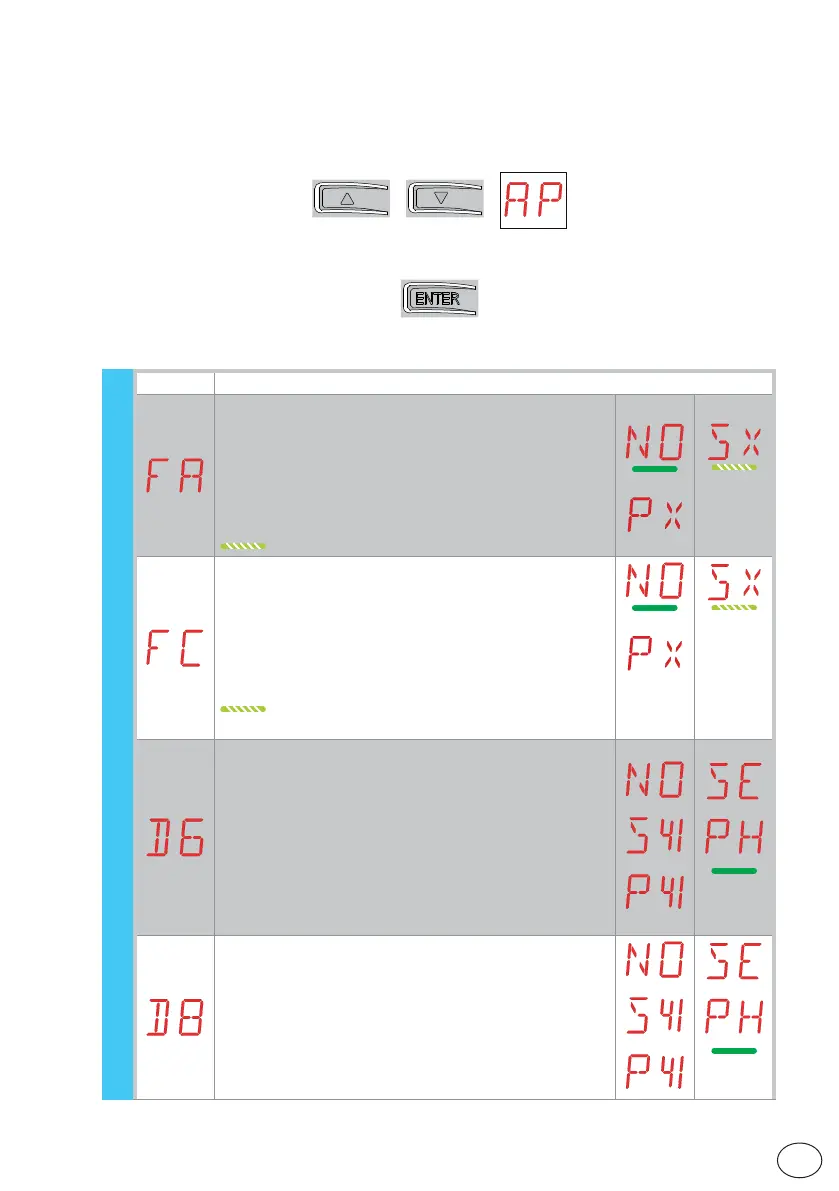
7.11 Second level menu - AP (Advanced Parameters)
Display Description
FA - Selection of opening limit switch mode.
NO - None
SX - Stop limit switch (after activation the door wing
stops its movement)
PX - Proximity limit switch (after activation the door
wing continues as far as the end stop and any
obstacle is considered a stop)
(with standard limit switches)
FC - Selection of closing limit switch mode.
NO - None
SX - Stop limit switch (after activation the door
wing stops its movement)
PX - Proximity limit switch (after activation the door
wing continues as far as the end stop and any
obstacle is considered a stop)
(with standard limit switches)
D6 - Selection of device connected to terminals 1-6.
NO - None
SE - Safety edge (if contact 1-6 opens, after stop-
ping, there is a disengagement of 10cm)
S41 - Safety edge with safety test (if contact 1-6
opens, after stopping, there is a disengage-
ment of 10cm)
PH - Photocells
P41 - Photocells with safety test
D8 - Selection of device connected to terminals 1-8.
NO - None
SE - Safety edge
S41 - Safety edge with safety test
PH - Photocells
P41 - Photocells with safety test
AP - Advanced parameters



 To Next Page