EasyManua.ls Logo

DITEC DAB105 - User Manual

DITEC DAB105
48 pages
Print Icon
To Next Page IconTo Next Page
Loading...
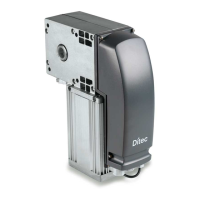
Ditec DAB105
Swing doors
(translation of the original instructions)
Technical Manual
www.ditecautomations.com
IP2159EN • 2021-07-05
Last version of this manual

Table of Contents

Other manuals for DITEC DAB105

Questions and Answers

  • V
    Vicki GonzalezAug 5, 2025
    Why DITEC Door Opening System doesn't open?
    • C
      Connie BowersAug 5, 2025
      There are several reasons why your DITEC Door Opening System might not be opening. First, check if the function selector is set to OFF and change it if it is. Second, ensure that there is a mains power supply. Third, verify the connections of the command accessories, as the command unit may not be working. Fourth, make sure that the motion sensor has not been activated by removing any objects from the detection area. Fifth, check if the emergency closure has been activated and deactivate it. Finally, ensure the SPTE trimmer is set to 0°.
  • T
    Timothy Wilson DDSAug 13, 2025
    What to do if DITEC DAB105 doesn't close?
    • N
      nsullivanAug 13, 2025
      If your DITEC Door Opening System isn't closing, it could be due to a few reasons. Check if the function selector is set to DOOR OPEN and change the setting. Also, verify that the motion sensor contact hasn't been activated by removing any obstructions from the detection area. Finally, make sure there are no obstacles blocking the door's path.
  • K
    Karen RobertsAug 20, 2025
    What to do if DITEC Door Opening System motor starts but the door doesn't move?
    • M
      Maria JohnsonAug 21, 2025
      If the motor in your DITEC Door Opening System starts but the door doesn't move, check for the following issues. A mechanical lock might be blocked, so release it. There might be an obstacle in the door's path, so remove it. The door stop could be jammed, so select block release. Also, the arm system might be coming loose; in this case, rotate the SPTE trimmer until the door stop is on the limit switch, bring the door to its open position, tighten the arm system, and rotate the SPTE trimmer to 0°.
  • L
    Laura CooperAug 28, 2025
    What to do if the spring pre-tensioning on DITEC automatic Door Opening System is unrecognised?
    • M
      matthewgilbertAug 28, 2025
      If the spring pre-tensioning on your DITEC automatic Door Opening System is unrecognised, it may be due to too many adjustments. Here's what you should do: 1. Rotate the SPTE trimmer until the end stop can be loosened. 2. Remove the end stop and the arm system. 3. Disconnect the mains power supply. 4. Disconnect the motor cable. 5. Replace the arm system and locate the non-pretensioning point by moving the door wing backwards and forwards. 6. Loosen the arm. 7. Reconnect the motor cable. 8. Reconnect the mains power supply. 9. Adjust the SPTE trimmer at 210° and wait for the shaft to stop rotating. 10. Fix the end stop on the closure limit switch. 11. Set the SPTE trimmer to 0°. The automatic system has returned to the factory settings. 12. Repeat the door start-up operations.

Summary

General Safety Precautions

EC Declaration of Incorporation

Technical Specifications

Standard Installation

Dimensions

Main Components

Installation

Preliminary Checks

Crucial checks before starting the installation process.

General Information

Overview of the DAB105 automation's general features.

Installation Examples

Visual examples demonstrating different installation scenarios.

Removing the Cover

Instructions for safely accessing internal components by removing the casing.

Automation with Articulated Arm

DAS805 PSA

Specifics for the articulated arm for outward opening doors.

DAB805 PSAF for Fire Doors

Articulated arm variant designed for fire door applications.

Left-Hand Opening Preparation

Steps for preparing installation for left-hand opening.

Right-Hand Opening Preparation

Steps for preparing installation for right-hand opening.

Fixing the DAB805 PSA Arm

Detailed procedure for attaching the DAB805PSA arm.

Assembling Left-Hand Articulated Arm

Guide for assembling the articulated arm for left-hand configurations.

Fixing the DAB805 PSAF Arm

Detailed procedure for attaching the DAB805PSAF arm.

Sliding Arm Automation DAB805 PLA

Left-Hand Opening Preparation

Steps for preparing installation for left-hand opening with sliding arm.

Right-Hand Opening Preparation

Steps for preparing installation for right-hand opening with sliding arm.

Fixing the DAB805 PLA Sliding Arm

Detailed procedure for attaching the DAB805PLA sliding arm.

Connecting to Electricity Supply

DAB105 CU Electrical Connections

Electrical Commands

Details for connecting input commands and sensors.

Electrical Outputs and Accessories

Information on connecting outputs and accessories.

Electrical Adjustments

How to adjust operational parameters using trimmers.

Dip-Switch Settings

Configuration settings using dip-switches.

LED Signals

Understanding the LED indicators for system status.

RED ERROR LED Alarms

Troubleshooting guide based on error LED flashes.

DAB905 ESE Optional Extension Unit

Extension Unit Commands

Input connections for the optional DAB905ESE unit.

Extension Unit Outputs and Accessories

Output connections and accessories for the DAB905ESE unit.

Extension Unit Adjustments

Configuration adjustments for the DAB905ESE extension unit.

DAB905 ESE Optional Extension Unit

Extension Unit Commands

Commands related to safety sensors for the DAB905ESE unit.

Extension Unit Outputs and Accessories

Outputs and accessories for safety functions of DAB905ESE.

Safety Exclusion Trimmer Adjustment

Trimmer adjustment for safety exclusion on DAB905ESE.

Jumper Settings

Jumper settings for specific functions on DAB905ESE.

Safety Device Signals

Understanding LED signals for safety device status.

Product Start-up

Adjusting the Door Stop

Procedure to correctly set the door's stopping point.

Lock Kick Microswitch Adjustment

Adjustment of the microswitch for proper latching.

Auto-Learn Procedure

Automatic learning process for door operation parameters.

LEARN Button Auto-Learn Usage

How to initiate auto-learn using the LEARN button.

Double Door Auto-Learn

Specific auto-learn process for synchronized double doors.

General Operational Adjustments

Final adjustments to opening/closing speeds and hold time.

Pre-Configured Parameter Groups

Advanced Control Panel Settings

Increased Closing Force with Electric Lock

Setting higher closing force when an electric lock is used.

Electric Lock;Strike Power Supply Management

Managing power for electric locks and strikes.

Low Energy Use Door Requirements

Standard Control Panel Application Example

Optional Extension Unit Application Example

Synchronized Doors (DAB905 SYN)

Synchronized Door Settings

Configuration options for synchronized door operations.

Synchronized Doors Installation Example

Interlocked Automation Setup

Routine Maintenance Schedule

System Troubleshooting Guide

Safety and Compliance Signs

DITEC DAB105 Specifications

General IconGeneral
BrandDITEC
ModelDAB105
CategoryDoor Opening System
LanguageEnglish

Related product manuals