43
IP2159EN
18. Synchronized doors (DAB905SYN)
18.1 Settings
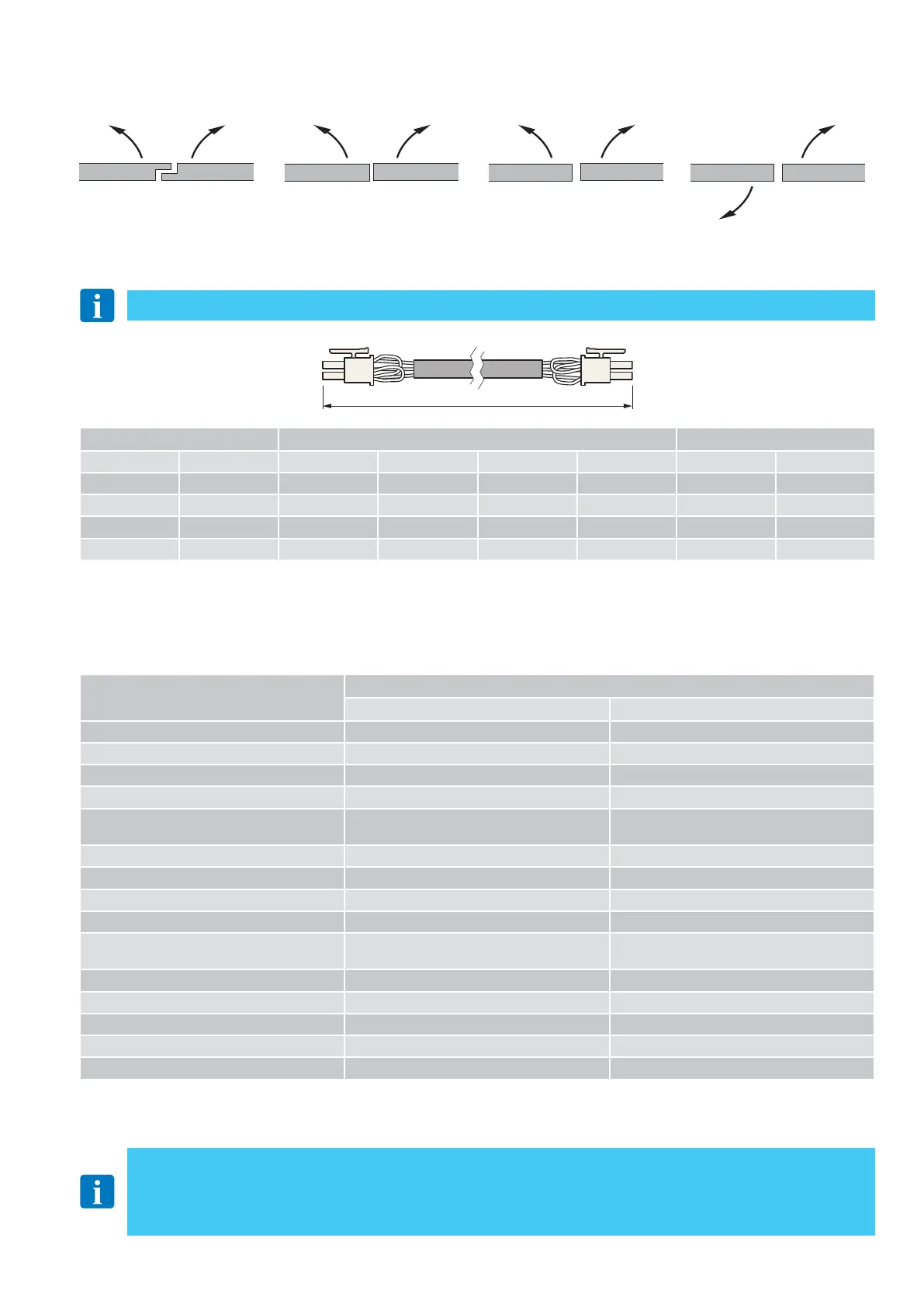
Connect the two automations to the plug on the control panel, using the synchronisation cable (DAB905SYN).
Depending on the type of installation, cut the jumpers on the MASTER or SLAVE cable, as shown in the table:
MASTER SLAVE
black
2000 mm
yellow
blue
red
Operating mode
Settings
MASTER SLAVE
Program selection X
Opening time X
Closure time X
Closure time adjustment X
Closure / Opening attempt when the door is
obstructed
X
Enable / Disable PAG X
Level of servo-assistance X X (*)
Closure force X X (*)
Pulse of motion sensor or mat X
Selection of operating mode during battery
functioning
X
Lock/release signal tension X X
Block powered / Unpowered X X
Enable / Disable block release X X
Open door delay X X
Enable / Disable snap block X X
• The electric locks / electric strikes must be connected to the MASTER and SLAVE control panels.
• The opening devices must be connected to either the MASTER or SLAVE control panel, or to both.
• The OPD motion sensor must be connected to the MASTER control panel except for double exit doors where each OPD
motion sensor must be connected to the corresponding control panel
• The sensors fitted on the wing must always be connected to the corresponding control panel.
SORMONTO SFIORAMENTO SENZA SFIORAMENTO DOPPIA USCITA
The MASTER automation is the one that opens first.
(*) In double exit doors, these functions have to be set separately on the MASTER and SLAVE doors because the arm system and
air pressure may differ.
(*) The operators works separately when received commands from installed safety sensors.
OVERLAP
SKIM WITHOUT SKIM
DOUBLE EXIT
Function Door design Cut the jumper with color
Opening Closing Rebated Jamming No Jamming Double egress MASTER side SLAVE side
Synchronous Synchronous / / YES / / /
Synchronous Asynchronous YES / YES / BLACK /
Asynchronous Asynchronous YES YES / / / RED
Synchronous Synchronous / / / YES* BLACK RED




 To Next Page