40
IP2159EN
14. Advanced settings available on the control panel version in-
dicated, or subsequent versions
14.1 Increased thrust force on closure when an electric lock is fitted
1. Disconnect batteries if any.
2. Disconnect the mains.
3. Press the LEARN BUTTON (LRN) and keep it depressed.
4. Connect the mains.
5. Watch the ERROR LED.
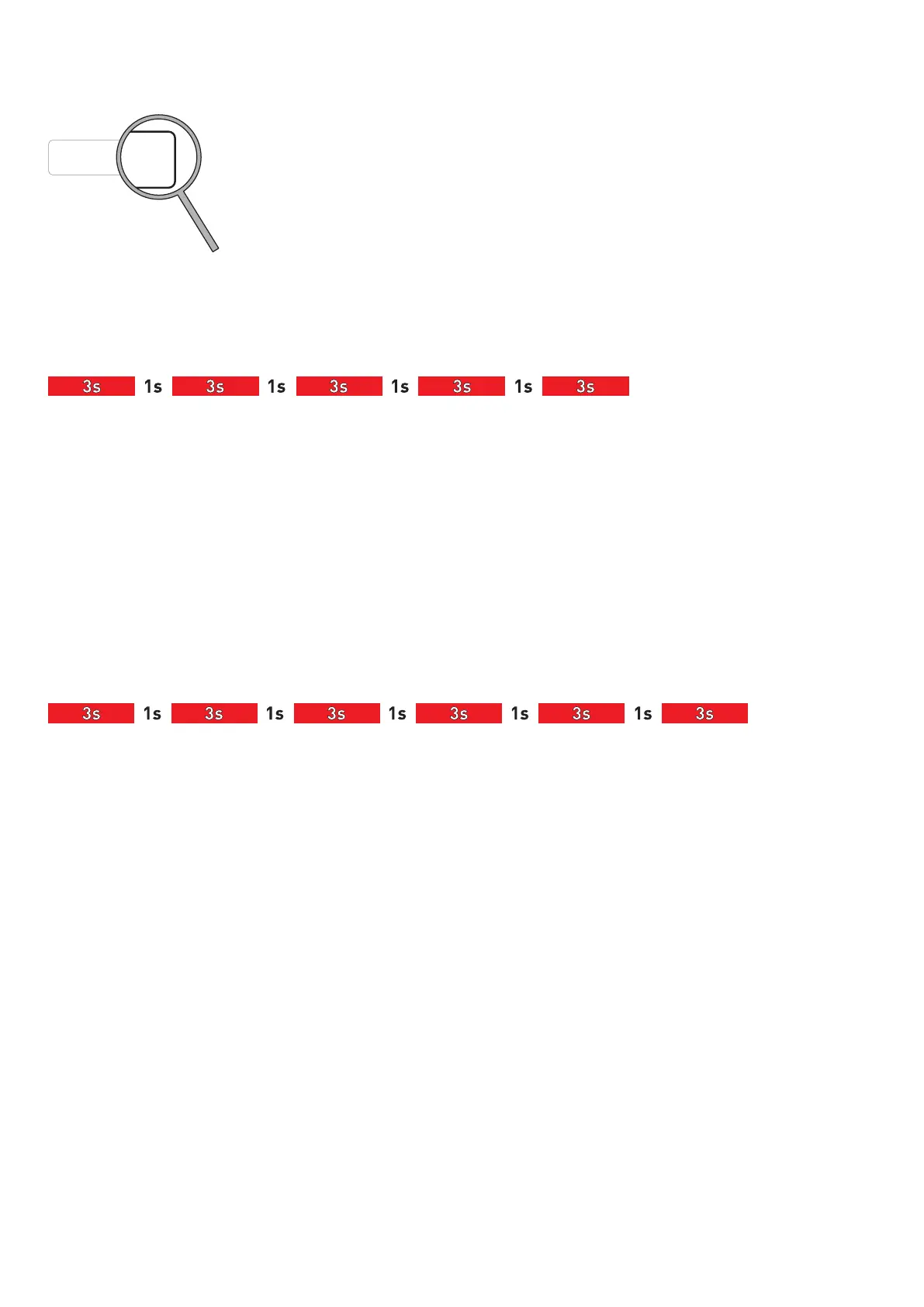
6. Release the LEARN BUTTON after 5 flashes (LED is out).
7. Identify the current lock kick status:
The ERROR LED flashes an amount of short flashes that correspond to the status number.
After a short pause the LED will repeat the status number and so on.
8. Changing the status:
If you push the LEARN BUTTON once, the status number will increase.
When you have reached the highest status number it will start at number one again.
• Push the button until you get the requested lock kick status, 1=Basic (default), 2=Enhanced
• Disconnect the mains
Next time the mains is connected, the operator will use the new status setting
14.2 Management of electric lock / electric strike power supply
1. Disconnect batteries if any.
2. Disconnect the mains.
3. Press the LEARN BUTTON (LRN) and keep it depressed.
4. Connect the mains.
5. Watch the ERROR LED.
6. Release the LEARN BUTTON after 6 flashes (LED is out).
7. Identify the current lock unlocked status:
The ERROR LED flashes an amount of short flashes that correspond to the status number.
After a short pause the LED will repeat the status number and so on.
8. Changing the status:
If you push the LEARN BUTTON once, the status number will increase.
When you have reached the highest status number it will start at number one again.
• Push the button until you get the requested status.
1= With DIP2 in OFF and no COM400 function selector switch ( or the latter in two-way mode), output 1-2 is permanently pow-
ered (default setting) = door closed not locked, for this reason, locks with mechanical reset cannot be used.
If, on the other hand, you want to lock the door wing with the door closed, set the selector to MONODIRECTIONAL mode or
make a jumper GND-EXIT (3-11). In this condition, output 1-2 is powered throughout the operation from opening until com-
plete closure, for this reason, locks with mechanical reset cannot be used.
2= With DIP2 in OFF and no COM400 function selector switch ( or the latter in two-way mode). The output 1-2 is permanently
powered when the door is closed. When the operator received an open command, output 1-2 is powered through the first 10°
of door opening and through the last 10° of closing; for this reason, locks with mechanical reset cannot be used.
With the selector on MONODIRECTIONAL mode or with a jumper GND-EXIT (3-11), the output 1-2 is powered only through the
first 10° of door opening; for this reason, locks with mechanical reset can be used.
• Disconnect the mains.
Next time the mains is connected, the operator will use the new status setting
112
4
DAB105CU
10




 To Next Page