38
IP2159EN
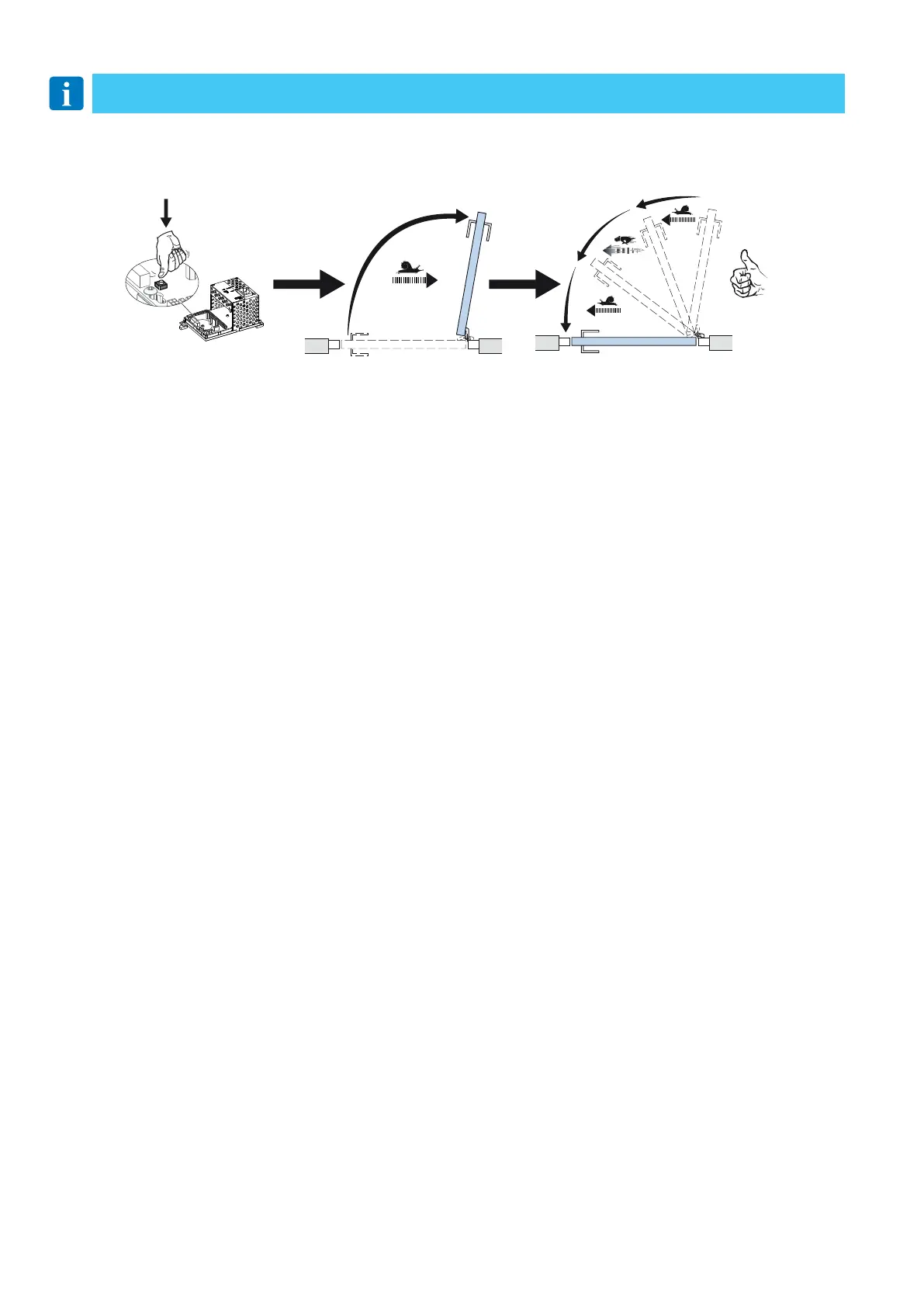
12.3.1 One push / two pushes on the LEARN BUTTON (LRN)
12.3.2 Double doors
NOTE: Remain clear of swing path of door, as door may close rapidly. The door has no safety during auto-learn cycle.
- One push (delayed opening)
Push the button once. The door will open after 2 seconds and adjust the back-check and latchcheck automatically.
- Two pushes (direct opening)
Push the button twice. As above, but the door starts to move directly.
For double doors, theMASTER door must be learned first and thereafter the SLAVE door. When the SLAVE door is learned, the
MASTER door will open up to fully open position during the learning phase of the SLAVE door.
The doors can also be learned separately before connecting the sync cable. In case of rebated and separate learning, the MASTER
door must be held open before the SLAVE door learn is carried out.
LRN
12.4 General adjustment
a. Set the hold open time with the potentiometer (HOT) on the control unit.
b. Adjust the opening speed (OPSP). Turning clockwise increases the speed.
c. Adjust the closing speed (CLSP). Turning counter-clockwise decreases the speed.
d. Connect the required activation units.




 To Next Page