37
IP2159EN
5
1
4
2
3
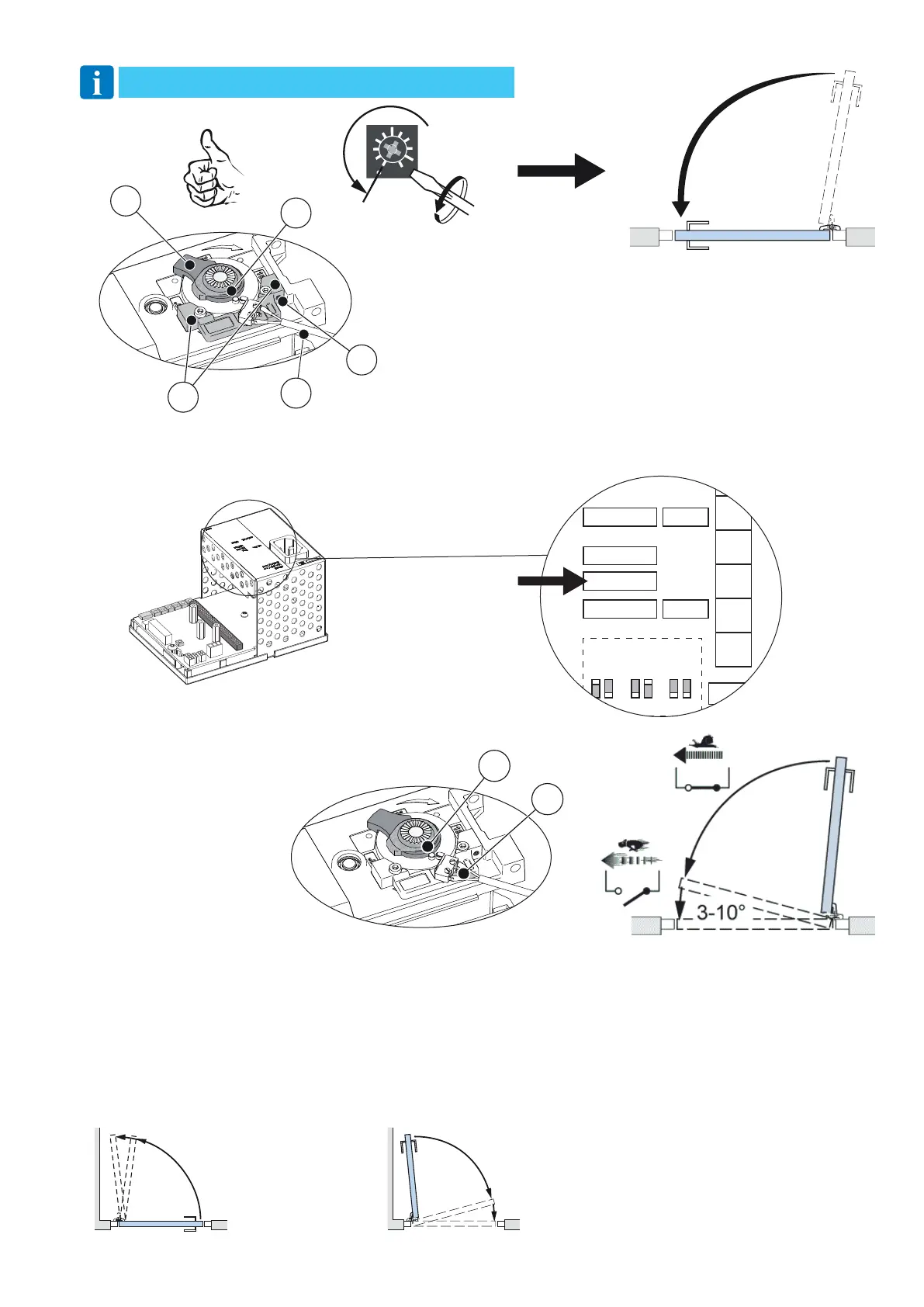
f. Close the door by turning the potentiometer SPTE to 0° and let the door close.
1. Micro switch
2. Lock kick cam
3. Stop block
4. Fine-adjustment screw
5. Door stop arm
12.2 Lock kick microswitch (16)
Available on the control panel with hardware version indicated, or subsequent versions.
12.3 Auto-learn – automatically sets back and latch check
This learning is performed by pushing the LEARN BUTTON (LRN).
• Before the learning procedure starts, make sure that the door has been properly closed i.e., not by force.
• If any of the parameters SPRING PRE-TENSION, CLOSING TORQUE (CLTQ) and LOCK RELEASE (DIP-switch No. 3 on
DAB905ESE) changed after performing a learn, a new learn must be carried out.
• Learn can be carried out with activation units and locks connected.
• The back-check will be automatically adjusted to 10° and 1 second before open position. The latch-check will be automatically
adjusted to 10° and 1.5 seconds before closed position.
10°/1 s
10°
1.5 s
Back-check
Latch-check
Control the lock kick by turn-
ing the lock kick cam (2) when
power is off. This lock kick gives
a lock kick at power failure for
the last 3-10 degrees of closing
to make sure that the door will
fully close and latch.
0°
SPTE
NOTE: Impulses are not accepted if SPTE is more than 0°.
DAB105CU
1003532
PUSHPULL ST
ARM1
ARM2
ARM1
ARM2
ARM1
ARM2
Rev.Art. No.
Serial. No. Week
SW ver.
LOUT
+24V
OPD
XIMP
IIMP
GND
OPD
HW ver.
L
1
2
co
2
16




 To Next Page