46
IP2159EN
22. Troubleshooting
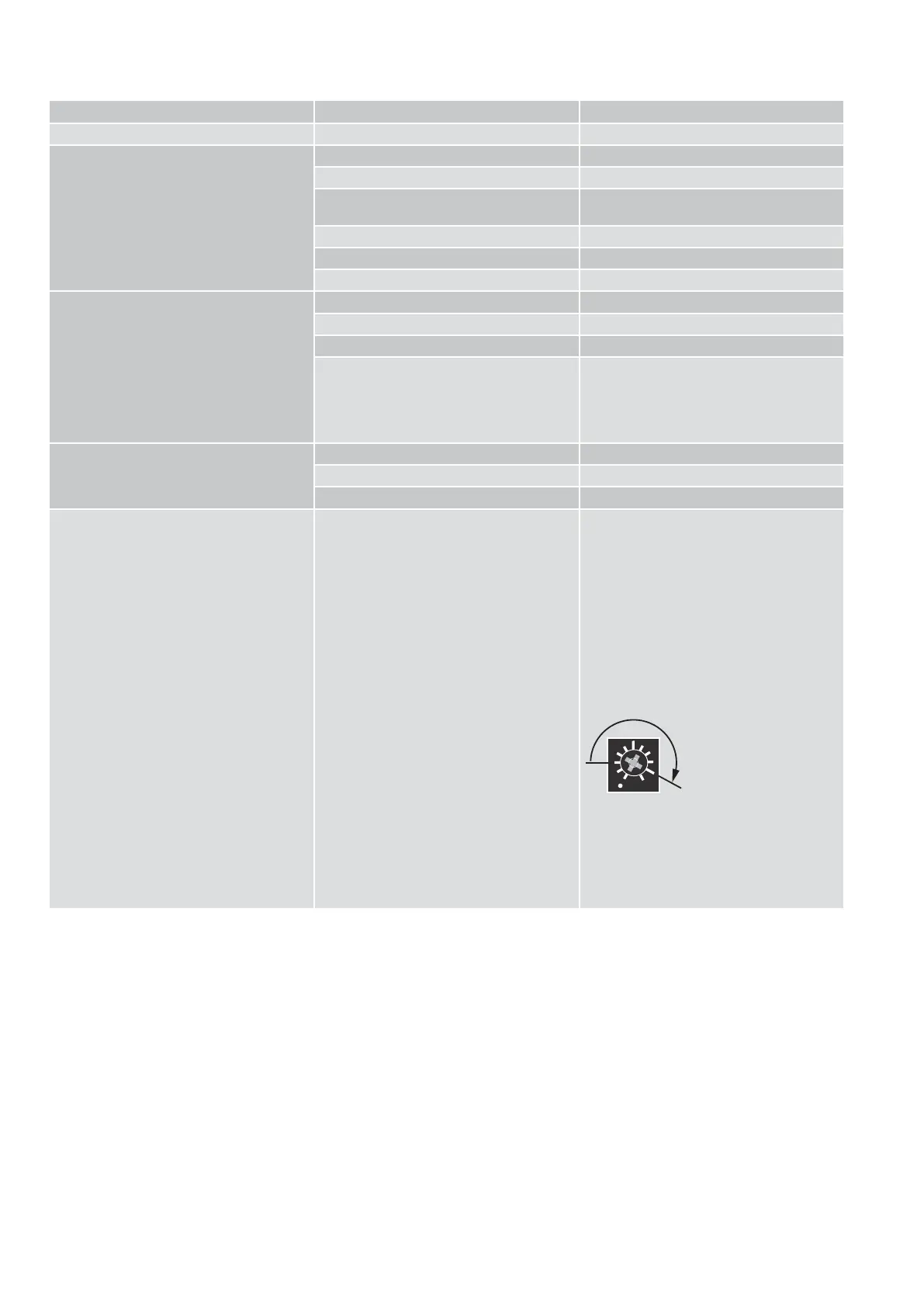
Problem Possible cause Solution / Explanation
The door does not open
a) The motor does not start The function selector is set on OFF Change the function selector setting
There is no mains power supply Check the mains power supply
The command unit does not work Check the connections of the command ac-
cessories
The motion sensor has been activated Remove any objects from the detection area
Emergency closure activated Deactivate the emergency closure
SPTE trimmer not set to 0° Rotate the SPTE trimmer to 0°
b) The motor starts Mechanical lock blocked Release the lock
Obstacle Remove any obstacles
Door stop jammed Select block release
The arm system is coming loose Rotate the SPTE trimmer until the door stop is
on the limit switch.
Bring the door to its open position.
Tighten the arm system.
Rotate the SPTE trimmer to 0°
The door does not close The selector is set on DOOR OPEN Change the function selector setting
The motion sensor contact has been activated Remove any objects from the detection area
Obstacle Remove any obstacles
The spring pre-tensioning on the automatic
system is unrecognised
Too many adjustments have been made 1. Rotate the SPTE trimmer until the end
stop can be loosened.
2. Remove the end stop and the arm system.
3. Disconnect the mains power supply.
4. Disconnect the motor cable
5. Replace the arm system and locate the
non-pretensioning point by moving the
door wing backwards and forwards.
6. Loosen the arm.
7. Reconnect the motor cable.
8. Reconnect the mains power supply.
9. Adjust the SPTE trimmer at 210° and wait
for the shaft to stop rotating.
210°
10. Fix the end stop on the closure limit
switch.
11. Set the SPTE trimmer to 0°.
THE AUTOMATIC SYSTEM HAS RE-
TURNED TO THE FACTORY SETTINGS.
12. Repeat the door start-up operations
explained in chapter 12




 To Next Page