12. RS485 SERIAL COMMUNICATION PERIPHERALS CONNECTION
12.1 RS485 SERIAL LINE
All compatible Modbus devices have an RS485 output. The devices with RS485 serial do not require any
external module or any connection cable. Some Dixell devices may not have this type of output directly, but
obtained by means of a small external converter that converts a "TTL" output with 5 wires into RS485
(XJ485CX). Every XJ 485CX module must be connected to the device using the TTL cable supplied with the
module itself. Make sure of this feature depending on the model of the device. To do this, consult the device
manual. Finally, the RS485 output will be characterised by 2 clamps with polarity. These must be used to
form the network of the devices to control.
FOLLOW THE RECOMMENDATIONS CAREFULLY FOR THE BEST RESULT IN TERMS OF NETWORK
RELIABILITY:
• The RS485 line must reach all devices to be monitored
• Pay attention and always respect polarity (+ / - ) of the line
• Use a shielded serial cable, which must be kept away from power cables and any source of
electromagnetic interference
• Keep the TTL cable way from any source of electromagnetic interference
• It is important not the connect the serial cable shield to the electric plant earth
• Every device requires a unique serial address
• The address must be programmed via parameter. Refer to the device installation manual for the
access and modification procedure
• Always trace a map of the installation being performed; it may be useful if errors are made.
• Use the connection between the GND terminals only if there are communication problems between
the devices
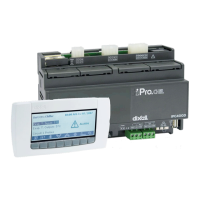
• To keep the serial line balanced the supplied jumper must be applied to short circuit the "Term" on
the iPro.CHILL programmable controller and a 100 Ohm resistance at the end of the line itself (in
parallel with clamps RS 485 + and RS 485 - of the last device in the line) DO NOT insert the jumper
onto iPro.CHILL if it is in the middle of the RS485 line.
The serial cable can be the two wire type plus shielding, with minimum section of 0.5mm
2
(e.g. the BELDEN
8772).
DO NOT BRANCH THE LINE:
right connection
wrong connection


 To Next Page
