16. USER INTERFACE
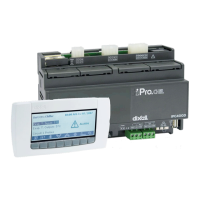
Using the VISOGRAPH LCD graphic keyboard, it is possible to monitor and modify the status of the unit.
On unit switch-on, the main screen will be the following
If the unit is managed from remote or during switch-off from time period, the screen will be:
If the unit has been configured as AIR-AIR, during clock off, it is possible to decide whether to enable
ventilation or not, in this case the screen will be:


 To Next Page
