________________________________________________________________________________________________________
1592025400 – Vers. 1.0 - 109
-
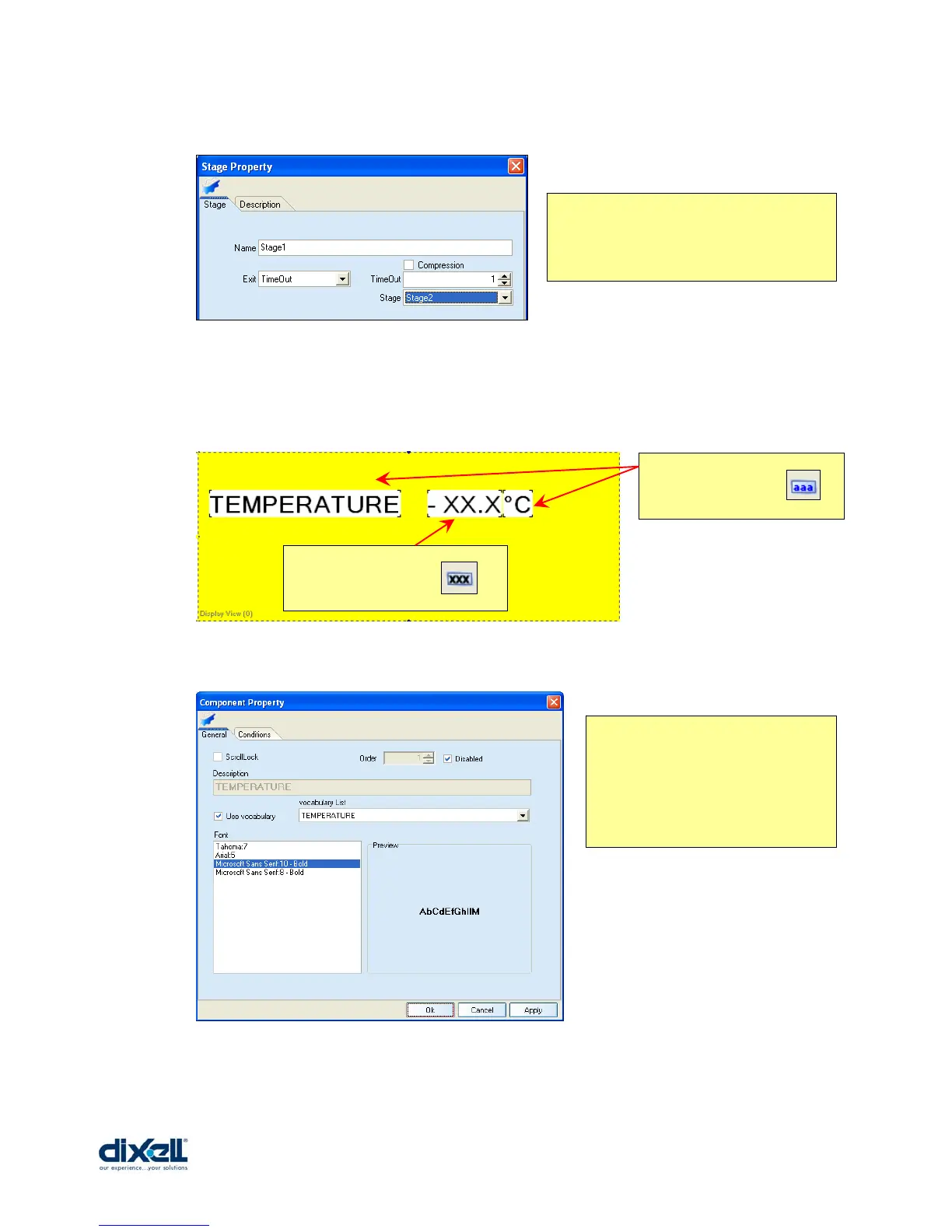
and we can also modify the characteristic of the stage1:
In the Stage2 I want to visualize the temperature, the compressor status and add buttons to
change page where I can verify the set-point and hysteresis.
To visualize the temperature we have to add two labels and one variable:
Double click on “TEMPERATURE” label to define the properties:
Also for the “°C” label we have to do the same procedure.
The EXIT mode is TIMEOUT:
- Timeout = 1 (is multiple of 5 seconds)
- Stage = Stage2 (after 5 second the
display will jump to the Stage2)
Add this Labels with .
Add this Variable with .
In this windows we have defined:
- the description, in this case linked
with the vocabulary.
- the font.















 To Next Page