________________________________________________________________________________________________________
1592025400 – Vers. 1.0 - 113
-
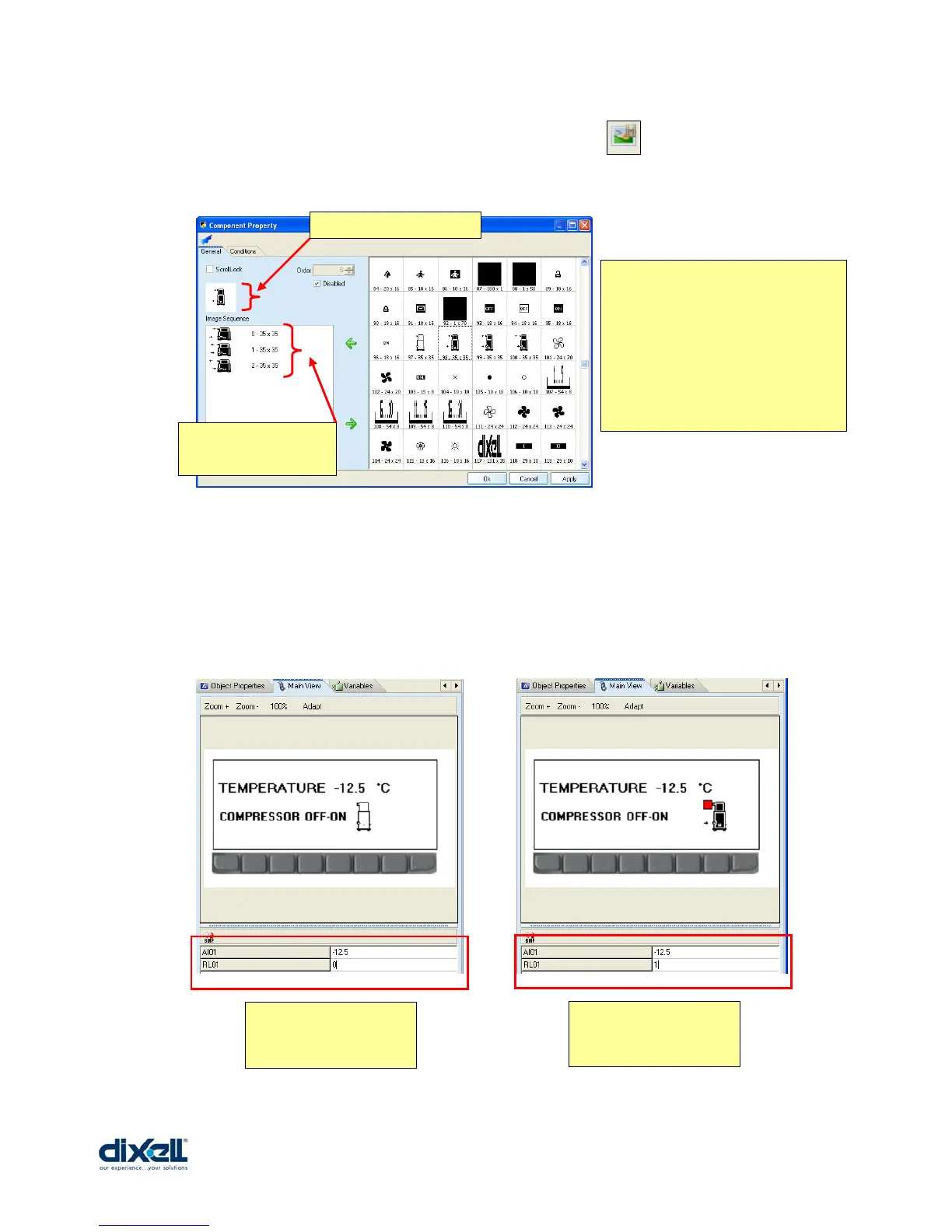
• To add the “DxAnimImage” we have to click the icon and insert the control in the
stage. Then double click in the control to define the properties:
Now we can check our project with the “Main View”. If we can try to write the values in the
boxes ”AI01 and RL01”, we can see the result in the display (except for the
DxSwitchVarLabel).
..... .
In the window “General” there is
the Image database; you can choose
the images that you want to
visualize.
In this case your animated image is
a sequence of images.
Preview of animation.
Sequence of images
from top to bottom.
Preview with:
AI01 = -12.5
RL01 = 0
Preview with:
AI01 = -12.5
RL01 = 1















 To Next Page