________________________________________________________________________________________________________
1592025400 – Vers. 1.0 - 112
-
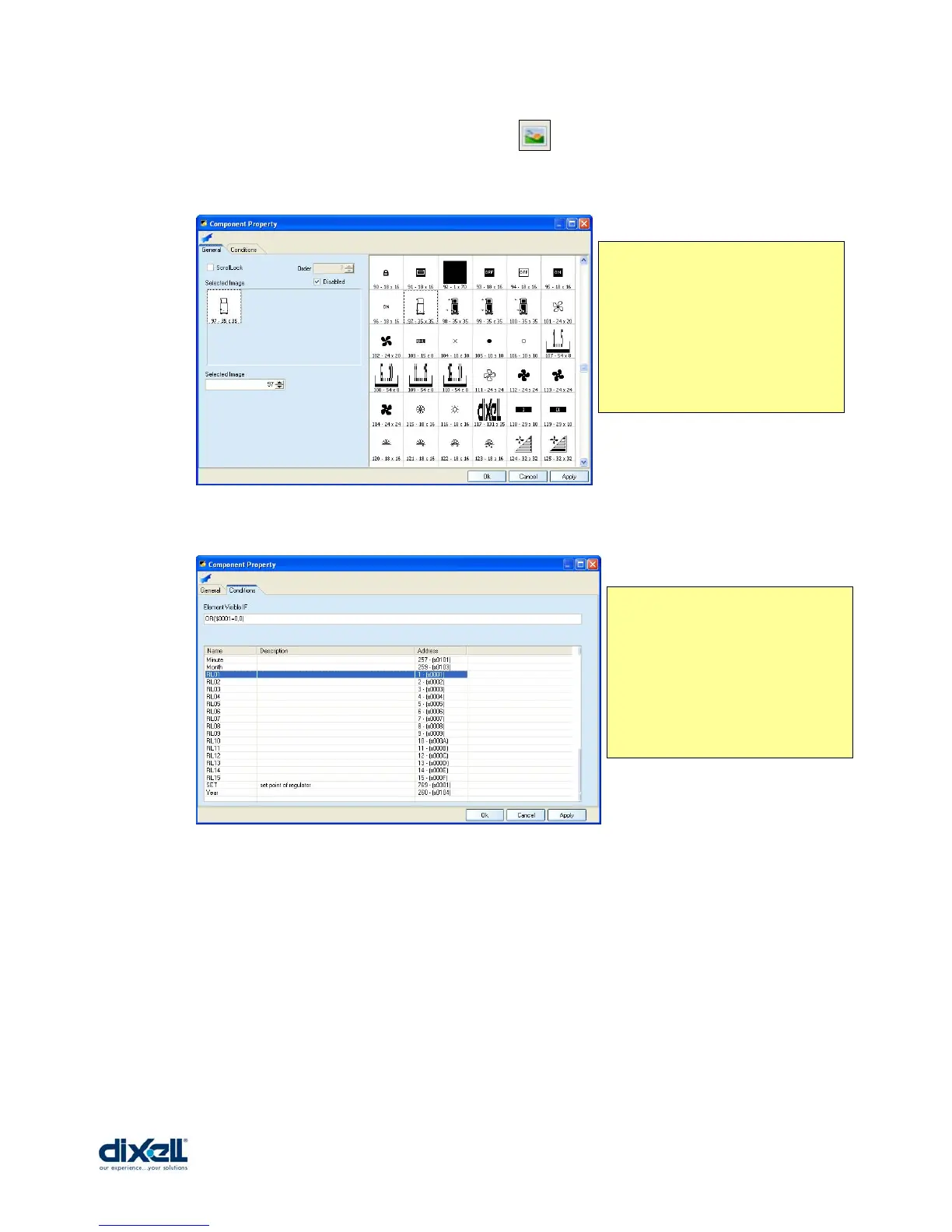
To add the “DxImage” we have to click the icon and insert the control in the stage.
Then double click in the control to define the properties:
Other conditions can be, for example:
• OR($4387=1,0)
If the variable $4387 is = 1, the image will be visible.
• AND($4387=1,OR($4366>0,$4370>0))
If the variable $4387 is = 1 and one variable between $4366 and $4370 are greater
than “0”, the image will be visible.
In the window “General” there is
the Image database; you can choose
the image that you want to
visualize.
In the window “Conditions” we can
define if the image is visible always
or only in some condition that we
can decide.
In this case the image will be visible
only when the compress is OFF; the
condition is:
OR($0001=0,0)















 To Next Page