________________________________________________________________________________________________________
1592025400 – Vers. 1.0 - 23 -
• Disconnect your computer from the data network of your company and connect the
PC with the iPRO through the Crossover cable.
• The personal computer has to be set in the same network of the iPRO.
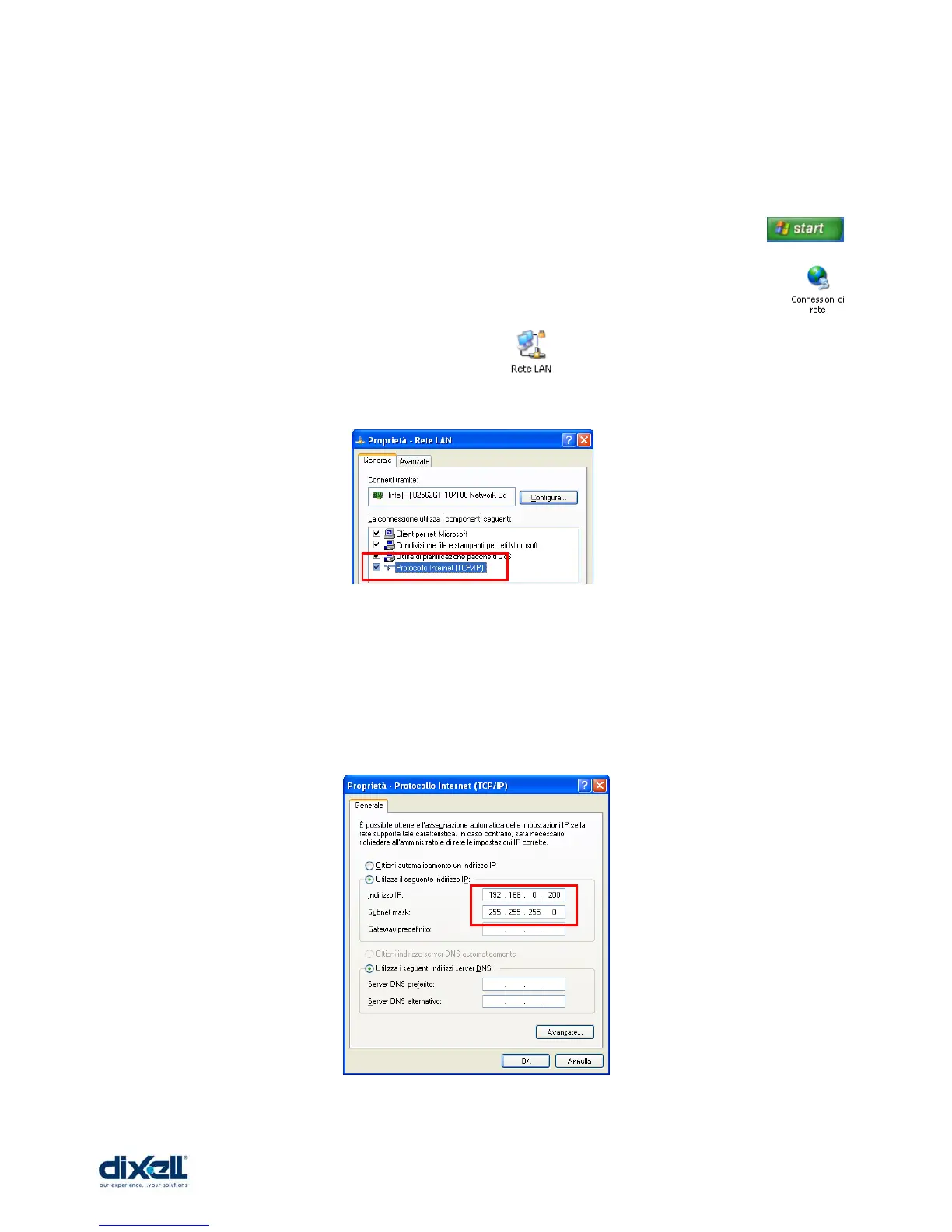
o In the windows environment click with the mouse on “start” button .
o Choose “Control Panel” and select “Network and dial-up connections” .
o Choose “Local area connection” .
o Choose “Properties” and double click on “Internet Protocol (TCP/IP)”.
o In this window set the following parameters (as showed in the picture):
IP address: 192.168.0.200
Subnet Mask: 255.255.255.0
o Click “OK” to confirm.















 To Next Page