________________________________________________________________________________________________________
1592025400 – Vers. 1.0 - 24 -
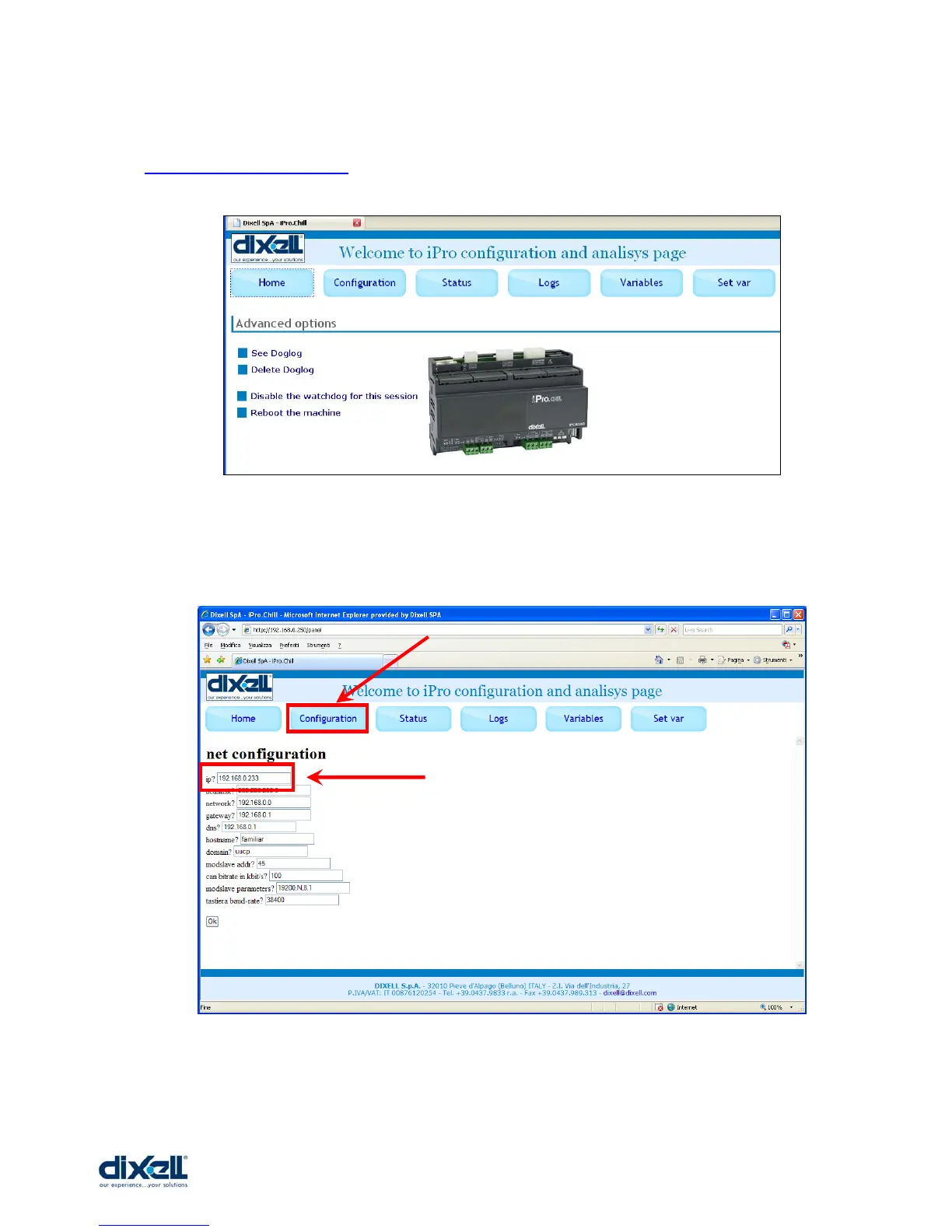
Launch the browser in your computer and write the following web site address:
http://192.168.0.250/panel (if your IP is different, write the correct one):
If necessary is possible to change the IP address; click the Configuration button and in the
IP box write the new address (for example if your IP address is: 192.168.0.233).
Click “OK” to confirm the operation.















 To Next Page