Simga2N Traction Advanced Manual– V1.3 Page 71 (166) ©2021 DMC GmbH Herten Germany
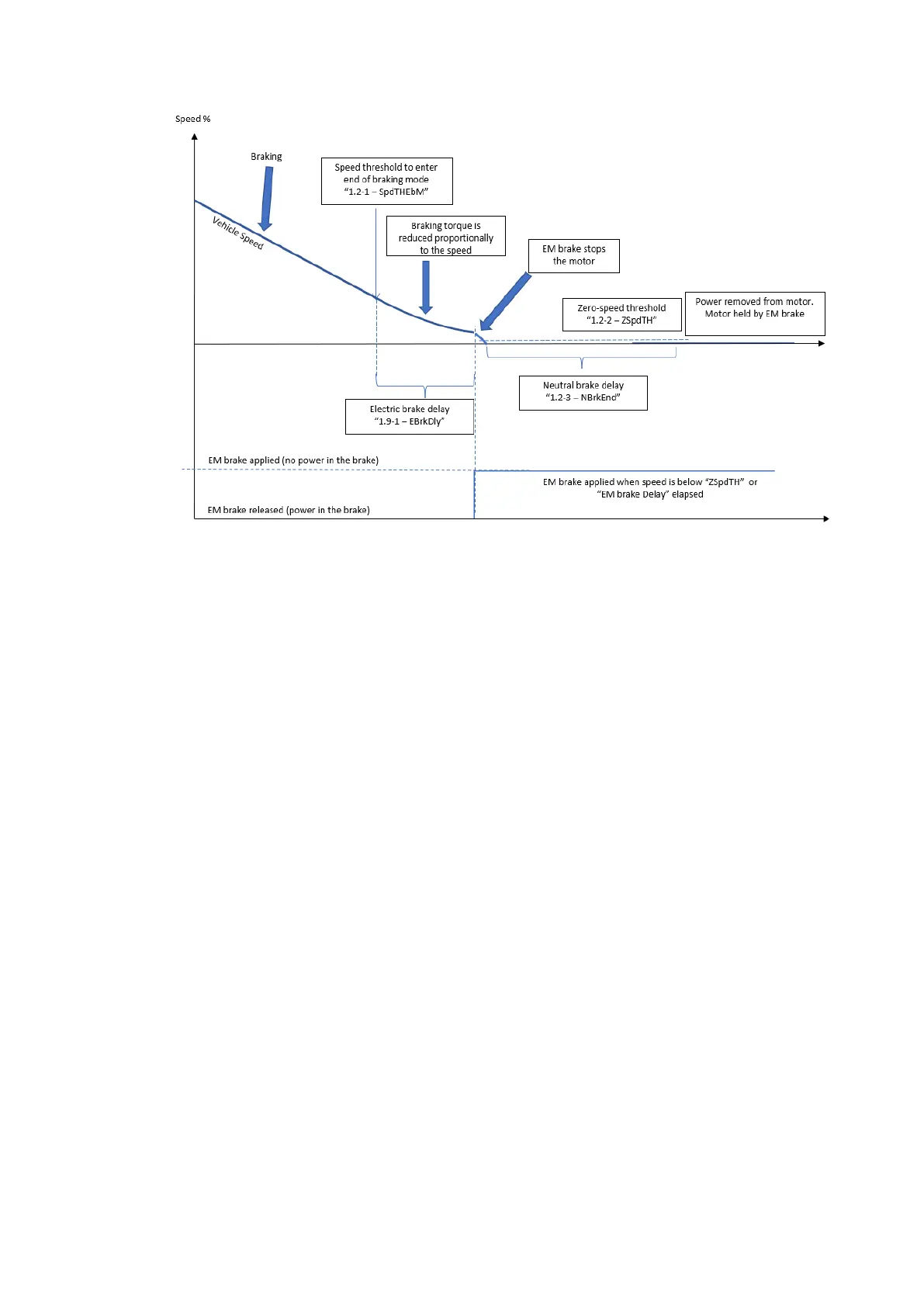
• If “M8.2-1 Driver output 2 configuration for traction“Drv2Cfg”” is set to 5 or 6, this parameter has no effect:
the electric brake will in fact be applied only when zero speed is detected (speed lower than “5M1.2-2 Zero
speed threshold ”ZSpdTh””).
• If “M8.2-1 Driver output 2 configuration for traction“Drv2Cfg”” is set to 7 or 8, this parameter sets the delay
between the detection of zero speed (speed lower than “5M1.2-2 Zero speed threshold ”ZSpdTh””) and the
electric brake being applied.
M1.9-2 Electric brake release delay “EBRelDly”
This setting is useful on vehicle equipped with an electro-mechanical brake. It sets a delay in opening the EM
brake from the time at which controller starts giving power to the motor.
This helps to prevent roll back of a Walkie truck when starting driving on a gradient. This delay gives time to
the motor to build up torque before the EM brake is released
M1.9-3 Electric brake lock delay “ELkRdly”
This setting is useful on vehicle equipped with an electro-mechanical brake and is active only in speed mode. It
sets a time delay for avoiding to build up torque before the brake is released. This can lead to a smoother and
bump less acceleration, since there is a minimum fixed time of 0.1s from when motor starts giving power to
the motor to when electro-mechanical brake is actually released (see parameter “M1.9-2 Electric brake release
delay “EBRelDly””). To avoid the roll back on slope M1.9-3 Electric brake lock delay “ELkRdly” has to be set
lower than M1.9-2Electric brake release delay “EBRelDly”. If smooth starting on flat ground is wanted M1.9-3
Electric brake lock delay “ELkRdly” has to be set higher than M1.9-2 Electric brake release delay “EBRelDly”.



 To Next Page