Dobot CR A Series User Guide
Issue V1.3 (2023-09-14) User Guide Copyright © Yuejiang Technology Co., Ltd.
63
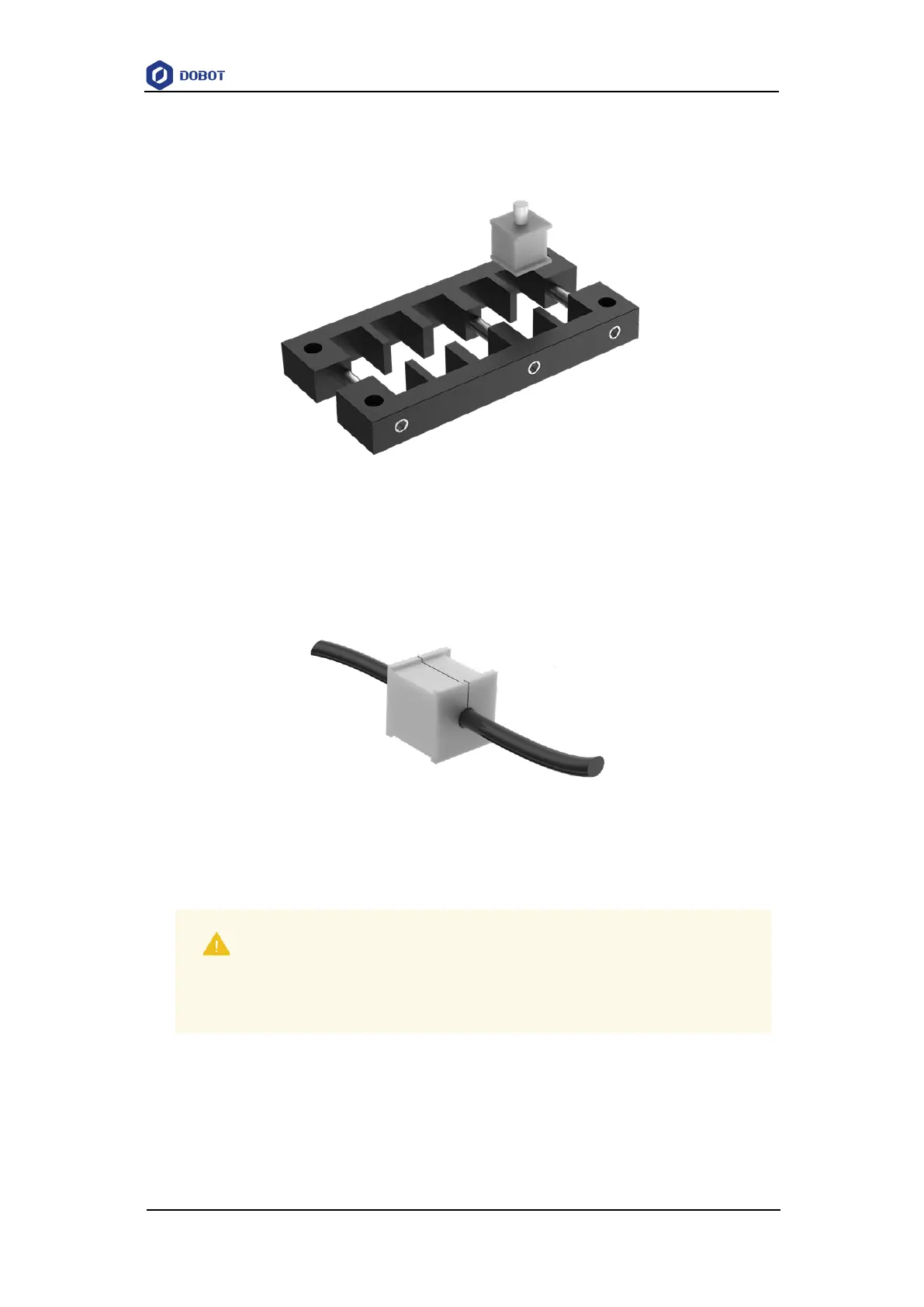
wrench, and remove the cable entry plate from the protective cover.
2. Loosen three M4 bolts on the side of the cable entry frame using M4 inner hexagon
wrench to disassemble the cable entry plate and take out the cable entry module.
Figure 7.6 Cable entry plate
3. Select the appropriate module according to the cable diameter connected to the controller
(If there is no suitable module among the modules pre-assembled on the cable-entry plate,
you can select from the separate modules shipped with the protective cover). Take out the
plug from the module, and embed the cable into the module.
Figure 7.7 Cable entry module
4. Install the module back into the cable entry frame, and tighten 3 M4 bolts on the side of
the frame.
5. Install the cable entry plate back into the protective cover frame, and fix it using 4 M4
bolts.
6. Connect the cable through the protective cover to the controller.
7. Remove 5 screws (3 on the left and 2 on the right) on both sides of the controller
corresponding to the installation holes of the protective cover. For the installation position
NOTICE
The module without embedded cable also needs to be installed back into the cable
entry frame with the plug, otherwise, it cannot reach IP54 protection level.



 To Next Page