41
WN 059677 45532 - 11/2023
ES 250 PRO/ES 250 PRO FST
ES 400 PRO/ES 400 PRO FST
Mounting instructions
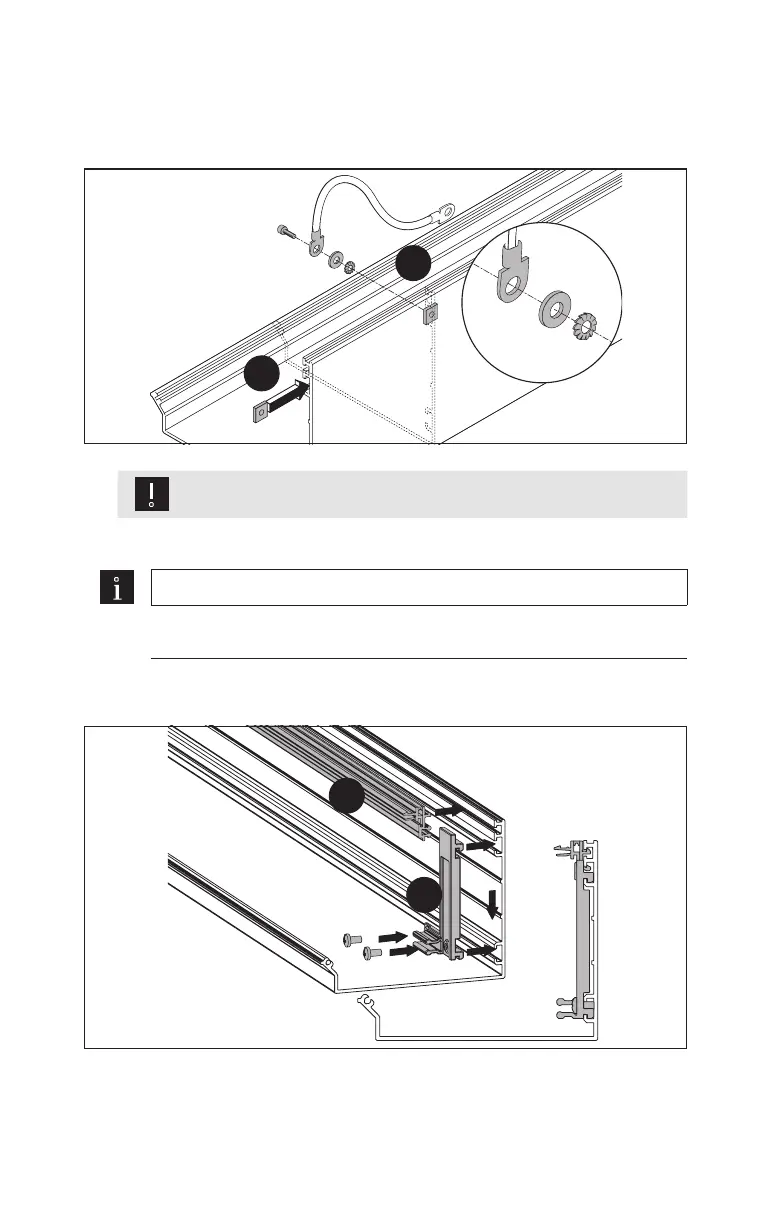
4.22 Prepare the internal cover
1. Slide the square nut into the groove.
Fig.67
1.
2.
Attention
Do not mount the protective conductor in the area of movement!
2. Screw the protective conductor into the internal cover at the desired place.
Note
Do not position the hinge profile in the area of the cover holders.
3. Clip the hinge profiles evenly over the length of the cladding.
Fig.68
3.
4.
4. Clip 1holder each into the cladding in the same position as the cover holders.













 To Next Page