32
WN 059677 45532 - 11/2023
ES 250 PRO/ES 250 PRO FST
ES 400 PRO/ES 400 PRO FST
Mounting instructions
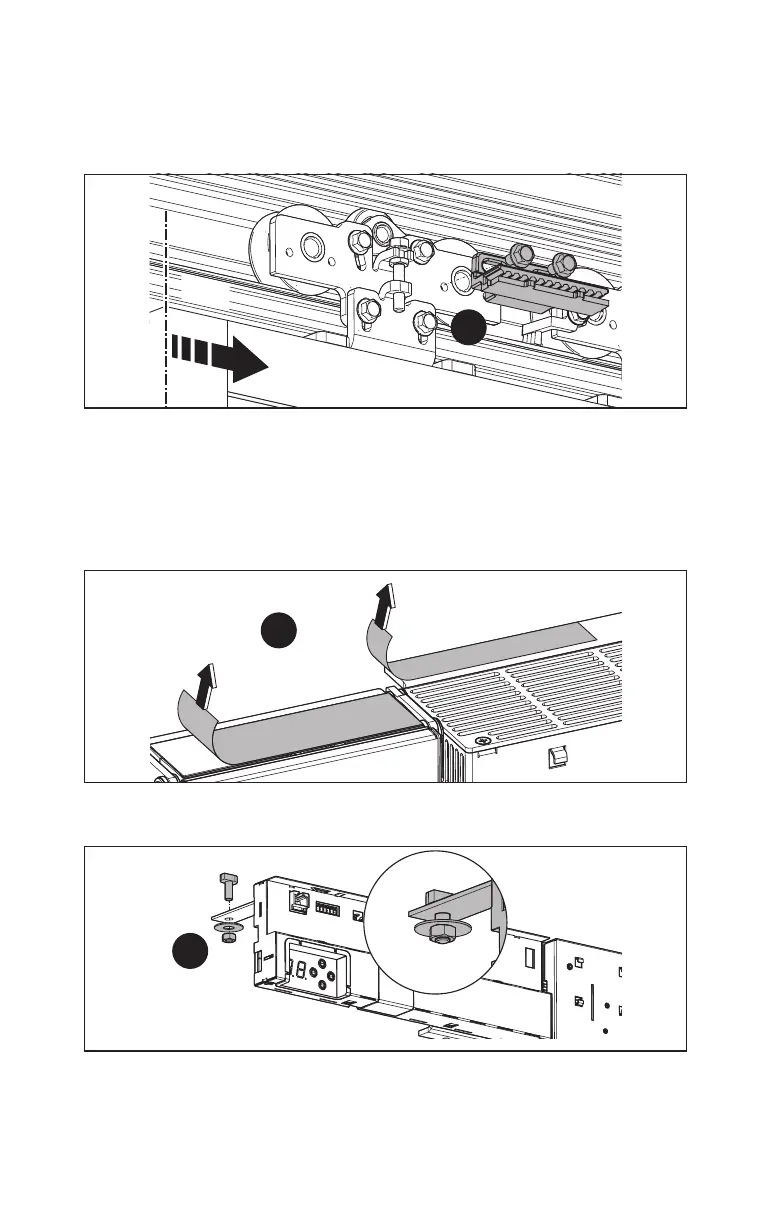
4.11.4 On 1-leaf, right-opening units
1. Screw the toothed belt engaging unit onto the carrier.
Fig.44
1.
MCE
4.12 Mount the optional locking device
Mount the locking device according to the accompanying manual.
4.13 Mount the DRIVEUNIT
1. Remove the protective film from the heat conducting pads.
Fig.45
1.
2. Loosely screw the hammer head screws in the bracket.
Fig.46
2.













 To Next Page