66
WN 059677 45532 - 11/2023
ES 250 PRO/ES 250 PRO FST
ES 400 PRO/ES 400 PRO FST
Mounting instructions
11 Parameterization
After carrying out a teach-in run, the operator can be operated with the basic
parameters.
The system offers the option to adapt the travel parameters to the actual
conditions as well as to activate advanced functions. These parameters should be
set during commissioning according to the customer’s wishes.
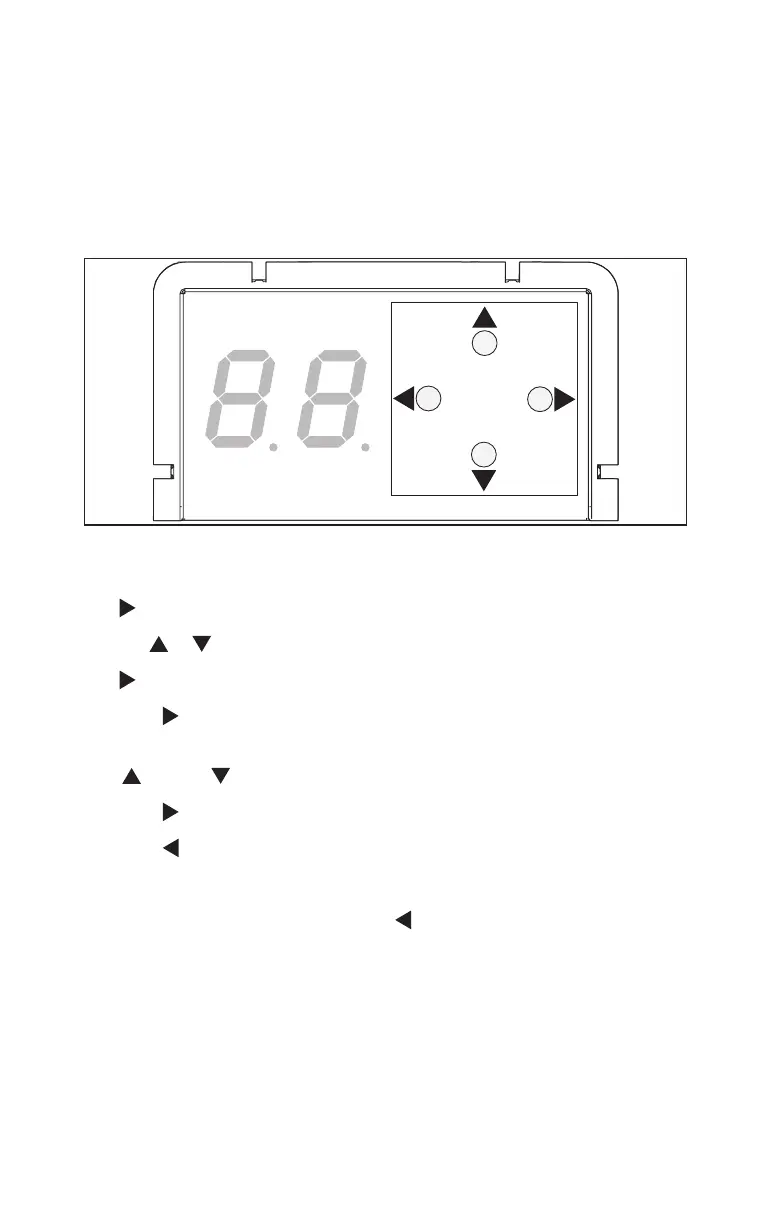
Fig.102
11.1 Change parameters
1. Press for 3seconds to open the parameters menu.
2. Use or to select the parameter to be changed.
3. Press to display the parameter value.
4. Press to select the parameter value to be changed.
The value flashes.
5. Or press to change the parameter value.
6. Press to save the changed parameter value.
7. Press to return to the parameters menu.
8. Repeat steps 2-7 to change more parameters.
9. If all parameters have been set, press to exit the parameters menu.
11.2 Parameter overview
The parameters described here can be set via the keypad on the control unit.
Further settings can be activated via the OSI or TMS-Soft.
If a parameter only applies to certain operator systems (Standard, CO 48 or FST
operator), the parameter is labelled accordingly in the table.













 To Next Page