24
WN 059677 45532 - 11/2023
ES 250 PRO/ES 250 PRO FST
ES 400 PRO/ES 400 PRO FST
Mounting instructions
4.4 Mount the optional side panels
1. Mount the wall connection profiles and the side panels according to the profile
system manual.
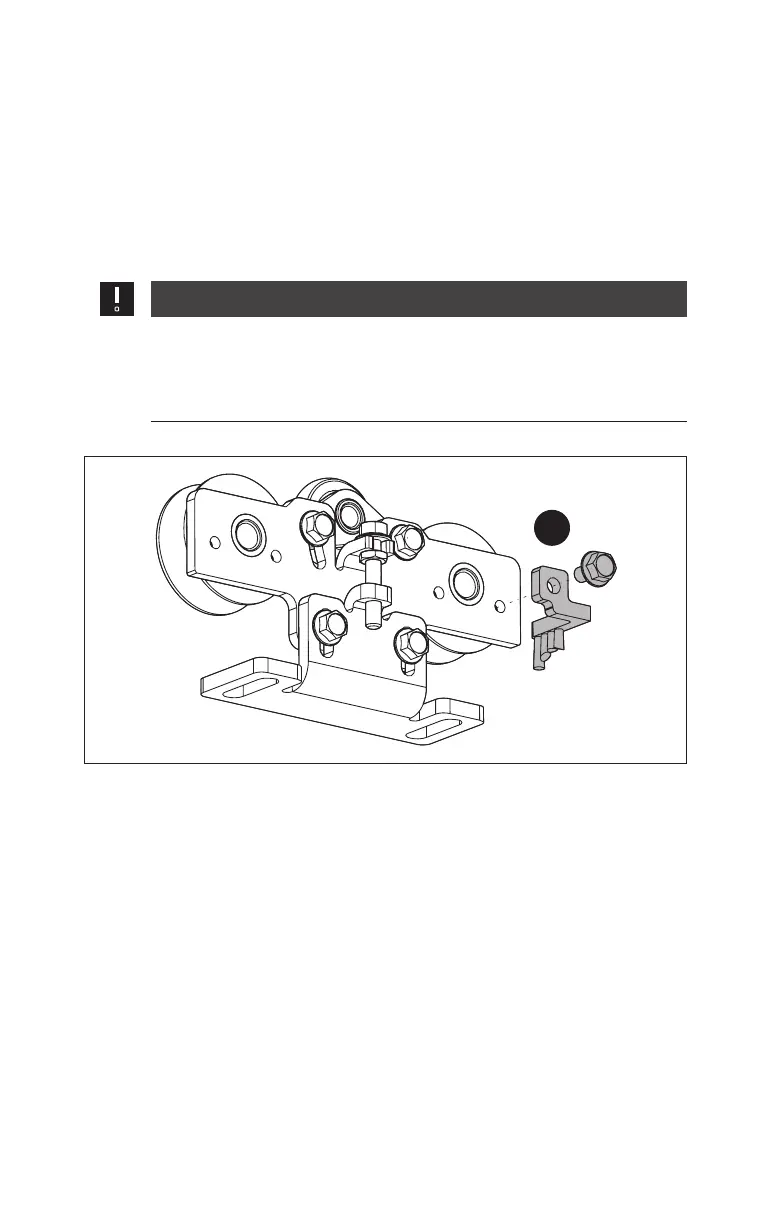
4.5 Mount the optional anti-static brushes
1. Screw 1 anti-static brush onto each of the carriers.
ATTENTION
Risk of damage to the anti-static brushes and the end stops!
The anti-static brushes and the end stops may be damaged by a
collision.
• Mount the anti-static brushes so that they do not collide with an end
stop.
Fig.29
1.













 To Next Page