VigorPro5300 Series User’s Guide
97
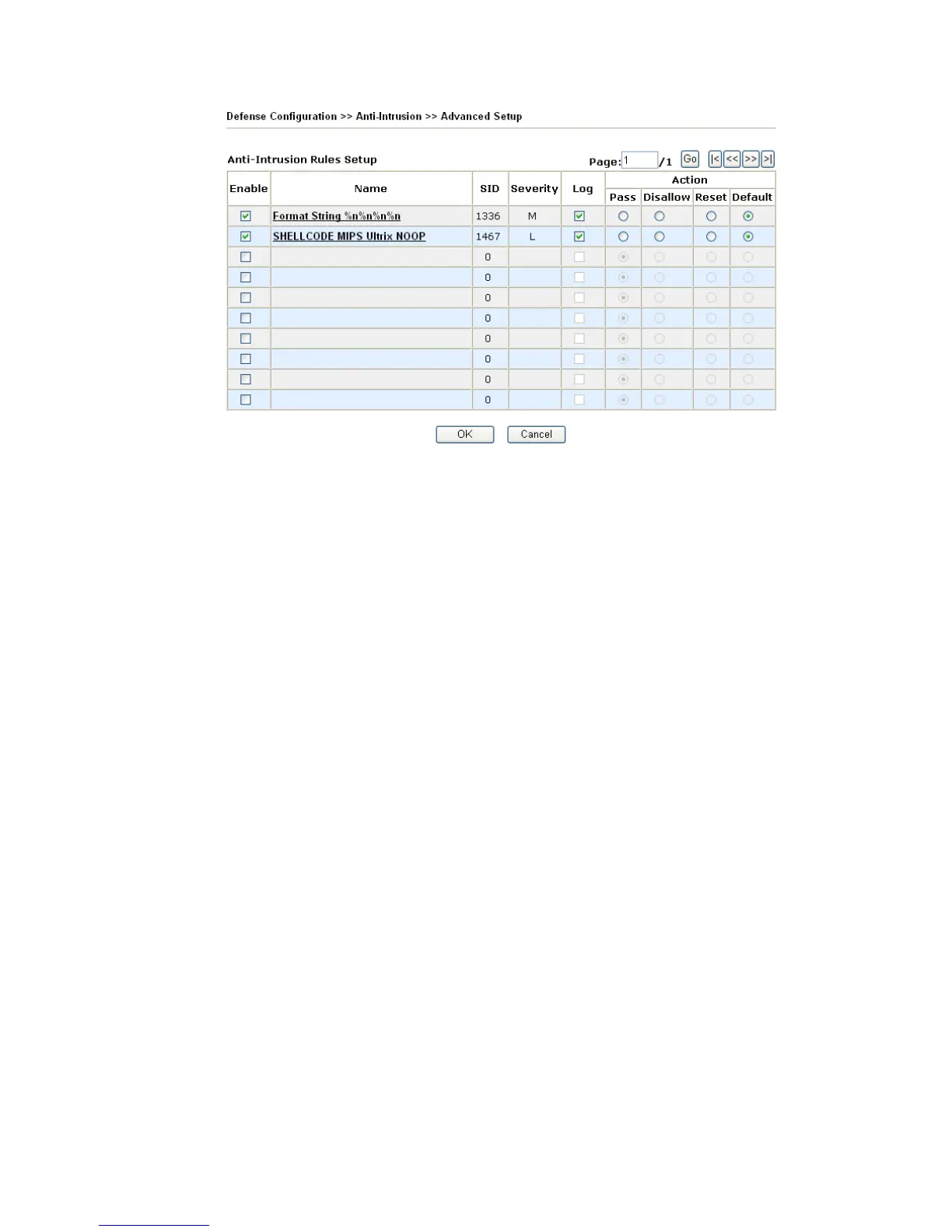
Enable Check to enable this rule. If you uncheck this box, the
corresponding settings for the rule will not be executed.
SID The number for each anti-intrusion rule is displayed in this
field.
Name A brief description name for the anti-intrusion rule is shown in
this field. Click the name link to access into VigorPro website
for checking the detailed information for the specified anti-
intrusion.
Severity It means the degree of the influence for this type to the
computer, machine, network and environment.
H: representing that this type will cause severest affection
which must crash/destroy your computer.
M: representing that this type will cause severer affection
which might crash your computer.
L: representing that this type will cause small affection which
might not crash your computer.
Log In order to show the detection log with such rule on the
window of Draytek Syslog, you have to check the log box
here and enable the SysLog Access Setup from System
Maintenance >> Syslog/Mail Alert.
Action Pass - Click this radio button to detect if there is any intrusion
occurrence for your reference. The system will not do any
advanced action for such condition.
Disallow - Click this radio button to block the
incoming/outgoing packets with possible intrusion actions
transmitting through the router.
Reset - Click this radio button to break down the
communication between your computer and specific link
which might have intrusion actions.
Default - Click this radio button to execute the anti-intrusion
detection according to the setting that you set in Basic Setup.
Page Type the page number in this field (if there is more than one
page of anti-virus detail view displayed on this page). Then












 To Next Page