VigorPro5300 Series User’s Guide
206
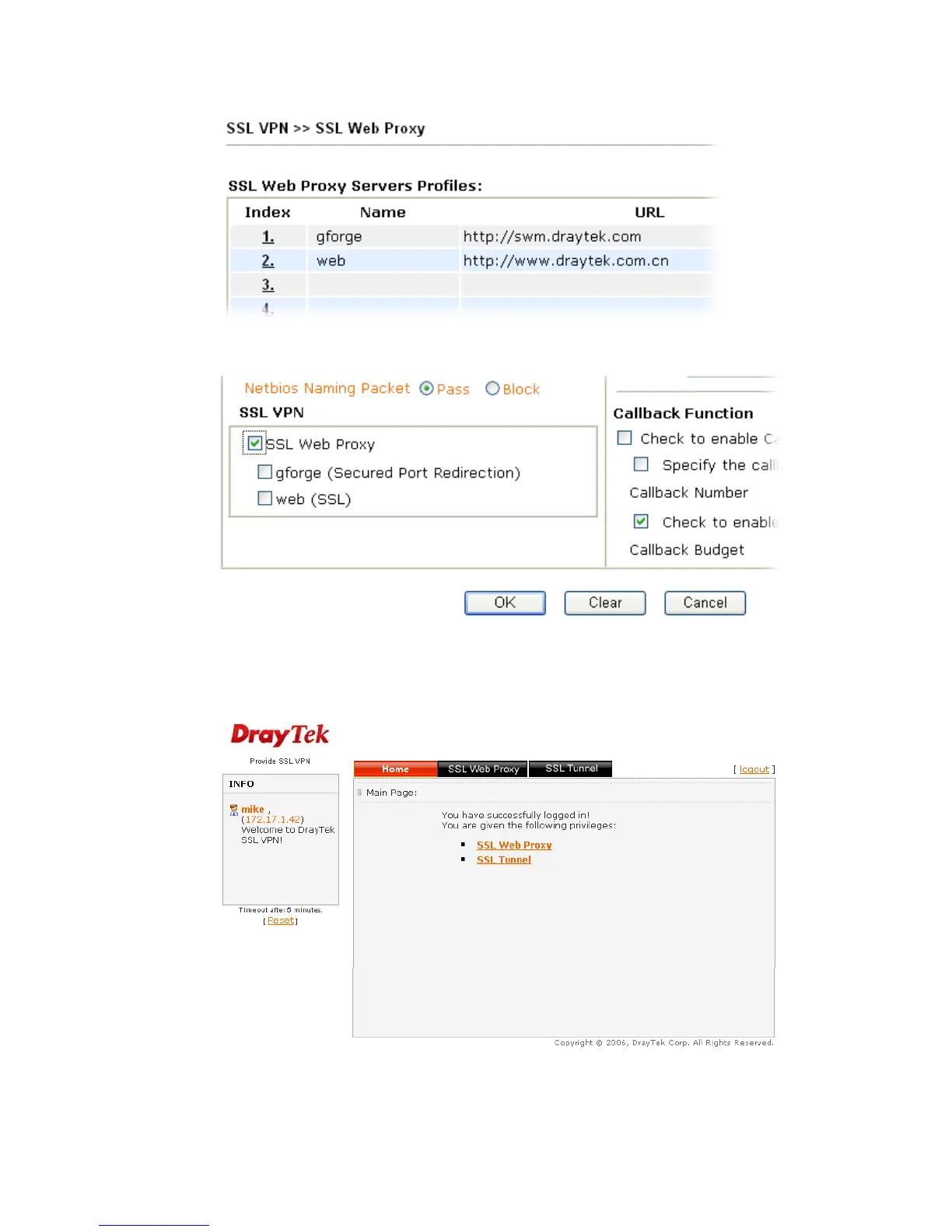
The SSL Web Proxy profile names will be displayed (together with check box) as shown
below.
3
3
.
.
1
1
5
5
.
.
3
3
O
O
n
n
l
l
i
i
n
n
e
e
U
U
s
s
e
e
r
r
S
S
t
t
a
a
t
t
u
u
s
s
If you have finished the configuration of SSL Web Proxy (server), users can find out
corresponding settings when they access into Draytek SSL VPN portal interface.
Next, users can open SSL VPN>> Online Status to view logging status of SSL VPN.












 To Next Page