VigorPro5300 Series User’s Guide
237
4
4
.
.
4
4
A
A
c
c
t
t
i
i
v
v
a
a
t
t
i
i
n
n
g
g
A
A
n
n
t
t
i
i
-
-
V
V
i
i
r
r
u
u
s
s
/
/
A
A
n
n
t
t
i
i
-
-
I
I
n
n
t
t
r
r
u
u
s
s
i
i
o
o
n
n
/
/
A
A
n
n
t
t
i
i
-
-
S
S
p
p
a
a
m
m
S
S
e
e
r
r
v
v
i
i
c
c
e
e
After registering your vigor router, you have to follow the steps listed below to activate
anti-virus/anti-intrusion/anti-spam service to obtain full security for your computer.
4
4
.
.
4
4
.
.
1
1
F
F
o
o
r
r
A
A
n
n
t
t
i
i
-
-
V
V
i
i
r
r
u
u
s
s
a
a
n
n
d
d
A
A
n
n
t
t
i
i
-
-
I
I
n
n
t
t
r
r
u
u
s
s
i
i
o
o
n
n
S
S
e
e
r
r
v
v
i
i
c
c
e
e
1. Open a web browser on your PC and type http://192.168.1.1. A pop-up window will
open to ask for username and password.
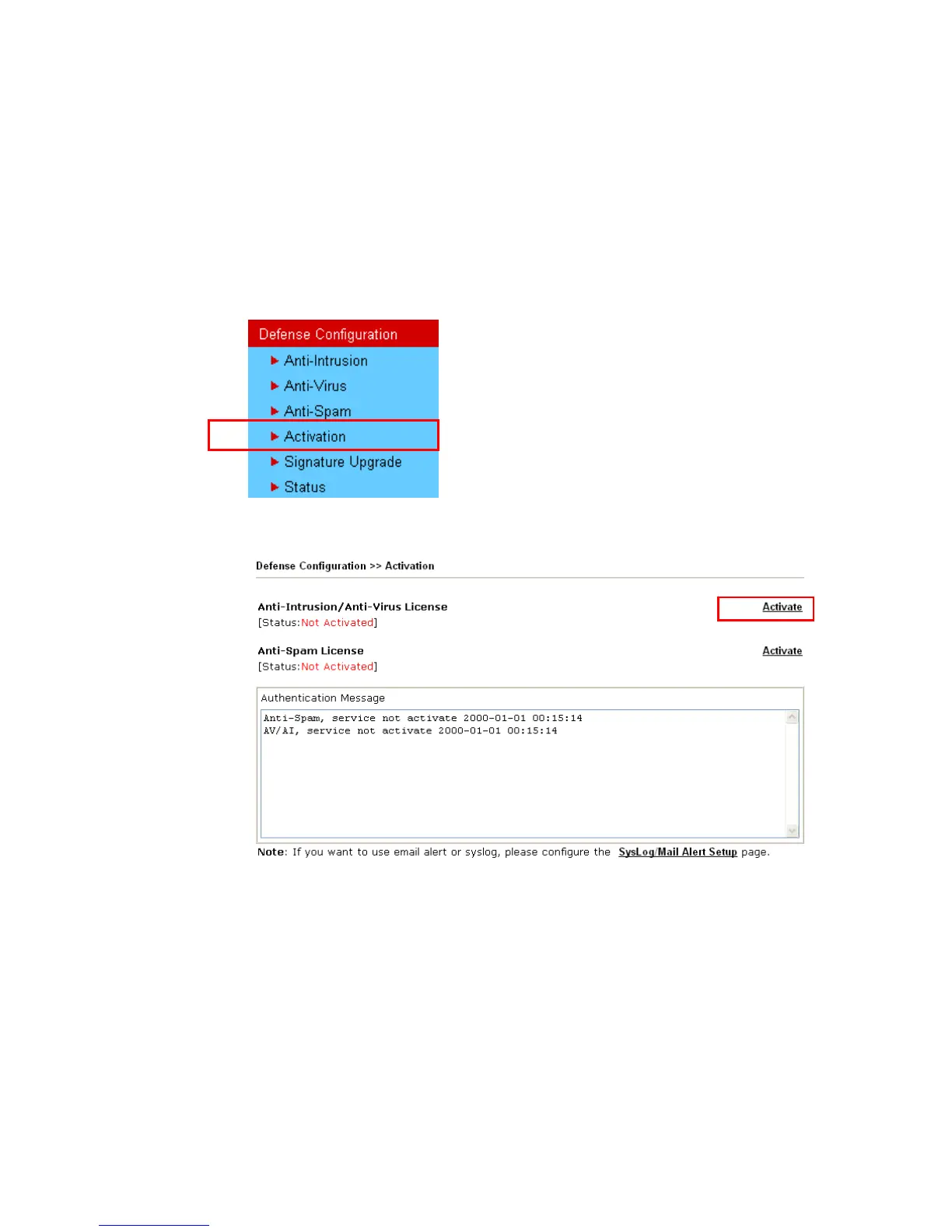
2. From the router’s web page, please open Defense Configuration >>Activate. You will
see the following web page.
3. Click the Activate link from Anti-Intrusion/Anti-Virus License to activate
Anti-Intrusion/Anti-Virus service.












 To Next Page