VigorPro5300 Series User’s Guide
15
2
C
C
o
o
n
n
f
f
i
i
g
g
u
u
r
r
i
i
n
n
g
g
B
B
a
a
s
s
i
i
c
c
S
S
e
e
t
t
t
t
i
i
n
n
g
g
s
s
For use the router properly, it is necessary for you to change the password of web
configuration for security and adjust primary basic settings.
This chapter explains how to setup a password for an administrator and how to adjust basic
settings for accessing Internet successfully. Be aware that only the administrator can change
the router configuration.
2
2
.
.
1
1
C
C
h
h
a
a
n
n
g
g
i
i
n
n
g
g
P
P
a
a
s
s
s
s
w
w
o
o
r
r
d
d
To change the password for this device, you have to access into the web browse with default
password first.
1. Make sure your computer connects to the router correctly.
Notice: You may either simply set up your computer to get IP dynamically from the
router or set up the IP address of the computer to be the same subnet as the default
IP address of Vigor router 192.168.1.1. For the detailed information, please refer
to the later section - Trouble Shooting of this guide.
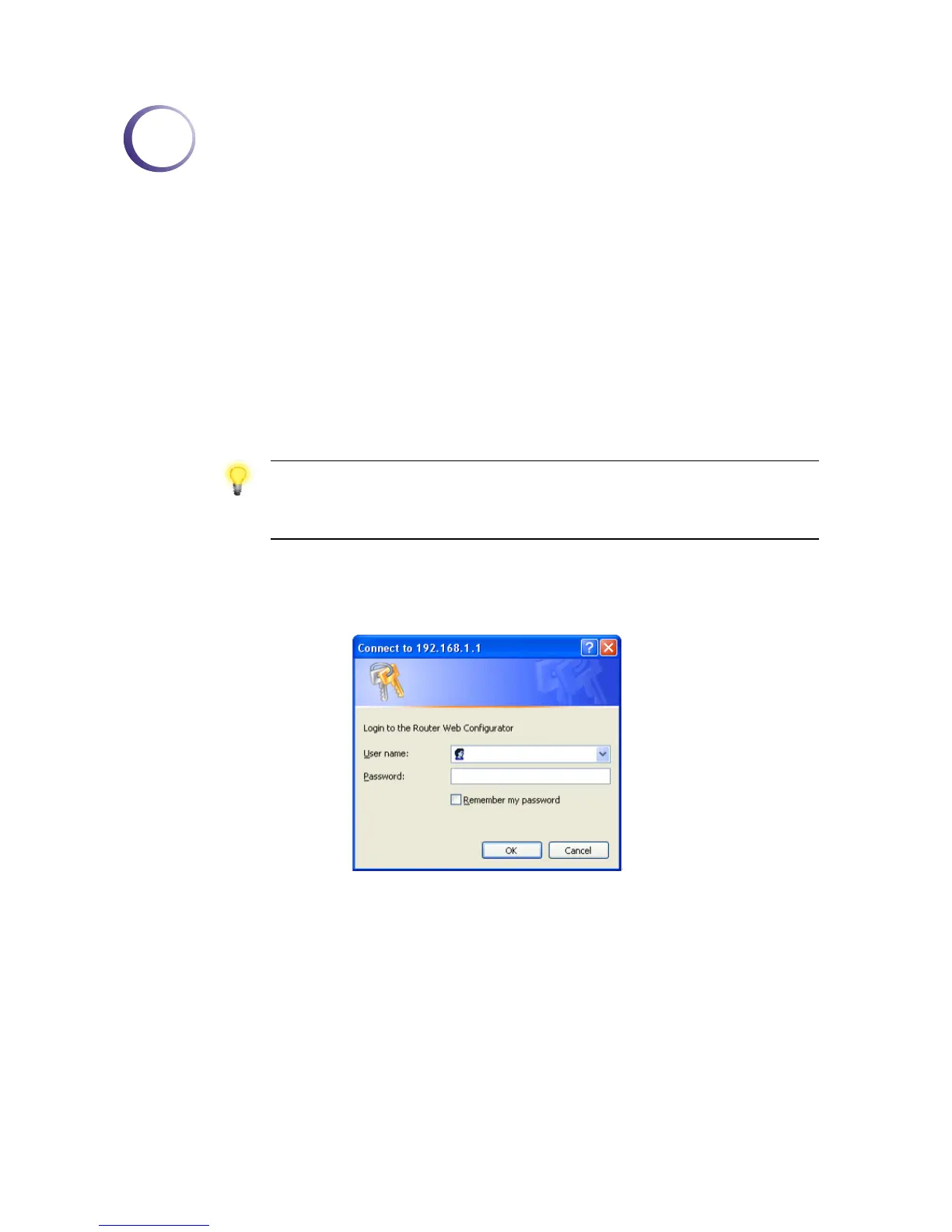
2. Open a web browser on your PC and type http://192.168.1.1. A pop-up window will
open to ask for username and password. Please type default values (both username and
password are Null) on the window for the first time accessing and click OK for next
screen.












 To Next Page