VigorPro5300 Series User’s Guide
275
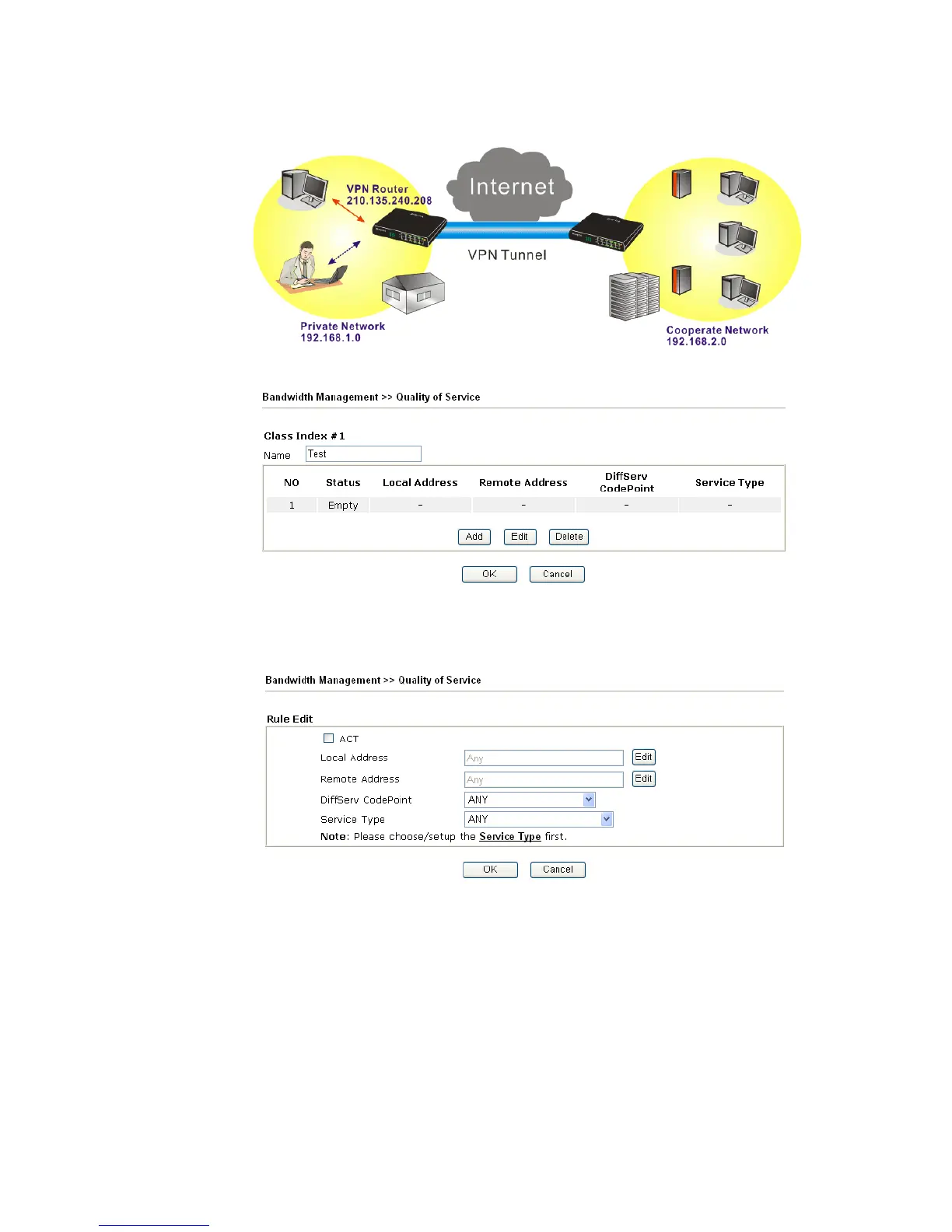
10. Click edit to open a new window.
11. First, check the ACT box. Then click Edit of Local Address to set a worker’s subnet
address. Click Edit of Remote Address to set headquarter’s subnet address. Leave
other fields and click OK.
5
5
.
.
4
4
L
L
A
A
N
N
–
–
C
C
r
r
e
e
a
a
t
t
e
e
d
d
b
b
y
y
U
U
s
s
i
i
n
n
g
g
N
N
A
A
T
T
An example of default setting and the corresponding deployment are shown below. The
default Vigor router private IP address/Subnet Mask is 192.168.1.1/255.255.255.0. The
built-in DHCP server is enabled so it assigns every local NATed host an IP address of
192.168.1.x starting from 192.168.1.10.












 To Next Page