VigorPro5300 Series User’s Guide
46
3
3
.
.
2
2
.
.
4
4
V
V
L
L
A
A
N
N
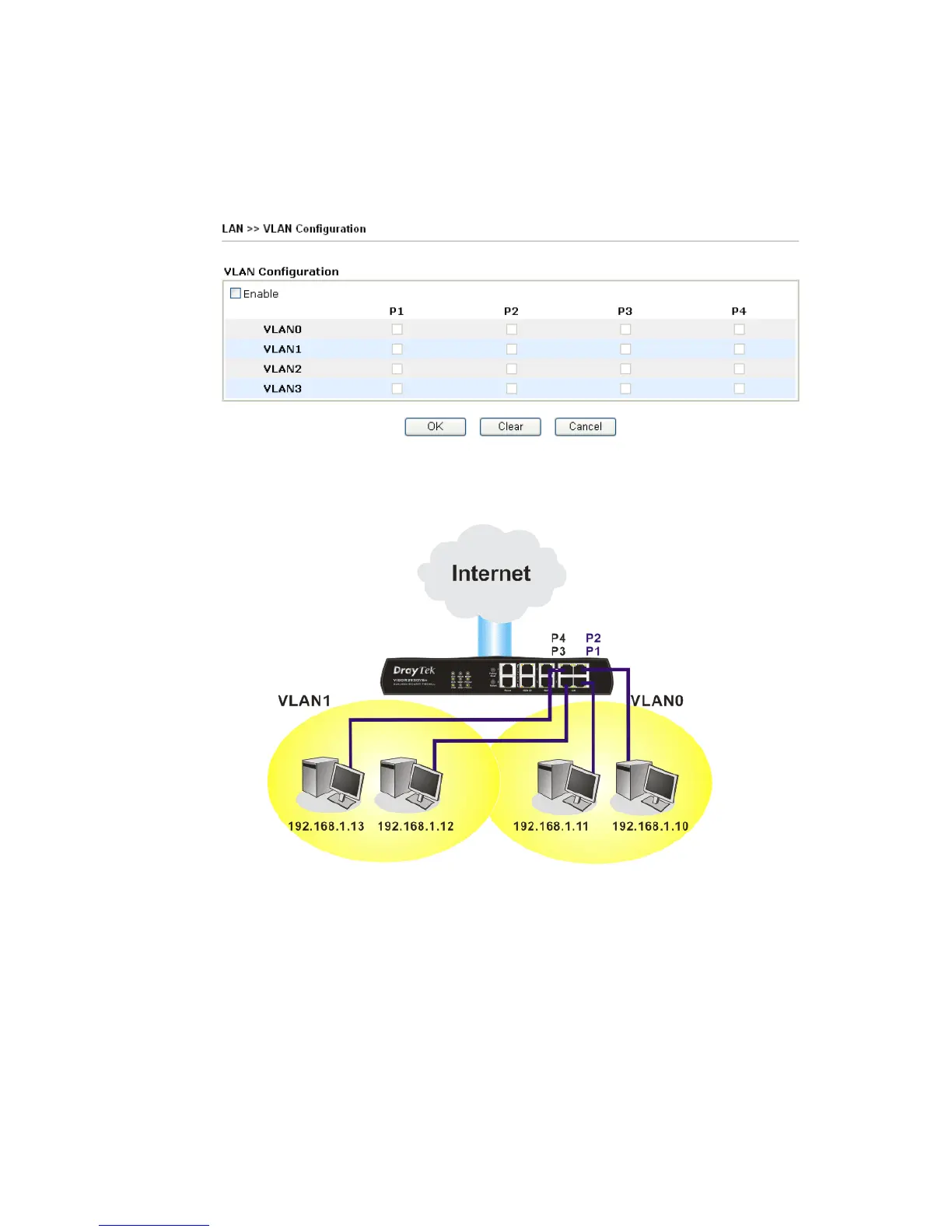
Virtual LAN function provides you a very convenient way to manage hosts by grouping
them based on the physical port. You can also manage the in/out rate of each port. Go to
LAN page and select VLAN. The following page will appear. Click Enable to invoke
VLAN function.
To add or remove a VLAN, please refer to the following example.
1. If, VLAN 0 is consisted of hosts linked to P1 and P2 and VLAN 1 is consisted of hosts
linked to P3 and P4.












 To Next Page