VigorPro5300 Series User’s Guide
209
1
st
IP Address Display the IP address of the LAN interface.
1
st
Subnet Mask Display the subnet mask address of the LAN interface.
DHCP Server Display the current status of DHCP server of the LAN
interface.
DNS Display the assigned IP address of the primary DNS.
Link Status Display the connection status of WAN interface.
MAC Address Display the MAC address of the WAN Interface.
Connection Display the chosen WAN mode.
IP Address Display the IP address of the WAN interface.
Default Gateway Display the assigned IP address of the default gateway.
DNS Display the assigned IP address of the primary DNS.
MAC Address Display the MAC address of the wireless LAN.
Frequency Domain It can be Europe (13 usable channels), USA (11 usable
channels) etc. The available channels supported by the
wireless products in different countries are various.
Firmware Version It indicates information about equipped WLAN miniPCi card.
This also helps to provide availability of some features that
are bound with some WLAN miniPCi card.
3
3
.
.
1
1
6
6
.
.
2
2
A
A
d
d
m
m
i
i
n
n
i
i
s
s
t
t
r
r
a
a
t
t
o
o
r
r
P
P
a
a
s
s
s
s
w
w
o
o
r
r
d
d
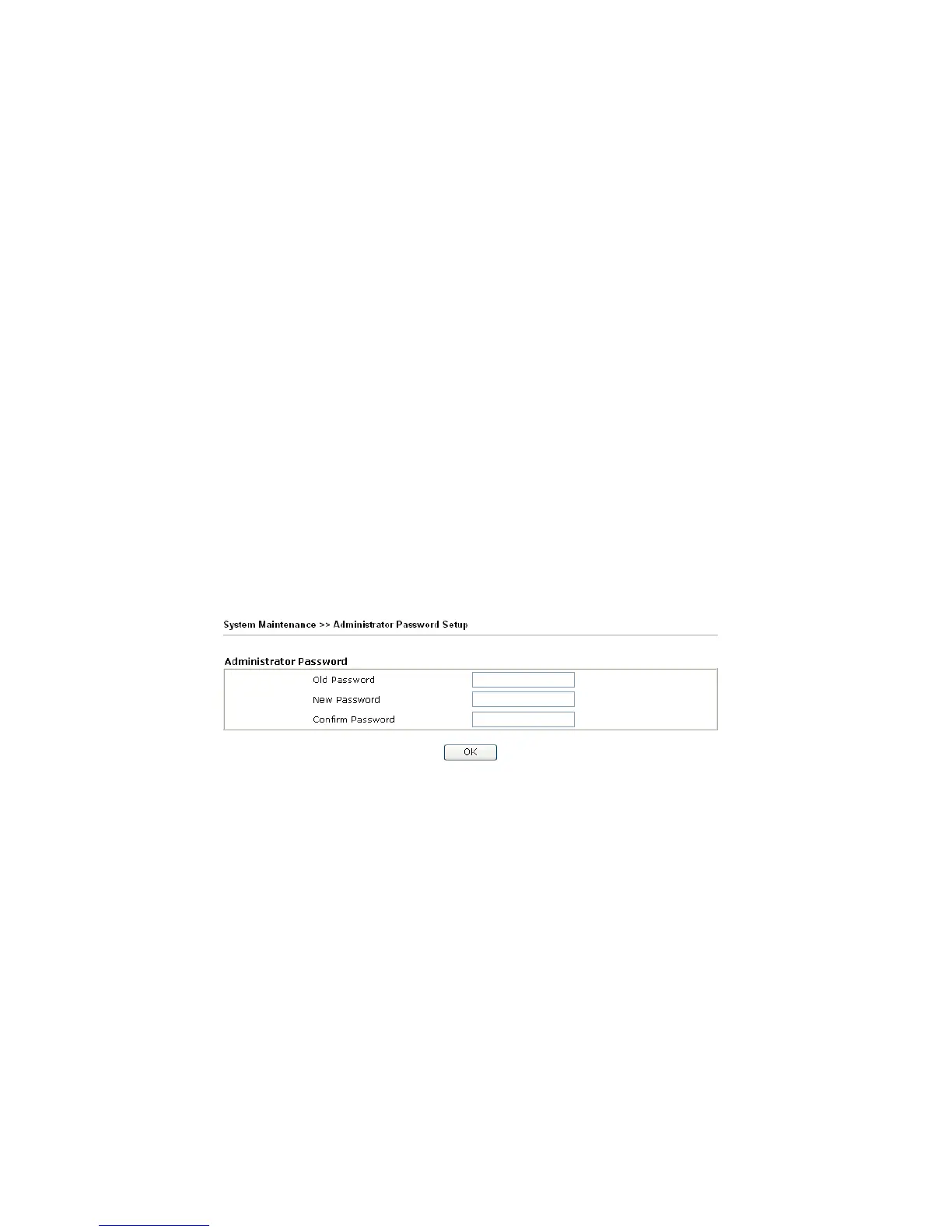
This page allows you to set new password.
Old Password Type in the old password. The factory default setting for
password is blank.
New Password Type in new password in this filed.
Confirm Password Type in the new password again.
When you click OK, the login window will appear. Please use the new password to access
into the web configurator again.
3
3
.
.
1
1
6
6
.
.
3
3
C
C
o
o
n
n
f
f
i
i
g
g
u
u
r
r
a
a
t
t
i
i
o
o
n
n
B
B
a
a
c
c
k
k
u
u
p
p
B
B
a
a
c
c
k
k
u
u
p
p
t
t
h
h
e
e
C
C
o
o
n
n
f
f
i
i
g
g
u
u
r
r
a
a
t
t
i
i
o
o
n
n
Follow the steps below to backup your configuration.
1. Go to System Maintenance >> Configuration Backup. The following windows will
be popped-up, as shown below.












 To Next Page